Table of Contents
- Introduction
- Why Website Security Is Critical for Small Businesses
- Checklist #1: Install an SSL Certificate (HTTPS)
- Checklist #2: Keep Your CMS Updated
- Checklist #3: Use Strong Passwords and Multi-Factor Authentication
- Checklist #4: Choose Secure Web Hosting
- Conclusion to Part 1
Introduction
For many small businesses, a website is more than just an online brochure—it’s a sales platform, customer support channel, lead generation tool, and the face of the brand. Yet, while companies invest in attractive designs and digital marketing, website security is often overlooked until something goes wrong.
Cyberattacks are no longer aimed only at large corporations. In fact, small businesses are increasingly targeted because hackers know they often lack proper security measures. A single security breach can expose customer information, interrupt business operations, damage your reputation, and even cause your website to disappear from Google’s search results.
Website security isn’t just about preventing hackers. It also affects website performance, customer trust, search engine optimization (SEO), and legal compliance. Google prioritizes secure websites and warns users before they visit websites that may be unsafe. Losing that trust can have long-lasting consequences.
This is why partnering with an experienced Website Development Company is one of the smartest investments a business can make. Professional developers don’t simply build attractive websites—they implement security best practices from the beginning, reducing risks before they become expensive problems.
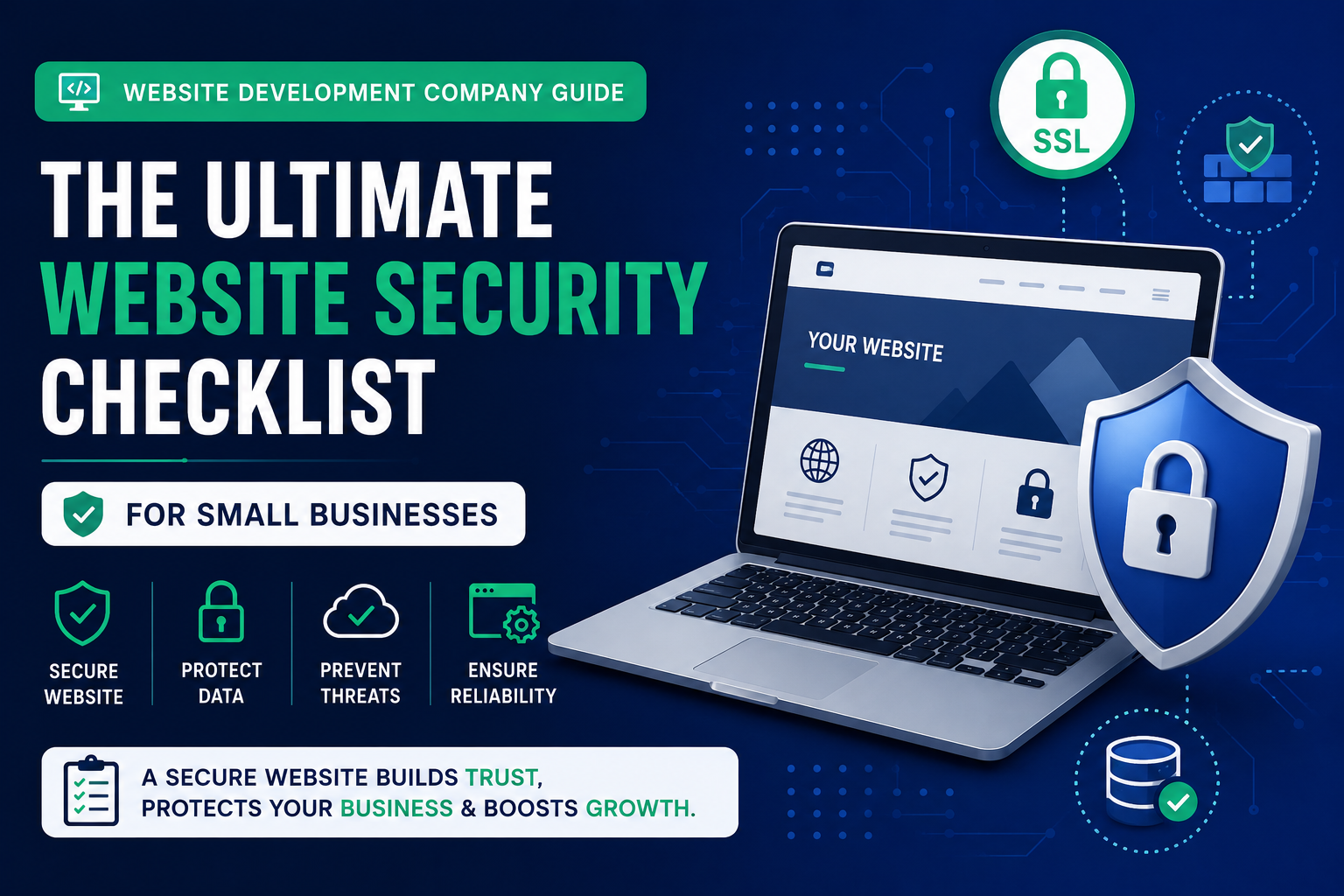
In this comprehensive guide, you’ll learn the ultimate website security checklist every small business should follow. Whether you’re launching a new website or improving an existing one, these practical recommendations will help protect your website, your customers, and your online reputation.
Why Website Security Is Critical for Small Businesses
Many business owners assume cybercriminals only target large enterprises. Unfortunately, that’s one of the biggest misconceptions in cybersecurity.
Small businesses often become easier targets because:
- Security updates are delayed.
- Weak passwords are common.
- Outdated plugins remain installed.
- Backups are inconsistent.
- Website monitoring is limited.
- Security configurations are incomplete.
Hackers use automated tools that scan thousands of websites looking for known vulnerabilities. They don’t care whether your company has ten employees or ten thousand.
A secure website provides several important benefits:
- Protects customer information
- Improves Google rankings
- Builds customer trust
- Prevents downtime
- Reduces financial losses
- Supports legal compliance
- Maintains business reputation
An experienced Website Development Company builds these protections into your website from the beginning instead of trying to fix security problems after an attack occurs.
Let’s begin the security checklist.
Checklist #1: Install an SSL Certificate (HTTPS)
The first step in website security is enabling HTTPS using an SSL certificate.
SSL (Secure Sockets Layer) encrypts data exchanged between your website and its visitors. Without encryption, sensitive information like passwords, payment details, and contact form submissions can potentially be intercepted.
Today, HTTPS is no longer optional.
Google officially uses HTTPS as a ranking signal, and modern browsers display warnings when websites are not secure.
Why SSL Matters
An SSL certificate helps:
- Encrypt customer data
- Protect login credentials
- Secure online payments
- Improve SEO
- Build visitor trust
- Reduce data interception risks
Visitors are far more likely to trust websites displaying the secure padlock icon.
Signs Your Website Needs SSL
Your website may still be vulnerable if:
- URLs begin with “http://” instead of “https://”
- Browsers display “Not Secure”
- Mixed-content warnings appear
- Forms are submitted over HTTP
These issues negatively affect both security and user confidence.
How a Website Development Company Helps
A professional Website Development Company properly installs SSL certificates and ensures every page automatically redirects to HTTPS.
Developers also:
- Configure secure redirects
- Fix mixed-content issues
- Update internal links
- Verify certificate renewal
- Monitor HTTPS performance
These steps ensure complete encryption across your website.
Best Practices
- Install SSL immediately.
- Redirect HTTP traffic to HTTPS.
- Renew certificates before expiration.
- Test website security regularly.
- Eliminate mixed-content errors.
Checklist #2: Keep Your CMS Updated
Whether your website uses WordPress, Joomla, Drupal, Shopify, or another platform, keeping the Content Management System (CMS) updated is essential.
Developers continuously release updates to fix security vulnerabilities, improve performance, and introduce new features.
Unfortunately, outdated software remains one of the leading causes of hacked websites.
Risks of Outdated CMS Versions
Older versions may contain:
- Known security vulnerabilities
- Unsupported code
- Compatibility issues
- Plugin conflicts
- Performance problems
Hackers actively search for websites running outdated versions because published vulnerabilities are easy to exploit.
Why Updates Matter
Regular updates help:
- Patch security flaws
- Improve compatibility
- Increase website speed
- Enhance stability
- Strengthen overall security
Ignoring updates creates unnecessary risk.
How a Website Development Company Manages Updates
A reliable Website Development Company doesn’t simply click the update button.
Instead, developers typically:
- Test updates on staging websites
- Check plugin compatibility
- Create backups before updates
- Verify website functionality afterward
- Roll back updates if problems occur
This reduces the risk of website downtime.
Best Practices
- Enable update notifications.
- Schedule maintenance regularly.
- Test updates before deployment.
- Remove unsupported software.
- Update immediately after security releases.
Checklist #3: Use Strong Passwords and Multi-Factor Authentication
Weak passwords remain one of the easiest ways hackers gain access to websites.
Simple passwords such as:
- admin123
- password
- companyname123
can often be cracked within seconds.
Characteristics of Strong Passwords
Strong passwords should include:
- Uppercase letters
- Lowercase letters
- Numbers
- Symbols
- At least 12–16 characters
Every administrator account should use a unique password.
Why Multi-Factor Authentication (MFA) Matters
Even strong passwords can sometimes be compromised.
Multi-Factor Authentication adds another security layer by requiring a second verification method, such as:
- Authentication apps
- SMS verification
- Security keys
- Email verification
Without this second step, attackers cannot easily access administrator accounts.
How a Website Development Company Protects Login Systems
A professional Website Development Company secures administrator access by implementing:
- MFA
- Login attempt limits
- CAPTCHA protection
- IP restrictions
- Secure administrator URLs
- Role-based permissions
These measures significantly reduce unauthorized access attempts.
Best Practices
- Never reuse passwords.
- Change passwords regularly.
- Enable MFA for all administrators.
- Remove inactive user accounts.
- Limit administrator access.
Checklist #4: Choose Secure Web Hosting
Your hosting provider plays a major role in website security.
Even the most secure website can become vulnerable if hosted on poorly maintained servers.
Cheap hosting often lacks important protections such as:
- Server monitoring
- Firewalls
- Malware scanning
- Automatic backups
- DDoS protection
What Secure Hosting Should Include
Look for hosting providers that offer:
- Daily backups
- Server firewalls
- Malware detection
- Automatic security updates
- 24/7 monitoring
- SSL support
- DDoS protection
- Reliable uptime
These features provide a much stronger security foundation.
Why Hosting Affects SEO
Poor hosting can lead to:
- Frequent downtime
- Slow loading speeds
- Security vulnerabilities
- Poor user experience
Google prefers reliable websites that remain accessible and secure.
How a Website Development Company Selects Hosting
An experienced Website Development Company evaluates hosting providers based on:
- Security features
- Performance
- Scalability
- Technical support
- Backup systems
- Reliability
- Compliance standards
Choosing the right hosting provider prevents many future security problems.
Best Practices
- Avoid extremely cheap hosting.
- Choose providers with strong security features.
- Monitor uptime regularly.
- Enable automatic backups.
- Review hosting security policies annually.
Checklist #5: Schedule Regular Website Backups
No security system is completely immune to cyberattacks, software failures, or accidental mistakes. That’s why regular website backups are one of the most important parts of any website security strategy.
Imagine spending years building your website only to lose everything because of a server failure or malware attack. Without a recent backup, recovering your website could take days—or it may not be possible at all.
A reliable Website Development Company always includes automated backup solutions as part of a complete website maintenance plan.
Why Website Backups Matter
Backups allow you to quickly restore your website if something goes wrong.
Common situations where backups become essential include:
- Malware infections
- Hacked websites
- Failed updates
- Server crashes
- Human error
- File corruption
- Hosting failures
- Accidental content deletion
A recent backup can reduce downtime from days to just a few minutes.
Backup Best Practices
An effective backup strategy should include:
- Daily automated backups
- Weekly full backups
- Database backups
- Media file backups
- Off-site cloud storage
- Backup encryption
- Regular restoration testing
Many businesses create backups but never test whether they actually work. A backup is only valuable if it can be restored successfully.
How a Website Development Company Helps
A professional Website Development Company typically:
- Automates backup schedules
- Stores backups in secure cloud locations
- Maintains multiple backup versions
- Tests backup restoration
- Monitors backup failures
- Documents disaster recovery procedures
This ensures your business can recover quickly if an unexpected incident occurs.
Checklist #6: Keep Plugins and Themes Updated
Plugins and themes add functionality to websites, but they also introduce potential security risks if they aren’t maintained properly.
Many website attacks occur because businesses continue using outdated plugins that contain publicly known vulnerabilities.
Common Plugin Security Mistakes
Businesses often:
- Ignore update notifications
- Install plugins from untrusted sources
- Use abandoned plugins
- Keep inactive plugins installed
- Install too many plugins
- Fail to remove outdated themes
Every unnecessary plugin increases your website’s attack surface.
Why Updates Matter
Plugin and theme updates provide:
- Security patches
- Performance improvements
- Compatibility fixes
- Bug corrections
- New security features
Ignoring updates leaves your website exposed to attacks that could easily be prevented.
How a Website Development Company Manages Plugins
An experienced Website Development Company carefully evaluates every plugin before installation.
Developers typically:
- Install only reputable plugins
- Remove unused plugins
- Test updates before deployment
- Monitor plugin vulnerabilities
- Replace unsupported plugins
- Maintain compatibility across the website
The goal is to minimize risk without sacrificing functionality.
Best Practices
- Install plugins only when necessary.
- Remove inactive plugins immediately.
- Update themes regularly.
- Avoid pirated or nulled plugins.
- Download extensions only from trusted developers.
- Review plugin security periodically.
Checklist #7: Use a Web Application Firewall (WAF)
A Web Application Firewall (WAF) acts as a protective barrier between your website and incoming traffic.
Instead of allowing every request to reach your server, the firewall analyzes requests and blocks suspicious activity before it causes damage.
This is one of the most effective ways to defend against common cyberattacks.
What a WAF Protects Against
A properly configured firewall helps prevent:
- SQL Injection attacks
- Cross-Site Scripting (XSS)
- Brute-force login attempts
- DDoS attacks
- Bot traffic
- Malicious crawlers
- Known exploit attempts
Without a firewall, these threats reach your website directly.
Benefits of Using a WAF
A firewall improves:
- Website security
- Website availability
- Performance
- Customer trust
- Threat detection
- Attack prevention
It also reduces server load by blocking harmful traffic before it reaches your hosting environment.
How a Website Development Company Implements WAF Protection
A trusted Website Development Company configures firewall rules based on your website’s requirements.
Professional developers:
- Enable firewall protection
- Configure threat filtering
- Monitor suspicious activity
- Update firewall rules
- Block malicious IP addresses
- Reduce bot traffic
These measures significantly strengthen your overall security posture.
Checklist #8: Scan Your Website for Malware Regularly
Malware can infect websites without obvious warning signs.
Sometimes businesses only discover the problem after Google displays a security warning or customers report suspicious behavior.
Regular malware scanning helps identify threats before they spread.
Warning Signs of Malware
Common indicators include:
- Unexpected redirects
- Spam pages
- Unknown administrator accounts
- Slow website performance
- Blacklisting by Google
- Strange code injections
- Browser security warnings
Ignoring these symptoms can make recovery much more difficult.
Why Regular Scanning Is Important
Routine malware scans help:
- Detect hidden threats
- Protect customer information
- Prevent search engine penalties
- Reduce downtime
- Maintain website integrity
Early detection dramatically reduces cleanup costs.
How a Website Development Company Handles Malware Protection
A professional Website Development Company combines automated monitoring with manual security reviews.
Their process often includes:
- Daily malware scans
- File integrity monitoring
- Security log reviews
- Immediate threat removal
- Vulnerability assessments
- Ongoing monitoring
Continuous monitoring provides far greater protection than occasional manual checks.
Best Practices
- Schedule automatic malware scans.
- Monitor Google Search Console.
- Review website logs regularly.
- Investigate unusual website behavior immediately.
- Remove infected files as soon as possible.
Checklist #9: Protect Contact Forms and Customer Data
Contact forms are among the most frequently attacked areas of a website.
Poorly secured forms can become targets for spam, phishing attempts, and data theft.
If your website collects names, email addresses, phone numbers, or payment details, protecting that information is both a business responsibility and, in many regions, a legal requirement.
Common Form Security Risks
Businesses often overlook:
- Missing CAPTCHA protection
- Unencrypted form submissions
- Weak validation
- Spam bots
- SQL injection
- Cross-site scripting attacks
These vulnerabilities can compromise sensitive customer information.
How to Secure Website Forms
Security measures include:
- HTTPS encryption
- CAPTCHA verification
- Server-side validation
- Spam filtering
- Input sanitization
- Secure data storage
Together, these protections reduce the risk of malicious submissions.
How a Website Development Company Secures Customer Data
An experienced Website Development Company designs secure forms using industry best practices.
Developers typically:
- Encrypt form submissions
- Validate all user input
- Prevent automated spam
- Limit unnecessary data collection
- Secure stored information
- Follow privacy regulations
Protecting customer information strengthens trust and reduces legal risk.
Checklist #10: Monitor Website Security Continuously
Website security isn’t something you configure once and forget.
New vulnerabilities appear regularly, software evolves, and cybercriminals constantly develop new attack methods.
Continuous monitoring helps identify problems before they affect your business.
What Should Be Monitored?
Monitor your website for:
- Failed login attempts
- Malware detection
- Server uptime
- Website speed
- Security alerts
- SSL certificate status
- File changes
- Plugin vulnerabilities
Early alerts allow faster responses and reduce damage.
Benefits of Continuous Monitoring
Regular monitoring helps:
- Detect attacks quickly
- Reduce downtime
- Improve website reliability
- Maintain customer confidence
- Prevent major security incidents
Being proactive is always more effective than reacting after an attack.
How a Website Development Company Monitors Security
A reliable Website Development Company uses professional monitoring tools to:
- Track website availability
- Detect unusual activity
- Monitor performance
- Review security logs
- Identify vulnerabilities
- Respond to incidents quickly
This ongoing protection keeps your website secure as new threats emerge.
Checklist #11: Implement Essential HTTP Security Headers
Security headers are HTTP response headers that instruct browsers on how to safely handle your website. Although they work behind the scenes, they provide an important layer of protection against common cyber threats.
Many small business websites overlook security headers because they are not visible to visitors. However, missing or misconfigured headers can leave your website vulnerable to attacks such as clickjacking, cross-site scripting (XSS), and content injection.
A professional Website Development Company configures these headers during website deployment to improve both security and browser protection.
Important Security Headers
Some of the most important headers include:
- Content Security Policy (CSP)
- X-Frame-Options
- X-Content-Type-Options
- Referrer-Policy
- Permissions-Policy
- Strict-Transport-Security (HSTS)
Together, these headers reduce many common browser-based security risks.
Best Practices
- Enable HSTS for HTTPS websites.
- Configure a Content Security Policy.
- Prevent clickjacking attacks.
- Disable MIME type sniffing.
- Regularly review security configurations.
Checklist #12: Manage User Roles and Permissions Carefully
One of the simplest ways to improve website security is to limit who has access to sensitive areas of your website.
Many businesses give every employee administrator access even when it’s unnecessary. This increases the chances of accidental mistakes and unauthorized changes.
A trusted Website Development Company follows the principle of least privilege, ensuring every user only has the permissions needed for their role.
Common User Management Mistakes
Avoid:
- Sharing administrator accounts
- Giving admin access to every employee
- Keeping inactive accounts
- Weak password policies
- No login monitoring
Best Practices
- Create separate user accounts.
- Assign appropriate user roles.
- Remove inactive users immediately.
- Review permissions regularly.
- Enable Multi-Factor Authentication for administrators.
Proper access management greatly reduces internal and external security risks.
Checklist #13: Secure APIs and Third-Party Integrations
Modern websites often connect with external services such as payment gateways, CRMs, booking systems, live chat tools, email marketing platforms, and analytics software through APIs.
While these integrations improve functionality, they can also introduce security vulnerabilities if not configured properly.
An experienced Website Development Company ensures every integration follows secure authentication and data handling practices.
API Security Best Practices
- Use secure API authentication.
- Encrypt all transmitted data.
- Restrict API permissions.
- Rotate API keys regularly.
- Remove unused integrations.
- Monitor API activity.
- Validate incoming requests.
Every third-party connection should be reviewed regularly to ensure it remains secure and necessary.
Checklist #14: Perform Regular Website Security Audits
Website security should never rely on assumptions. Regular audits help identify vulnerabilities before attackers can exploit them.
Security audits involve reviewing every aspect of your website, including hosting, plugins, user accounts, server settings, backups, SSL certificates, and application code.
A professional Website Development Company performs routine security assessments to keep websites protected against evolving threats.
What Should a Security Audit Include?
A complete audit should examine:
- SSL configuration
- Plugin vulnerabilities
- Theme updates
- Malware status
- User permissions
- Website backups
- Firewall settings
- Security headers
- Server configuration
- Core Web Vitals
- Broken links
- Software versions
Benefits of Regular Audits
Routine audits help:
- Detect vulnerabilities early
- Improve website performance
- Maintain customer trust
- Reduce downtime
- Strengthen SEO
- Ensure compliance
Scheduling quarterly security reviews is a smart practice for most small businesses.
Checklist #15: Create an Incident Response Plan
Even with strong security measures, no website is completely immune to cyber threats. Having a clear response plan allows your business to react quickly and minimize damage if an incident occurs.
An incident response plan outlines exactly what should happen after a security issue is detected.
Your Plan Should Include
- How to identify a security incident
- Who should be notified
- How to isolate affected systems
- Steps for restoring backups
- Customer communication procedures
- Password reset process
- Security review after recovery
Responding quickly can significantly reduce financial losses and protect your reputation.
A proactive Website Development Company not only builds secure websites but also helps businesses prepare for unexpected situations with recovery plans and ongoing support.
Final Website Security Checklist
Before launching or maintaining your website, make sure you can answer Yes to the following:
 Website uses HTTPS with a valid SSL certificate.
- CMS is updated regularly.
- Strong passwords and Multi-Factor Authentication are enabled.
- Secure hosting provider is in place.
- Automatic website backups are configured.
- Plugins and themes are updated.
- Web Application Firewall (WAF) is active.
- Regular malware scans are performed.
- Customer data and contact forms are protected.
- Website security is continuously monitored.
- HTTP security headers are configured.
- User roles and permissions are managed properly.
- APIs and third-party integrations are secured.
- Regular security audits are conducted.
- An incident response plan is documented.
Completing this checklist significantly reduces your website’s exposure to common cyber threats.
Conclusion
Website security is no longer optional for small businesses. Every website—regardless of its size or industry—is a potential target for cybercriminals. A single security breach can lead to data loss, financial damage, interrupted operations, and a decline in customer trust. It can also affect your visibility in search engines, making it harder for potential customers to find your business online.
Following this website security checklist helps create multiple layers of protection. From installing SSL certificates and choosing secure hosting to managing user permissions, monitoring for malware, and conducting regular security audits, every measure contributes to a stronger and more resilient website.
Working with an experienced Website Development Company ensures these best practices are implemented correctly and maintained over time. Professional developers understand that website security is an ongoing process, not a one-time setup. Through continuous updates, monitoring, and proactive maintenance, they help businesses stay protected against evolving cyber threats.
Whether you’re launching a new website or improving an existing one, investing in website security is an investment in your business’s reputation, customer confidence, and long-term success. A secure website not only safeguards your data but also provides a better user experience, supports stronger SEO performance, and creates a solid foundation for sustainable growth.
Frequently Asked Questions (FAQs)
1. Why is website security important for small businesses?
Website security protects customer data, prevents cyberattacks, reduces downtime, improves customer trust, and helps maintain Google rankings.
2. How can a Website Development Company improve website security?
A professional Website Development Company implements SSL certificates, secure hosting, firewall protection, malware monitoring, technical security configurations, regular updates, and ongoing maintenance to keep websites protected.
3. How often should I update my website?
Your CMS, plugins, themes, and security patches should be updated as soon as stable versions become available. Regular maintenance should also include backups, malware scans, and security reviews.
4. What is the biggest website security mistake businesses make?
One of the most common mistakes is neglecting software updates. Outdated CMS versions, plugins, and themes often contain vulnerabilities that attackers actively exploit.
5. Does website security affect SEO?
Yes. HTTPS, website speed, uptime, and user trust all influence SEO. Google also warns users about compromised websites, which can significantly reduce traffic.
6. What is a Web Application Firewall (WAF)?
A WAF filters incoming traffic and blocks malicious requests before they reach your website, helping protect against threats like SQL injection, cross-site scripting, and brute-force attacks.
7. How often should security audits be performed?
Most small businesses should perform comprehensive security audits at least every three to six months or immediately after significant website updates.
8. Can small businesses be targeted by hackers?
Yes. Small businesses are frequent targets because attackers often assume they have weaker security measures than larger organizations. Implementing the checklist in this guide greatly reduces that risk.
explore gowenza
Website security is one of the most important investments you can make for your online business, but it’s only one part of building a high-performing website. At Gowenza, we build secure, fast, responsive, and SEO-optimized websites that help businesses grow with confidence. As a trusted Website Development Company, we implement industry-leading security practices alongside technical SEO and performance optimization to ensure your website remains protected and competitive. To further strengthen your online presence, explore our guides on 10 Website Development Mistakes That Hurt Your Google Rankings and Why Mobile-First Website Development Matters in 2026: A Website Development Company Guide, where you’ll find expert insights for creating a website that is both secure and search engine friendly.
External Resources
For more information on website security and industry best practices, explore these trusted resources:
- Google Search Central – https://developers.google.com/search
Learn Google’s official best practices for secure, crawlable, and SEO-friendly websites. - OWASP (Open Worldwide Application Security Project) – https://owasp.org/
A globally recognized resource offering website security standards, vulnerability guides, and cybersecurity best practices. - Google PageSpeed Insights – https://pagespeed.web.dev/
Test your website’s speed, Core Web Vitals, and performance to improve both user experience and SEO. - MDN Web Docs – Web Security – https://developer.mozilla.org/en-US/docs/Web/Security