
Website Development Company: 10 Types of Web Development Explained
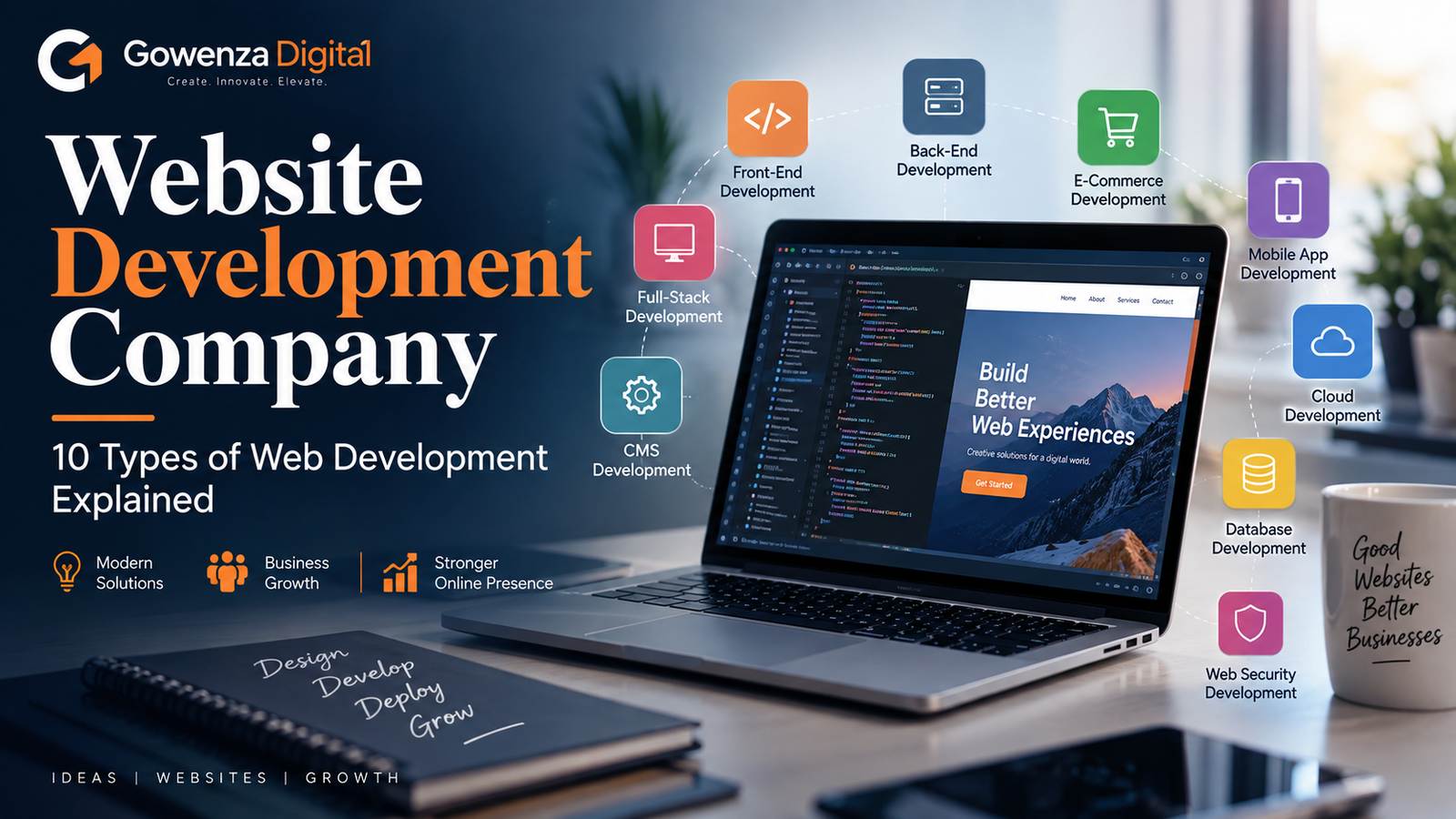
Website Development Company: 10 Types of Web Development Explained
Web development is a broad field that covers everything from simple informational websites to complex web applications used by millions of people. A website that displays a few business pages requires a very different development approach from an online store, customer portal, booking platform, or cloud-based application.
Understanding the different types of web development helps businesses identify what kind of website they actually need. It also makes conversations with developers much easier because terms such as front-end, back-end, full-stack, dynamic development, eCommerce development, and web application development can otherwise sound confusing.
A professional Website Development Company evaluates the business model, target audience, required functionality, budget, security requirements, expected traffic, and future growth before selecting a development approach.
There is no single type of web development that is suitable for every project. Some businesses need a straightforward static website. Others need a database-driven platform with user accounts, APIs, payment systems, dashboards, and advanced automation.
This guide explains 10 major types of web development, what each type means, how it works, where it is commonly used, and what businesses should consider before choosing one.
Table of Contents
What Is Web Development?
Web development is the process of creating, programming, testing, deploying, and maintaining websites and web-based applications.
It involves several technical areas, including:
Front-end development
Back-end development
Databases
APIs
Server infrastructure
Security
Performance optimization
Responsive design
Integrations
Content management
Testing and maintenance
Web development can be relatively simple or highly complex.
For example, a five-page company website may mainly focus on content, responsive design, contact forms, and search visibility. A large web application may require user accounts, databases, role-based access, real-time communication, payment systems, analytics, and multiple third-party integrations.
A Website Development Company determines the appropriate architecture based on the actual requirements of the project rather than treating every website in the same way.
Before choosing a development method, businesses should understand the different categories available.
1. Front-End Web Development
Front-end web development focuses on the part of a website that users see and interact with.
When visitors open a webpage, the layout, menus, buttons, forms, images, text, product cards, navigation, and interactive components are all part of the front end.
Front-end development is often referred to as client-side development because the code is primarily interpreted and executed in the user’s browser.
What Does Front-End Development Include?
Front-end developers work on:
Page structure
Visual layouts
Navigation
Buttons
Forms
Typography
Images
Responsive layouts
Interactive elements
Animations
Browser-side functionality
Accessibility
The core technologies are HTML, CSS, and JavaScript.
HTML
HTML provides the structure of a web page. It defines elements such as headings, paragraphs, links, images, lists, tables, and forms.
CSS
CSS controls how those elements look and behave visually. Developers use it for spacing, colors, typography, layouts, responsive behavior, and other presentation details.
JavaScript
JavaScript adds dynamic behavior and interaction. It can power menus, form interactions, calculators, filtering systems, live updates, and communication with back-end services.
When Is Front-End Development Needed?
Every modern website needs some form of front-end development, whether it is a simple business website or a complex web application.
A Website Development Company pays close attention to front-end development because the interface directly affects usability, responsiveness, accessibility, and the overall visitor experience.
2. Back-End Web Development
Back-end web development focuses on the systems operating behind the visible website.
Users may not directly see the back end, but it handles many of the functions that make modern websites useful.
The back end can manage:
Databases
Authentication
User accounts
Server-side logic
APIs
Business rules
Form processing
Orders
Payments
File management
Permissions
Data processing
Example of Back-End Development
Consider a login page.
The front end provides the username and password fields. Once the user submits the form, the request is sent to the server.
The back end may then:
Validate the submitted information.
Locate the account.
Verify the credentials.
Apply authentication rules.
Create an authenticated session.
Return an appropriate response.
The user sees a successful login, but the processing happens behind the interface.
Common Back-End Technologies
Back-end development can involve technologies such as:
PHP
Python
Node.js
Java
C#
Ruby
Go
The correct choice depends on the application’s requirements, existing infrastructure, scalability needs, developer expertise, and maintenance plans.
Why Back-End Development Matters
A visually attractive website can still fail if its underlying systems are unreliable.
A Website Development Company uses back-end development to provide the functionality, data management, security controls, and integrations required by the website.
3. Full-Stack Web Development
Full-stack development covers both front-end and back-end development.
A full-stack developer may work on:
User interfaces
Server-side logic
Databases
APIs
Authentication
Application functionality
Deployment
Integrations
The term “full stack” refers to the collection of technologies used across the complete application.
Example Full-Stack Project
An online appointment platform may include:
Front end:
Service listings
Calendar
Booking form
User dashboard
Back end:
Appointment management
Customer accounts
Database
Availability logic
Notifications
Authentication
A full-stack approach allows development work to consider the entire system rather than focusing on only one layer.
When Is Full-Stack Development Useful?
It can be particularly useful for startups, small projects, custom applications, and teams where developers need to work across multiple parts of a system.
Large projects may still use specialized front-end, back-end, QA, security, and DevOps professionals.
A Website Development Company may combine specialists with full-stack developers depending on the size and complexity of the project.
4. Static Website Development
Static website development involves pages whose content remains relatively fixed unless someone manually changes the source files or uses a build process.
Static websites can include:
Business websites
Portfolio websites
Landing pages
Documentation sites
Event websites
Simple informational websites
A static website does not necessarily mean an outdated or low-quality website. Modern static websites can be fast, secure, responsive, and visually sophisticated.
How Static Websites Work
A visitor requests a page from the server.
The server provides the page files, and the browser displays them.
Because there may be little or no server-side processing required for each request, static websites can be relatively straightforward to host and maintain.
Advantages
Static websites can provide:
Simpler architecture
Fewer server-side components
Fast delivery
Lower infrastructure complexity
Reduced attack surface in some setups
Limitations
Static development becomes less suitable when a project needs features such as:
Personalized dashboards
Complex accounts
Dynamic product management
Real-time data
Advanced transactions
Complex database operations
A Website Development Company may recommend static development when the business primarily needs information to be presented clearly and efficiently.
5. Dynamic Website Development
Dynamic website development involves content or functionality that can change based on user actions, stored data, business rules, or other conditions.
Examples include:
News websites
Customer portals
User dashboards
Product catalogs
Booking platforms
Membership websites
Personalized services
How Dynamic Websites Work
A visitor may request information.
The server processes the request, communicates with a database or another service, and generates or retrieves the required information.
The browser then displays the result.
For example, an eCommerce product page might retrieve:
Product name
Price
Images
Stock status
Reviews
Product variations
from a database or other application system.
Dynamic vs Static
The key difference is how content and functionality are delivered.
| Feature | Static Website | Dynamic Website |
|---|---|---|
| Content | Mostly fixed | Can change based on data |
| Database | Often unnecessary | Commonly used |
| Personalization | Limited | Stronger capabilities |
| Server-side processing | Limited | Often required |
| Complexity | Usually lower | Usually higher |
| Typical use | Informational sites | Interactive platforms |
Dynamic development is useful when the website needs to respond intelligently to changing information.
6. eCommerce Web Development
eCommerce web development focuses on websites that allow businesses to sell products or services online.
An eCommerce website usually requires much more than product pages.
It may include:
Product catalogs
Categories
Search
Filters
Product variations
Shopping carts
Checkout
Payment gateways
Customer accounts
Order management
Inventory tracking
Shipping information
Coupons
Tax calculations
Transaction notifications
Important eCommerce Requirements
Product Management
Businesses need systems for adding, editing, organizing, and removing products.
Shopping Cart
The cart must accurately manage products, quantities, prices, discounts, and other relevant information.
Checkout
A good checkout system should make it easy for customers to complete purchases while collecting the information required to fulfill the order.
Payment Integration
Payment systems need careful handling because transactions involve financial and personal information.
Order Management
After a purchase, the system may need to create an order record, update inventory, notify the customer, and provide order status information.
Why eCommerce Development Is Different
An online store combines user interface design with substantial back-end functionality.
Security, performance, database reliability, payment processing, and mobile usability all matter.
A Website Development Company building an eCommerce website needs to consider the complete customer journey from product discovery to post-purchase communication.
7. Web Application Development
Web application development focuses on software applications that run through web browsers.
A traditional website primarily presents information. A web application allows users to perform tasks and interact with systems.
Examples include:
Online banking platforms
Project management systems
Customer portals
Learning platforms
Booking software
CRM dashboards
Accounting tools
Communication platforms
Website vs Web Application
The distinction is not always absolute, because modern websites can contain application-like functionality.
However, the main difference is purpose.
A traditional website may primarily help users:
Read → Learn → Contact
A web application may help users:
Log in → Enter data → Process information → Receive results → Manage records
Features of Web Applications
Web applications commonly use:
Authentication
Databases
APIs
User roles
Dashboards
Real-time or near-real-time data
Complex business logic
Personalized experiences
Web application development usually requires more architectural planning than a basic business website.
A Website Development Company should define user roles, workflows, data requirements, integrations, and security requirements before development begins.
8. Content Management System Development
A Content Management System, or CMS, allows users to create, edit, organize, and publish website content without manually modifying every page’s source code.
Examples of CMS-based projects include:
Business websites
Blogs
News websites
Educational sites
Magazine websites
Membership platforms
A popular CMS can provide functionality for:
Pages
Blog posts
Media
Categories
User roles
Navigation
Plugins or extensions
Themes
Publishing workflows
Why Businesses Use CMS Development
A CMS can make content management easier for teams that regularly update websites.
For example, a business may want its marketing team to publish a blog article without asking a developer to manually create a new page each time.
Custom CMS Development
Some organizations require a custom content management system because their workflow or data structure is highly specialized.
A Website Development Company may recommend a ready-made CMS when its features match the project, while custom development may be appropriate when the business needs specialized functionality.
The decision should be based on requirements rather than the assumption that custom automatically means better.
9. Single-Page Application Development
A Single-Page Application, commonly called an SPA, is a web application that can dynamically update content without requiring a traditional full-page reload for every interaction.
SPAs are commonly used for highly interactive applications and dashboards.
Examples of features found in SPA-style applications include:
Interactive dashboards
Filtering
Instant interface updates
Persistent navigation
Rich user interactions
Dynamic data retrieval
How an SPA Works
Instead of loading an entirely new document for every interaction, the application can request specific data or resources and update the relevant part of the interface.
This can create a smooth application-like experience.
Benefits
SPAs can provide:
Fluid interactions
Rich user interfaces
Reduced full-page reloads
Responsive application experiences
Challenges
They also require careful development around:
Initial loading
Browser history
Accessibility
Search visibility where relevant
State management
Error handling
Performance
A Website Development Company should determine whether the project’s user experience actually benefits from an SPA rather than using the architecture simply because it is technically modern.
10. Progressive Web App Development
Progressive Web Apps, or PWAs, combine web technologies with application-like capabilities.
A PWA can be designed to provide features such as:
Installability
Offline or limited-connectivity experiences
Fast loading
App-like navigation
Notifications where supported
Responsive interfaces
PWAs are delivered through web technologies but can provide an experience closer to an installed application.
Where PWAs Can Be Useful
They may be considered for:
Retail platforms
News platforms
Productivity tools
Educational systems
Travel services
Content platforms
The exact capabilities available depend on browser and device support.
PWA vs Traditional Website
A traditional website may primarily focus on browsing content.
A PWA can be designed around repeated interaction and application-like behavior.
Businesses should evaluate whether their users would benefit from these features before investing in PWA development.
How to Choose the Right Type of Web Development
There is no universal development method that fits every business.
The right choice depends on the website’s purpose and technical requirements.
Start With the Business Goal
Ask:
Is the website mainly informational?
Does it need to sell products?
Will users create accounts?
Does it need personalized dashboards?
Will users submit and manage data?
Does it require third-party integrations?
Does it need real-time functionality?
Will content be updated frequently?
These questions help narrow down the development type.
Consider Complexity
A simple company website does not need the same architecture as a banking application.
Using unnecessary technology can increase:
Development time
Cost
Maintenance requirements
Testing complexity
Security responsibilities
The goal should be an architecture that meets the requirements without creating unnecessary complexity.
Consider Future Growth
Businesses should also think about what the website may need in the future.
For example, a company may initially need only a brochure-style website but plan to introduce:
Online payments
Customer accounts
Booking
eCommerce
Membership functionality
Planning for likely expansion can prevent unnecessary rebuilding.
Consider Budget and Maintenance
Development costs are only part of the total cost of ownership.
Businesses should also consider:
Hosting
Updates
Security
Support
Content management
Third-party services
Future development
Monitoring
A Website Development Company can help map these requirements before selecting the technical approach.
Comparison of the 10 Types
| Type of Web Development | Main Purpose | Typical Use |
|---|---|---|
| Front-End | Build the user interface | Almost every modern website |
| Back-End | Handle server-side functionality | Dynamic websites and applications |
| Full-Stack | Build front and back end | Complete web projects |
| Static | Deliver mostly fixed content | Business and informational websites |
| Dynamic | Deliver changing or personalized content | Portals and data-driven sites |
| eCommerce | Support online sales | Online stores |
| Web Application | Provide software functionality through a browser | SaaS and business platforms |
| CMS Development | Manage website content | Blogs and business websites |
| SPA Development | Create highly interactive web applications | Dashboards and rich interfaces |
| PWA Development | Provide application-like web experiences | Interactive mobile-focused platforms |
Common Mistakes When Choosing a Development Type
Choosing Technology Before Defining the Problem
Businesses sometimes begin by asking for a particular framework or programming language without first determining what the website actually needs.
The correct process is the opposite.
First understand the requirements, then choose the technology.
Assuming Every Business Needs Custom Development
Custom development can be valuable, but not every business needs a completely custom system.
A CMS or established eCommerce platform may provide everything required.
Selecting an Architecture Based on Trends
Technology changes quickly.
A technology should be selected because it solves the project’s requirements effectively, not merely because it is currently popular.
Ignoring Maintenance
Some businesses focus entirely on development costs and overlook the long-term effort required to update, secure, test, and maintain the website.
Underestimating Security
Security requirements increase when a website handles accounts, payments, customer information, or business-critical data.
Ignoring Performance
Complex functionality can affect performance if it is not carefully implemented.
A good architecture should balance features with performance and maintainability.
Forgetting Mobile Users
Most modern website projects need to account for smartphones and tablets from the beginning.
Responsive development should be part of the architecture and design process rather than a last-minute adjustment.
How a Website Development Company Helps Select the Right Approach
A professional Website Development Company can begin the process by translating business requirements into technical requirements.
For example, imagine a company that wants to sell products online.
The requirements might include:
Product catalog
Customer accounts
Shopping cart
Payment processing
Inventory
Order management
Delivery information
These requirements indicate that the project needs more than a basic static website.
The same company may later need customer loyalty programs, analytics, automation, and a mobile-oriented experience.
The development architecture can therefore evolve as requirements become clearer.
The role of a Website Development Company is not simply to write code. It is to determine how different technologies, systems, interfaces, databases, and integrations should work together to solve a business problem.
Why Understanding Web Development Types Matters
Business owners do not need to become programmers to understand web development.
However, understanding the major types can help them ask better questions.
Instead of simply asking:
“How much does a website cost?”
they can ask:
What type of website do we need?
Will we need a database?
Do users need accounts?
Do we need a CMS?
Are online payments required?
What integrations are necessary?
What happens if traffic grows?
How will the website be maintained?
What security controls are required?
These questions produce a much clearer project scope.
The more accurately the project is defined, the easier it becomes to estimate development effort, infrastructure requirements, maintenance, and future expansion.
Conclusion
Web development includes many different approaches because websites themselves serve very different purposes.
The 10 major types discussed in this guide are:
Front-end web development
Back-end web development
Full-stack web development
Static website development
Dynamic website development
eCommerce web development
Web application development
CMS development
Single-page application development
Progressive web app development
These categories are not always completely separate. A single project can use several types at the same time.
For example, an eCommerce platform can use front-end development, back-end development, databases, APIs, CMS functionality, and application-style interfaces. A PWA can also be an eCommerce platform. A web application can use full-stack development.
The important question is therefore not simply which type is most advanced. The important question is which approach fits the business requirements.
A professional Website Development Company evaluates functionality, users, content, technical complexity, security, performance, scalability, integrations, budget, and maintenance before selecting the appropriate architecture.
Choosing the right type of web development at the beginning can make the project easier to build, easier to maintain, and easier to expand.
For businesses, the goal should be to build the right website for the actual problem—not the most complicated website possible.
FAQs
1. What are the main types of web development?
The major types include front-end, back-end, full-stack, static, dynamic, eCommerce, web application, CMS, SPA, and PWA development.
2. What does a Website Development Company do?
A Website Development Company plans, designs, develops, tests, deploys, and maintains websites or web applications. Depending on the project, it may handle front-end, back-end, database, API, security, performance, and integration work.
3. What is front-end web development?
Front-end web development focuses on the part of a website that users see and interact with. It commonly uses HTML, CSS, and JavaScript.
4. What is back-end web development?
Back-end web development handles server-side logic, databases, authentication, APIs, data processing, and other functionality that operates behind the user interface.
5. What is full-stack development?
Full-stack development involves working across both front-end and back-end parts of a website or web application.
6. What is the difference between a static and dynamic website?
A static website mainly delivers fixed content, while a dynamic website can generate or retrieve content based on databases, user actions, business logic, or other changing information.
7. What type of development does an eCommerce website need?
An eCommerce website generally requires front-end and back-end development along with product management, shopping cart functionality, checkout, payment integration, order management, and often inventory and customer-account systems.
8. Is WordPress considered web development?
Yes. Developing and customizing WordPress websites is a form of web development. It can involve themes, plugins, templates, databases, custom functionality, integrations, and front-end development.
9. What is a web application?
A web application is software that runs through a web browser and allows users to perform tasks or interact with data, rather than simply viewing static information.
10. What is an SPA?
A Single-Page Application is a web application that can update parts of its interface dynamically without requiring a traditional full-page reload for every interaction.
11. What is a PWA?
A Progressive Web App is a web application designed to provide some application-like capabilities, such as installability and selected offline or enhanced interaction features, depending on browser and device support.
12. How do I choose the right type of web development?
Start with the business objectives, user requirements, features, data needs, security requirements, expected traffic, integrations, budget, and future plans. A Website Development Company can then use these requirements to determine the appropriate technical approach.
13. Does every website need back-end development?
No. A simple static website may not require significant custom back-end functionality. Websites with accounts, databases, payments, personalized content, or complex business processes generally require back-end systems.
14. Can one website use multiple types of web development?
Yes. Modern projects commonly combine several approaches. An eCommerce website, for example, can use front-end, back-end, database, CMS, API, and application development together.
15. Why should businesses understand different types of web development?
Understanding the different approaches helps businesses define their requirements, communicate with developers, estimate project complexity, and avoid choosing technology that does not match their actual needs.
Choosing the right type of web development is essential for creating a website that matches your business goals and future needs. At Gowenza, our [Web Development] services help businesses build responsive, secure, SEO-friendly, and high-performing websites using the right development approach for their requirements. You can also explore our guides on [front-end vs back-end development], [website performance], and [regular website maintenance] to better understand the technologies and practices involved in building and managing a successful website.
HELPFUL RESOURSE
Understanding the different types of web development is easier with reliable technical resources. Developers and businesses can refer to MDN Web Docs for web technologies such as HTML, CSS, JavaScript, and APIs, web.dev for modern web development and performance guidance, Google Search Central for SEO and website visibility best practices, and OWASP for web application security guidance. These authoritative resources can help support better decisions when planning, developing, and maintaining modern websites.
3 Responses