
Website Development Company Guide: 10 Essential Technologies Behind Modern Websites
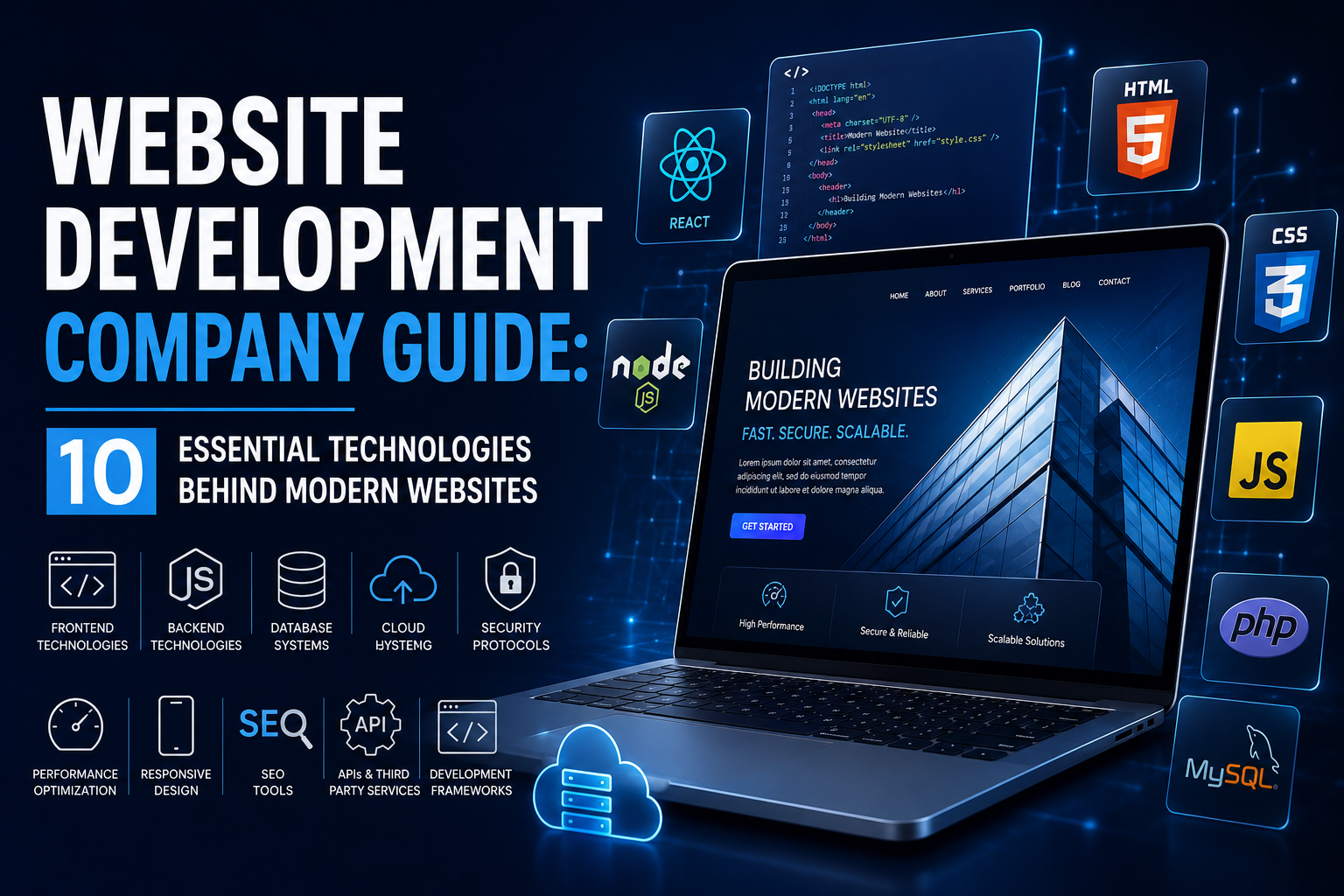
Website Development Company Guide: 10 Essential Technologies Behind Modern Websites
Table of Contents
Introduction
What Technologies Make Up a Modern Website?
Technology #1: HTML – The Structure of a Website
Technology #2: CSS – The Visual Design Layer
Technology #3: JavaScript – Making Websites Interactive
Technology #4: Databases – Storing and Managing Website Data
Technology #5: Server-Side Programming – Powering Website Functionality
Technology #6: APIs – Connecting Websites to Other Systems
Technology #7: Content Management Systems – Managing Website Content
Technology #8: Web Servers and Hosting – Delivering Websites to Users
Technology #9: CDNs and Caching – Improving Website Performance
Technology #10: Security Technologies – Protecting Modern Websites
How These Technologies Work Together
How a Website Development Company Chooses the Right Technology
How Technology Choices Affect Website Cost
Common Technology Mistakes Businesses Should Avoid
Technology Stack Example for a Modern Business Website
Conclusion
Frequently Asked Questions
Final Takeaway
Introduction
A modern website may look simple from the outside, but a considerable amount of technology works behind every page a visitor sees.
When someone opens a website, their browser requests information from a server, the server processes that request, databases may provide information, code determines what should happen, and the browser turns everything into the page the visitor sees.
This entire process can happen within seconds.
Understanding the technologies behind websites is useful for business owners because technology choices affect website speed, security, functionality, scalability, maintenance, and development costs.
A website isn’t built using one technology. Modern websites normally use a combination of technologies that work together as a technology stack.
For example, a business website might use HTML for structure, CSS for presentation, JavaScript for interactions, a server-side programming language for backend functionality, a database for storing information, and an API for connecting external services.
An eCommerce website may require even more technologies to manage products, customers, payments, inventory, orders, shipping, and analytics.
A professional Website Development Company evaluates these requirements before selecting the appropriate technology stack. The objective isn’t to use the newest technology simply because it is popular. The objective is to choose technologies that solve the business’s actual requirements.
This guide explains 10 essential technologies behind modern websites, what each technology does, why it matters, and how these technologies work together to create a functional website.
What Technologies Make Up a Modern Website?
Modern websites are usually divided into several layers.
Front End
The front end is the part visitors interact with directly.
It includes:
Layout
Text
Images
Buttons
Navigation
Forms
Animations
Interactive elements
Back End
The backend handles processes that users don’t directly see.
It may manage:
User accounts
Business logic
Authentication
Orders
Forms
Databases
API requests
Database
The database stores information required by the website.
This might include:
Customer accounts
Products
Orders
Blog posts
Contact submissions
Website settings
Infrastructure
Infrastructure includes the systems that make the website available online.
Examples include:
Hosting
Servers
CDNs
DNS
Caching
Security systems
A professional Website Development Company combines these layers according to the website’s requirements.
Technology #1: HTML – The Structure of a Website
HTML stands for HyperText Markup Language.
It is one of the fundamental technologies of the web.
HTML defines the structure and meaning of content on a webpage.
For example, HTML can identify:
Headings
Paragraphs
Images
Links
Lists
Forms
Tables
Buttons
A simplified webpage might have a structure such as:
Heading → Paragraph → Image → Button → Section
HTML tells the browser what each element represents.
Why HTML Matters
Without HTML, browsers wouldn’t have the structured information needed to display a webpage properly.
HTML also plays an important role in SEO and accessibility.
Proper HTML structure helps search engines understand the content hierarchy.
For example, using appropriate heading elements helps establish the relationship between the main topic and supporting sections.
Semantic HTML can also make websites easier for assistive technologies to interpret.
A professional Website Development Company uses properly structured HTML as the foundation of a website rather than relying only on visual design.
HTML and SEO
Good HTML structure can support:
Search engine understanding
Accessibility
Content organisation
Link structure
Mobile rendering
HTML may not be visible as code to normal visitors, but it directly contributes to how browsers and search engines interpret a website.
Technology #2: CSS – The Visual Design Layer
CSS stands for Cascading Style Sheets.
While HTML provides the structure, CSS controls how that structure looks.
CSS can control:
Colours
Fonts
Spacing
Layout
Borders
Backgrounds
Animations
Responsive behaviour
For example, HTML might tell the browser that a page contains a heading.
CSS determines whether that heading appears large, small, bold, centered, or positioned differently on mobile devices.
Responsive Design
One of CSS’s most important roles is responsive design.
A website should adapt to different screen sizes, including:
Desktop computers
Laptops
Tablets
Smartphones
CSS techniques such as media queries allow developers to change layouts based on screen size.
A navigation menu might appear horizontally on a desktop but become a mobile menu on a smartphone.
Why CSS Matters
Poorly implemented CSS can result in:
Broken layouts
Slow rendering
Difficult maintenance
Poor mobile experiences
Inconsistent design
A Website Development Company uses structured CSS to maintain visual consistency while keeping the website responsive and manageable.
Technology #3: JavaScript – Making Websites Interactive
HTML and CSS can create a functional webpage, but modern websites often need dynamic interactions.
This is where JavaScript becomes important.
JavaScript allows websites to respond to user actions without necessarily requiring a complete page reload.
Examples include:
Dropdown menus
Image sliders
Form validation
Interactive calculators
Search suggestions
Product filters
Dynamic content
Pop-ups
Interactive dashboards
For example, when a customer adds an item to an eCommerce shopping cart, JavaScript can update the cart interface immediately.
JavaScript Frameworks
Modern development may also use JavaScript frameworks and libraries such as:
React
Angular
Vue
These tools help developers build complex interfaces more efficiently.
However, frameworks aren’t necessary for every website.
A simple business website may require only basic JavaScript.
A professional Website Development Company selects the appropriate approach based on the project’s complexity rather than automatically using a framework.
JavaScript and Performance
Excessive JavaScript can negatively affect performance.
Large scripts can:
Increase page size
Delay interaction
Increase processing requirements
Affect mobile performance
Therefore, JavaScript should be used strategically.
Technology #4: Databases – Storing and Managing Website Data
A database stores information that a website needs to operate.
For a simple informational website, database requirements may be relatively limited.
For an eCommerce platform, the database may store thousands or millions of records.
This can include:
Products
Customers
Orders
Inventory
Reviews
Categories
Transactions
User accounts
Common Database Technologies
Popular database systems include:
MySQL
PostgreSQL
MongoDB
Microsoft SQL Server
Different database technologies are suitable for different applications.
Relational databases such as MySQL and PostgreSQL organise information into structured tables.
NoSQL databases such as MongoDB use different approaches that can be useful for particular applications.
Why Database Performance Matters
Poor database performance can make a website slow.
For example, if an eCommerce website has thousands of products and its database queries aren’t optimized, product searches and category pages may take longer to load.
A professional Website Development Company considers database structure, indexing, queries, backups, and scalability when developing websites that depend heavily on stored data.
Technology #5: Server-Side Programming – Powering Website Functionality
The front end is what users see, but many important processes happen on the server.
Server-side programming handles tasks such as:
Processing forms
Managing user accounts
Authenticating users
Processing orders
Communicating with databases
Applying business rules
Generating dynamic content
Common server-side technologies include:
PHP
Python
Node.js
Java
C#
Ruby
The appropriate technology depends on the project.
For example, PHP is widely used with content management systems such as WordPress.
Node.js can be useful for applications requiring JavaScript across both frontend and backend environments.
Python is commonly used for web applications and data-related systems.
Why Backend Development Matters
Without backend functionality, many modern website features would not work.
A login system, for example, needs backend logic to verify credentials and manage user sessions.
An online store needs backend systems to process orders and update inventory.
A professional Website Development Company chooses backend technologies based on performance, security, scalability, developer expertise, and project requirements.
Technology #6: APIs – Connecting Websites to Other Systems
API stands for Application Programming Interface.
APIs allow different software systems to communicate with one another.
This is one of the most important technologies behind modern connected websites.
For example, a website might connect to:
Payment gateways
Google Maps
CRM platforms
Email marketing systems
Shipping providers
Social media platforms
Analytics systems
Booking software
AI services
Imagine an online store.
When a customer completes a payment, the website can communicate with the payment provider through an API.
The payment system confirms the transaction, and the website can then update the order status.
Why APIs Matter
APIs help businesses avoid building every feature from scratch.
Instead, developers can integrate established services.
A professional Website Development Company can evaluate which external systems should connect to a website and build secure integrations between them.
API Security
APIs must be secured properly.
Developers may use:
Authentication
API keys
Access tokens
Rate limiting
Input validation
Permission controls
Poorly secured APIs can expose sensitive information, so security should be considered during integration.
Technology #7: Content Management Systems – Managing Website Content
A Content Management System, or CMS, allows users to create, edit, organize, and publish website content without manually changing code for every update.
Popular CMS platforms include:
WordPress
Drupal
Joomla
Shopify
A CMS can allow businesses to manage:
Blog posts
Pages
Images
Products
Categories
Menus
Users
Why CMS Platforms Are Useful
A CMS can reduce dependence on developers for routine content updates.
For example, a business owner may be able to publish a new blog article without asking a developer to modify the website’s code.
However, CMS platforms also require maintenance.
Businesses need to manage:
Updates
Plugins
Themes
Security
Backups
Performance
A Website Development Company can configure a CMS to make content management easier while maintaining performance and security.
Technology #8: Web Servers and Hosting – Delivering Websites to Users
A website needs infrastructure to be available online.
Web hosting provides the environment where website files and databases are stored.
A web server receives requests from visitors and sends the required information back to their browsers.
Common web server technologies include:
Apache
Nginx
Microsoft IIS
Hosting options may include:
Shared hosting
VPS hosting
Cloud hosting
Dedicated servers
Managed hosting
Why Hosting Matters
Hosting affects:
Website speed
Reliability
Security
Scalability
Server resources
Uptime
A small business website with limited traffic may work well on a suitable shared or managed hosting plan.
A high-traffic eCommerce platform may require more powerful infrastructure.
A professional Website Development Company can help businesses select hosting based on actual requirements rather than choosing a plan purely because it is inexpensive.
Technology #9: CDNs and Caching – Improving Website Performance
Website performance depends partly on how quickly content reaches visitors.
A CDN, or Content Delivery Network, uses multiple servers distributed across different locations to deliver website resources more efficiently.
For example, if a website’s main server is located far from a visitor, a CDN can help deliver static resources from a location closer to that visitor.
What Can a CDN Deliver?
CDNs can commonly handle:
Images
CSS
JavaScript
Fonts
Videos
Other static resources
Caching
Caching stores frequently requested resources so they don’t need to be generated or downloaded repeatedly.
Types of caching can include:
Browser caching
Server caching
Page caching
Object caching
Effective caching can reduce server workload and improve loading times.
A Website Development Company can evaluate whether a CDN or caching strategy is appropriate based on the website’s traffic, audience location, content type, and hosting environment.
Technology #10: Security Technologies – Protecting Modern Websites
Security is an essential part of website development.
Modern websites can contain sensitive information and connect to multiple external systems, making security a continuous responsibility.
Security technologies and practices can include:
HTTPS
SSL/TLS certificates
Firewalls
Secure authentication
Access controls
Encryption
Malware scanning
Security monitoring
Automated backups
HTTPS
HTTPS encrypts communication between the user’s browser and the website.
It helps protect information from being intercepted during transmission.
Authentication
Websites with user accounts need secure authentication systems.
Developers may implement:
Strong password requirements
Multi-factor authentication
Secure sessions
Account recovery systems
Backups
Backups provide a recovery option if a website experiences:
Data loss
Hacking
Server problems
Human error
Software failures
A professional Website Development Company incorporates security into development rather than treating it as something to address only after a problem occurs.
How These Technologies Work Together
These technologies don’t operate independently.
They work together as a system.
Consider a customer visiting an eCommerce product page.
Step 1: Browser Request
The customer’s browser requests the webpage.
Step 2: Server Receives Request
The web server receives the request and determines what needs to be delivered.
Step 3: Backend Processing
Server-side code processes the request.
Step 4: Database Query
The backend retrieves product information from the database.
Step 5: API Communication
If necessary, the website communicates with external services.
Step 6: HTML Generation
The server provides the required HTML structure.
Step 7: CSS and JavaScript
The browser loads CSS and JavaScript to create the visual design and interactive features.
Step 8: CDN and Cache
Cached resources may be delivered through a CDN or local cache.
Step 9: Security Checks
Security systems help protect the communication and application.
Step 10: User Interaction
The customer sees the page and interacts with the website.
All of this can happen within seconds.
This is why modern website development requires more than simply designing pages.
How a Website Development Company Chooses the Right Technology
There is no single technology stack that is perfect for every website.
A professional Website Development Company should consider several factors before making technology decisions.
Business Requirements
What does the business actually need?
A simple informational website doesn’t require the same technology as an enterprise application.
Expected Traffic
A website expecting thousands of visitors may need different infrastructure from a website receiving a few hundred visitors.
Functionality
Complex features require more sophisticated technologies.
Budget
Technology choices affect development and maintenance costs.
Scalability
The system should support future growth.
Security
Websites handling sensitive information require stronger security measures.
Maintenance
Businesses should consider who will maintain the website after launch.
Integration Requirements
If the website needs to connect with CRM, payment, accounting, shipping, or marketing systems, API compatibility becomes important.
A good Website Development Company balances all of these considerations rather than choosing technology based on popularity alone.
How Technology Choices Affect Website Cost
Technology can significantly influence development costs.
A basic business website may require:
HTML
CSS
JavaScript
CMS
Hosting
Basic security
A complex eCommerce platform may additionally require:
Database systems
Payment integrations
Inventory systems
Customer accounts
Advanced backend development
Shipping integrations
Security systems
Performance infrastructure
Custom applications can require even more specialized development.
The most expensive technology isn’t necessarily the best technology.
The goal should be to choose a stack that provides the required functionality without unnecessary complexity.
A professional Website Development Company should explain technology decisions clearly so business owners understand what they are paying for.
Common Technology Mistakes Businesses Should Avoid
Choosing Technology Because It Is Popular
A technology can be popular without being appropriate for your project.
Choose based on requirements.
Using Too Many Plugins
Plugins can add functionality, but excessive plugins can create security, performance, and compatibility issues.
Ignoring Security
Security should be part of development from the beginning.
Choosing Cheap Hosting Without Checking Requirements
Insufficient server resources can create performance and reliability problems.
Building Without Scalability
A website should be able to accommodate reasonable future growth.
Ignoring Maintenance
Technology requires updates.
Outdated software can become vulnerable and incompatible with newer systems.
Overengineering a Simple Website
A small business website doesn’t necessarily need a highly complex technology stack.
Overengineering increases development and maintenance costs without necessarily improving the customer experience.
Technology Stack Example for a Modern Business Website
A typical modern business website might use a stack such as:
| Layer | Example Technology | Purpose |
|---|---|---|
| Structure | HTML | Page structure |
| Styling | CSS | Visual design |
| Interactivity | JavaScript | User interactions |
| CMS | WordPress | Content management |
| Backend | PHP | Server-side functionality |
| Database | MySQL | Data storage |
| Web Server | Nginx/Apache | Delivering website files |
| CDN | Cloud-based CDN | Faster content delivery |
| Security | HTTPS/Firewall | Website protection |
| Analytics | Analytics platform | Performance measurement |
This is only an example.
A different website may require a completely different technology stack.
An eCommerce website, SaaS platform, booking system, or custom web application may need additional technologies.
Conclusion
Modern websites are built from multiple technologies working together.
HTML creates structure. CSS controls presentation. JavaScript adds interaction. Databases store information. Backend technologies process requests. APIs connect external systems. CMS platforms simplify content management. Servers and hosting make websites available online. CDNs and caching improve delivery speed, while security technologies protect users and businesses.
Understanding these technologies helps business owners make better decisions when planning a website.
You don’t need to become a developer to understand how your website works. However, knowing what happens behind the interface can help you ask better questions, compare development proposals, understand project costs, and recognise why certain technical decisions matter.
A professional Website Development Company should be able to explain these technologies in practical business terms rather than overwhelming clients with technical terminology.
The right technology stack depends on the website’s purpose, functionality, traffic, budget, security requirements, integrations, and future growth.
A simple business website shouldn’t be unnecessarily complicated. At the same time, a growing eCommerce store or web application shouldn’t be built on technology that cannot support its future requirements.
The best development approach is therefore not about using the newest or most expensive technology.
It is about using the right technology for the right purpose.
When technologies are selected carefully and implemented properly, they create a website that is faster, safer, easier to manage, more scalable, and better prepared for long-term business growth.
Frequently Asked Questions
1. What technologies are used to build modern websites?
Modern websites commonly use HTML, CSS, JavaScript, backend programming languages, databases, APIs, CMS platforms, web servers, hosting infrastructure, CDNs, caching systems, and security technologies.
2. Does every website need all 10 technologies?
No. The required technologies depend on the website’s functionality. A simple business website may need fewer technologies than an eCommerce store or custom web application.
3. Why is HTML important for website development?
HTML provides the basic structure and semantic meaning of webpage content. It helps browsers display content correctly and supports accessibility and search engine understanding.
4. What does CSS do?
CSS controls the visual appearance of a website, including layout, colours, typography, spacing, responsive behaviour, and certain animations.
5. What is JavaScript used for?
JavaScript adds interactive and dynamic functionality, including menus, form validation, filters, calculators, dashboards, and other interactive website features.
6. Why does a website need a database?
Databases store information that websites need to function, such as customer accounts, products, orders, blog posts, and other dynamic content.
7. What is an API in website development?
An API allows different software systems to communicate. Websites use APIs to connect with services such as payment gateways, CRMs, maps, shipping systems, analytics platforms, and other external applications.
8. What does a Website Development Company do with these technologies?
A Website Development Company selects, combines, develops, integrates, tests, and maintains the technologies required to build a functional website based on a business’s specific requirements.
9. Does technology affect website development cost?
Yes. The complexity of the technology stack, custom functionality, integrations, security requirements, infrastructure, and development time can all affect the total project cost.
10. Which technology is best for a business website?
There is no universal answer. The best technology depends on the website’s requirements, budget, functionality, traffic, maintenance needs, and future plans.
11. Are website technologies difficult to maintain?
Some technologies require regular updates and technical expertise. CMS platforms, plugins, backend frameworks, databases, security systems, and integrations may all require ongoing maintenance.
12. Why should businesses work with a Website Development Company?
A Website Development Company can help businesses choose suitable technologies, avoid unnecessary complexity, implement security and performance best practices, integrate required tools, and build a website that can support long-term growth.
Final Takeaway
The technology behind a website determines much more than how a page looks.
It affects how quickly the website loads, how securely information is handled, how easily content can be managed, how effectively systems communicate, and how well the website can grow with the business.
For that reason, technology selection should be treated as a strategic decision rather than simply a technical detail.
A knowledgeable Website Development Company can translate business requirements into the right technical solution, giving businesses a stronger foundation for their online presence.
Choosing the right technologies is essential for building a website that is fast, secure, scalable, and easy to manage. At Gowenza, our Web Development services combine modern development technologies with responsive design, technical SEO, performance optimization, and security best practices to create websites built around business goals. If you’re planning a new website or upgrading an existing one, explore our Web Development services to see how we can build a reliable digital foundation for your business.
Understanding the technologies behind modern websites becomes easier when you refer to reliable technical resources. MDN Web Docs provides detailed documentation on HTML, CSS, JavaScript, APIs, and other web technologies. web.dev offers practical guidance on website performance, accessibility, and modern web development, while OWASP provides trusted resources for web application security. These resources can help businesses better understand the technologies and standards used by modern websites.



3 Responses