Website Development Company: 10 Key Stages of Building a Website
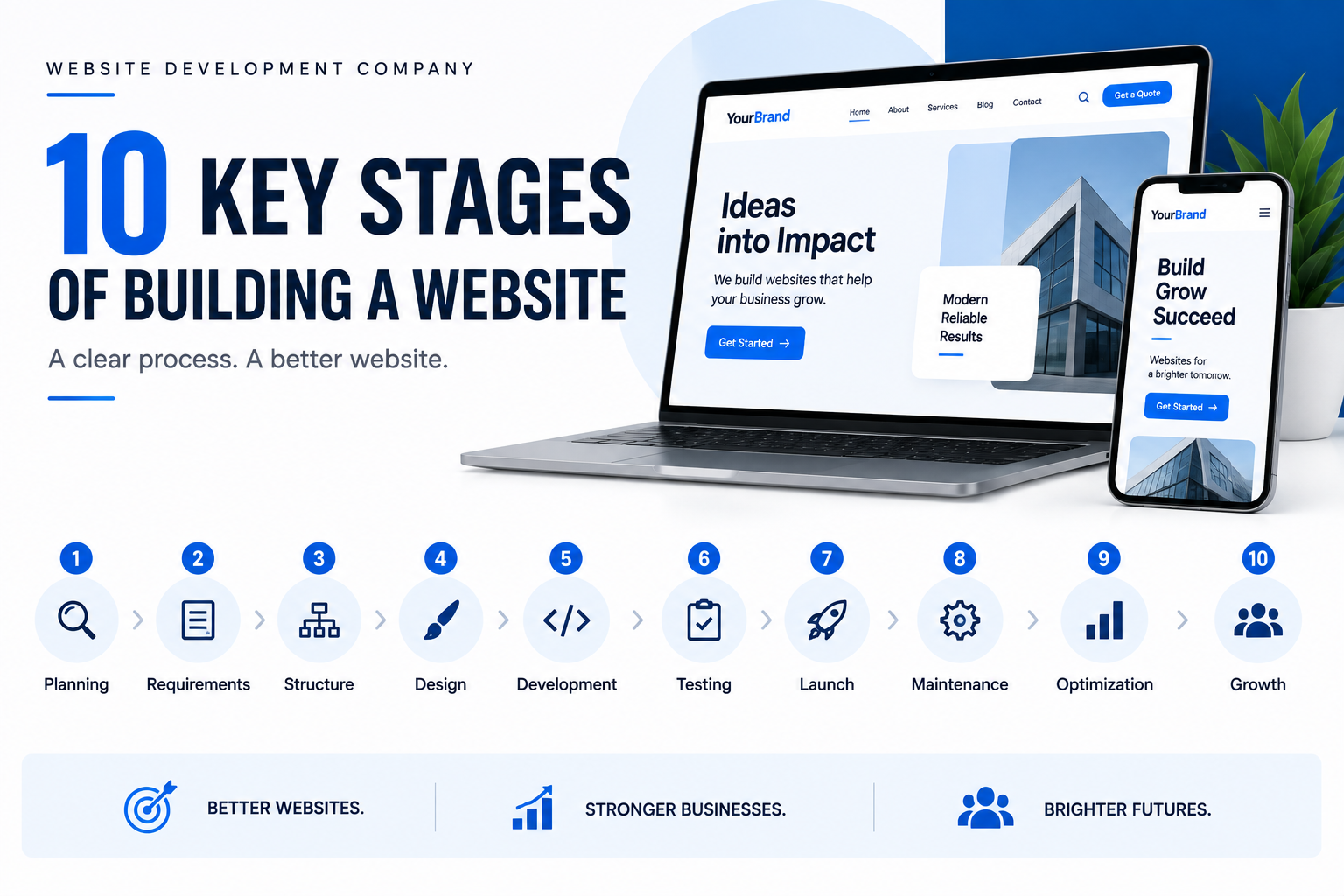
Website Development Company: 10 Key Stages of Building a Website
A professional website is not created by simply choosing a template, adding a few pages, and publishing it online. A successful website is the result of a structured development process where business goals, user needs, design, content, technology, security, performance, and search visibility are considered together.
Understanding how a website is built helps businesses make better decisions before investing in development. It also makes it easier to understand what a Website Development Company actually does at each stage of a project.
From the first discussion about business objectives to the final launch and ongoing maintenance, every stage has a specific purpose. Skipping one stage can create problems later, whether that means poor navigation, slow loading, security vulnerabilities, weak search visibility, or expensive redevelopment.
This guide explains the 10 key stages of building a website, what happens during each stage, why it matters, and what businesses should expect from a professional development process.
Table of Contents
1. Website Planning and Goal Definition
The first stage of website development is planning. Before designers create layouts or developers write code, the project needs a clear direction.
A website should solve a business problem or support a specific objective. That objective could be generating leads, selling products, providing information, accepting bookings, building credibility, supporting customers, or creating an online platform.
A Website Development Company begins by understanding what the website needs to accomplish rather than immediately discussing colors, fonts, or animations.
Defining the Primary Website Goal
The first question should be:
What should visitors do after arriving on the website?
For example:
Contact the business
Request a quotation
Purchase a product
Book an appointment
Register for an account
Download a resource
Subscribe to updates
Visit a physical location
Learn about a service
A website can have several objectives, but one or two primary goals should guide the structure.
Identifying Business Requirements
Planning also involves understanding:
Business model
Target market
Products or services
Existing online presence
Competitors
Required website features
Content requirements
Budget
Development timeline
Future expansion plans
This information becomes the foundation for the remaining stages.
Why Planning Matters
Poor planning often leads to scope changes, unnecessary features, unclear navigation, and increased development costs.
A clear plan helps the development team make technical and design decisions based on actual business requirements.
2. Market and Audience Research
A website is built for users, not just the business owner. Understanding those users is therefore one of the most important stages of the development process.
A professional Website Development Company may research the target audience, competitors, industry trends, customer expectations, and existing websites before creating the actual website.
Understanding the Target Audience
Audience research can answer questions such as:
Who visits the website?
What problems are they trying to solve?
What information do they need?
What devices do they use?
What questions do they commonly ask?
What prevents them from taking action?
What factors influence their buying decision?
For example, a healthcare website may need simple navigation and clear service information, while an eCommerce website may prioritize product discovery, filtering, checkout, and payment options.
Competitor Research
Competitor websites can reveal:
Common industry features
Content gaps
Navigation patterns
Pricing presentation
Calls to action
Search opportunities
Poor user experiences that can be improved
The goal is not to copy competitors. It is to understand the market and identify opportunities to create something more useful.
User Intent
Understanding why someone visits a website is particularly important.
Someone searching for “web development services” may want to compare providers, understand pricing, view portfolios, or request a quotation. The website should make those next steps easy.
3. Website Requirements and Feature Planning
Once the business goals and audience are understood, the next stage is turning those findings into specific website requirements.
This stage answers a practical question:
What exactly does the website need to do?
Defining Website Features
Depending on the project, features may include:
Contact forms
User registration
Login systems
Product catalogs
Shopping carts
Payment gateways
Search functionality
Appointment booking
Blog systems
Customer dashboards
Reviews
Maps
Chat functionality
Newsletter subscriptions
Social integrations
CRM connections
Analytics
Content management systems
Not every website needs every feature.
A good development process separates essential features from features that can be added later.
Functional vs Non-Functional Requirements
Requirements generally fall into two broad categories.
Functional requirements describe what the website should do.
Examples:
Users can submit a contact form.
Customers can create accounts.
Products can be added to a cart.
Administrators can publish blog posts.
Non-functional requirements describe how the website should perform.
Examples:
Pages should load efficiently.
The website should work across modern browsers.
User information should be protected.
The website should support mobile devices.
The system should handle expected traffic.
Both are important when defining a website project.
4. Sitemap and Website Architecture
After requirements are established, the website’s structure can be planned.
This usually begins with a sitemap.
A sitemap shows the relationship between pages and helps determine how users and search engines move through the website.
Example Website Structure
A basic business website might contain:
Home
About
Services
Web Development
UI/UX Design
Website Maintenance
Portfolio
Blog
Contact
An eCommerce website may require a deeper structure:
Home
Categories
Subcategories
Product pages
Cart
Checkout
Account
Orders
Support
Why Website Architecture Matters
Good architecture makes information easier to find.
It can also help search engines understand relationships between pages.
A Website Development Company should consider navigation, internal linking, URL structure, page hierarchy, and scalability while creating the architecture.
Planning for Future Growth
A website should not be structured only around today’s content.
If a business expects to add new services, products, locations, or categories, the architecture should allow those additions without requiring a complete rebuild.
5. UI/UX Design and Prototyping
Once the structure is established, designers can begin working on the user interface and user experience.
Although UI and UX are closely connected, they address different areas.
UI, or User Interface, focuses on the visual presentation of the website.
UX, or User Experience, focuses on how easily and logically users can interact with it.
UI Design Includes
Colors
Typography
Buttons
Spacing
Icons
Images
Cards
Navigation
Forms
Visual hierarchy
UX Design Includes
Navigation flow
Information hierarchy
Page structure
User journeys
Calls to action
Form usability
Accessibility
Interaction patterns
A visually attractive website can still provide a poor experience if users cannot quickly find what they need.
Wireframes and Prototypes
Before development begins, designers may create wireframes or interactive prototypes.
Wireframes focus on layout and functionality without concentrating heavily on visual details.
Prototypes can demonstrate how users move between pages and interact with elements.
This allows problems to be discovered before significant development time is spent.
Responsive Design
Modern websites must also account for different screen sizes.
A professional Website Development Company should design layouts that work effectively across:
Desktop computers
Laptops
Tablets
Smartphones
Responsive design is not simply making everything smaller. Navigation, typography, images, forms, buttons, and content layouts may all need to adapt to the available screen space.
6. Content Planning and Creation
Content is one of the most important parts of a website because it communicates what the business offers and helps visitors decide what to do next.
Content should therefore be planned alongside design and development rather than treated as something added at the last minute.
Website Content Can Include
Headings
Service descriptions
Product information
About pages
Blog articles
FAQs
Testimonials
Case studies
Images
Videos
Calls to action
Content Should Match User Intent
Every important page should have a clear purpose.
For example, a service page should explain:
What the service is
Who it is for
What problem it solves
What the process involves
Why the business is qualified
What the visitor should do next
This is more useful than filling a page with generic promotional statements.
Content and SEO
Search engines rely heavily on page content to understand relevance.
Important considerations include:
Clear page titles
Useful headings
Descriptive copy
Relevant keywords
Internal links
Image descriptions
Search-friendly URLs
Helpful answers to user questions
Keyword usage should remain natural. Repeating a phrase excessively can make content difficult to read and does not create genuine value.
7. Front-End and Back-End Development
This is the stage where designs and requirements are turned into a functioning website.
Web development is generally divided into front-end and back-end work.
Front-End Development
Front-end development focuses on what users see and interact with.
Common technologies include:
HTML
CSS
JavaScript
Front-end developers implement:
Page layouts
Navigation
Buttons
Forms
Animations
Responsive behavior
Interactive components
The goal is to turn approved designs into a functional user interface.
Back-End Development
Back-end development handles functionality that users may not directly see.
It can involve:
Databases
User authentication
Server-side logic
APIs
Form processing
Payment processing
Content management
Business rules
For example, when a customer submits an online order, the front end collects the information while back-end systems process the order, store relevant data, and communicate with other services.
Choosing the Technology Stack
A Website Development Company chooses technologies according to the project’s requirements rather than automatically using the newest technology available.
The technology stack may depend on:
Website size
Required features
Expected traffic
Development budget
Security requirements
Existing systems
Maintenance needs
Future scalability
A simple business website and a complex web application should not necessarily use the same architecture.
8. SEO, Performance, Security, and Integration
Development is not complete simply because the website works.
A professional website also needs technical foundations that support search visibility, speed, security, and reliable connections with external systems.
Technical SEO
Technical SEO helps search engines access, understand, and index website content.
Development teams may consider:
Crawlability
URL structure
Mobile usability
Internal linking
XML sitemaps
Canonical URLs
Metadata
Structured data
Redirects
Indexing controls
SEO should be considered during development because fixing structural problems after launch can require unnecessary additional work.
Website Performance
Performance affects how quickly users can interact with a website.
Important factors include:
Image optimization
Efficient code
Browser caching
Server response time
Content delivery networks
Reduced unnecessary scripts
Proper resource loading
Optimized fonts and media
A Website Development Company should test performance during development rather than waiting until the website is already live.
Website Security
Security needs to be built into the development process.
Common practices include:
HTTPS
Secure authentication
Strong password handling
Access controls
Input validation
Software updates
Secure API communication
Regular backups
Protection against common web vulnerabilities
Security becomes particularly important when websites collect personal information, process payments, or provide user accounts.
Third-Party Integrations
Many modern websites connect with external systems.
Examples include:
Payment gateways
CRM platforms
Email marketing platforms
Analytics systems
Customer support tools
Inventory systems
Booking platforms
Social platforms
Integrations should be tested carefully because an external service failing or changing its API can affect website functionality.
9. Testing and Quality Assurance
Before launch, the website should go through structured testing.
Testing identifies problems that may not be obvious during normal development.
Functional Testing
Developers and testers can verify that:
Links work
Forms submit correctly
Buttons perform expected actions
Search works
Login systems function
Shopping carts update correctly
Payments process correctly
Emails are delivered
Integrations communicate properly
Responsive Testing
Pages should be tested across different screen sizes.
Particular attention should be given to:
Navigation menus
Forms
Buttons
Tables
Images
Text wrapping
Horizontal scrolling
Touch interactions
Browser Testing
Websites should also be checked across commonly used browsers and operating systems relevant to the target audience.
Performance Testing
Testing should identify:
Slow pages
Large images
Unnecessary scripts
Server delays
Layout instability
Resource-loading problems
Security Testing
Security checks may include testing authentication, permissions, forms, input handling, software versions, and other relevant attack surfaces.
Content Testing
Technical quality is not enough.
The team should also check:
Spelling
Grammar
Broken links
Missing images
Incorrect contact information
Duplicate content
Missing page titles
Incorrect redirects
A Website Development Company should treat quality assurance as a required project stage rather than an optional final check.
10. Website Launch and Deployment
Once testing is complete and major issues have been resolved, the website can be deployed.
Launching a website involves more than clicking a publish button.
Pre-Launch Checklist
Before launch, teams should verify:
Domain configuration
Hosting environment
SSL certificate
Website backups
Forms
Contact information
Analytics
Search engine settings
Redirects
Robots.txt
XML sitemap
Favicon
Social sharing information
Mobile responsiveness
Performance
Security configuration
Moving From Development to Production
Many websites are first developed in a staging environment.
The staging version allows the team to test the website without affecting the public site.
After approval, the production version is deployed to the live server.
Monitoring After Launch
The first few days after launch are important.
The development team should monitor:
Server errors
Broken pages
Form submissions
Traffic
Performance
Security alerts
Indexing problems
User feedback
Launching is the beginning of the website’s operational life, not the end of development.
What Happens After Launch?
A website requires ongoing attention after it becomes public.
Technology changes, software receives updates, security threats evolve, browsers change, and businesses add new content.
Website Maintenance
Regular maintenance may include:
Software updates
Security monitoring
Backups
Broken-link checks
Performance testing
Content updates
Plugin or extension management
Database optimization
Compatibility checks
Performance Monitoring
A website that performs well today may become slower over time as new scripts, images, integrations, and content are added.
Regular monitoring helps identify these changes before they become serious problems.
Content Updates
Business information should remain accurate.
Outdated prices, services, contact details, team information, or policies can reduce trust and create practical problems for customers.
SEO Improvements
SEO is also an ongoing process.
Businesses can continue improving:
Existing content
Internal linking
Search visibility
Technical health
Page performance
Content depth
Search intent coverage
A Website Development Company can support businesses beyond the initial launch through maintenance, improvements, security updates, and future development.
Common Mistakes During Website Development
Understanding common mistakes can help businesses avoid expensive problems.
1. Starting Development Without Clear Goals
Without defined objectives, teams can build features that do not contribute to business outcomes.
2. Designing Only for Desktop
A website that works well on a large monitor may provide a frustrating experience on a smartphone.
3. Treating Content as an Afterthought
Designing pages without knowing what information they need to communicate can result in awkward layouts and weak messaging.
4. Adding Too Many Features
Every additional feature introduces development, testing, maintenance, and security requirements.
More functionality does not automatically mean a better website.
5. Ignoring Performance Until Launch
Performance problems are often easier and cheaper to prevent than to repair later.
6. Neglecting Security
Security should be considered from the beginning, especially when websites handle accounts, payments, or customer information.
7. Skipping Testing
Small problems can become major issues once thousands of visitors start using the website.
8. Building Without Future Growth in Mind
A website should be able to evolve with the business.
How to Choose the Right Website Development Company
Choosing a development partner is an important decision because the quality of the development process can influence the website for years.
Review Relevant Experience
Look for experience with projects similar to yours.
A company experienced in simple informational websites may not be the right choice for a complex eCommerce platform or custom web application.
Ask About the Development Process
A professional Website Development Company should be able to explain how it handles:
Planning
Research
Design
Development
Testing
Launch
Maintenance
If the process is unclear, it can become difficult to understand responsibilities, timelines, and deliverables.
Evaluate Technical Knowledge
Ask about:
Responsive development
Website security
Performance optimization
SEO implementation
Hosting
APIs
Integrations
Backups
Maintenance
Review Previous Work
A portfolio can show whether the company has experience creating websites that are visually strong, functional, responsive, and appropriate for different industries.
Consider Post-Launch Support
The relationship should not necessarily end after deployment.
Ask whether the company provides:
Maintenance
Security updates
Technical support
Performance optimization
Feature improvements
Troubleshooting
A website is a long-term digital asset, so ongoing support can be valuable.
Website Development Process at a Glance
| Stage | Main Purpose | Key Output |
|---|---|---|
| Planning | Define business objectives | Project direction |
| Research | Understand users and competitors | Audience insights |
| Requirements | Identify features and functionality | Feature specifications |
| Architecture | Organize website structure | Sitemap |
| UI/UX Design | Plan appearance and experience | Wireframes/designs |
| Content | Prepare useful information | Website copy and media |
| Development | Build functionality | Working website |
| Optimization | Improve SEO, speed, security, integrations | Technical foundation |
| Testing | Identify and fix problems | Quality-approved website |
| Launch | Publish website | Live website |
This sequence may vary depending on the project. Some stages overlap, and larger projects may repeat certain stages several times.
Conclusion
Building a website is a structured process rather than a single development task. The strongest websites begin with clear objectives, understand their users, establish a logical architecture, and combine thoughtful design with reliable technology.
The 10 key stages of building a website cover the complete journey: planning, research, requirements, architecture, UI/UX design, content, development, optimization, testing, and launch.
Each stage contributes something different. Planning provides direction. Research makes the website relevant to its audience. Architecture creates organization. Design improves usability. Development delivers functionality. SEO and performance make the website easier to discover and use. Security protects the system and its users. Testing reduces errors. Launch makes the finished product available to the public.
A professional Website Development Company brings these stages together into one coordinated process, helping businesses avoid disconnected decisions and costly fixes later.
Most importantly, the process does not end when the website goes live. Continuous maintenance, monitoring, security updates, content improvements, and performance optimization help keep a website useful as technology and business requirements change.
A well-built website is therefore not simply an online presence. It is a digital system that should support users, represent the business accurately, perform reliably, and remain capable of growing with the organization.
FAQs
1. What are the main stages of building a website?
The main stages include planning, audience research, requirements gathering, website architecture, UI/UX design, content creation, development, SEO and technical optimization, testing, and launch.
2. How long does it take to build a website?
The timeline depends on the website’s size, functionality, content, design requirements, integrations, and approval process. A simple business website can require significantly less development time than a complex eCommerce platform or custom web application.
3. Why is planning important before website development?
Planning establishes the website’s goals, audience, features, content requirements, technical needs, and project scope. It helps prevent unnecessary development and reduces costly changes later.
4. What does a Website Development Company do?
A Website Development Company can handle different stages of website creation, including planning, design, front-end development, back-end development, integrations, testing, deployment, security, performance optimization, and maintenance.
5. What is the difference between front-end and back-end development?
Front-end development focuses on the interface users see and interact with. Back-end development handles server-side functionality, databases, authentication, APIs, and other processes that operate behind the interface.
6. When should SEO be considered during website development?
SEO should be considered from the planning and architecture stages rather than added only after launch. URL structure, navigation, page hierarchy, performance, mobile usability, and technical indexing controls can all affect search visibility.
7. Why does website testing matter?
Testing helps identify broken links, faulty forms, responsive-design problems, browser compatibility issues, performance problems, security weaknesses, and other errors before users encounter them.
8. Does a website need maintenance after launch?
Yes. Websites require ongoing updates, backups, security monitoring, performance checks, content updates, and technical maintenance to remain reliable and secure.
9. What should I ask a Website Development Company before hiring one?
Ask about its development process, relevant experience, technology choices, security practices, SEO approach, testing process, project scope, maintenance options, and post-launch support.
10. Can a website be redesigned or expanded later?
Yes. A well-planned website can usually be expanded with new pages, features, integrations, content, or functionality. Good architecture makes future changes easier and reduces the need for complete redevelopment.
11. What makes a website successful?
A successful website should meet its business objectives while providing visitors with useful information, intuitive navigation, strong performance, responsive design, reliable functionality, and appropriate security.
12. Why should businesses work with a professional Website Development Company?
A professional Website Development Company can coordinate design, development, technical SEO, performance, security, testing, deployment, and maintenance instead of treating each area as a separate task. This creates a more consistent and reliable development process.
Building a website involves much more than creating pages and adding content. Professional Web Development helps businesses create websites that are responsive, secure, fast, and built around their long-term goals. Businesses can also explore our guides on regular website maintenance and website performance to understand how ongoing improvements and technical optimization can help keep a website reliable and effective after launch.
helpful resource
Building a website also requires attention to SEO, performance, and security. For reliable technical guidance, businesses and developers can refer to Google Search Central for search optimization best practices, Google PageSpeed Insights to measure page performance, web.dev for modern web development and performance guidance, and OWASP Top 10 for information about common web application security risks. These resources provide practical guidance that can support better technical decisions throughout the website development process. (web.dev)