
Website Development Company Guide: 10 Ways Website Performance Affects User Experience
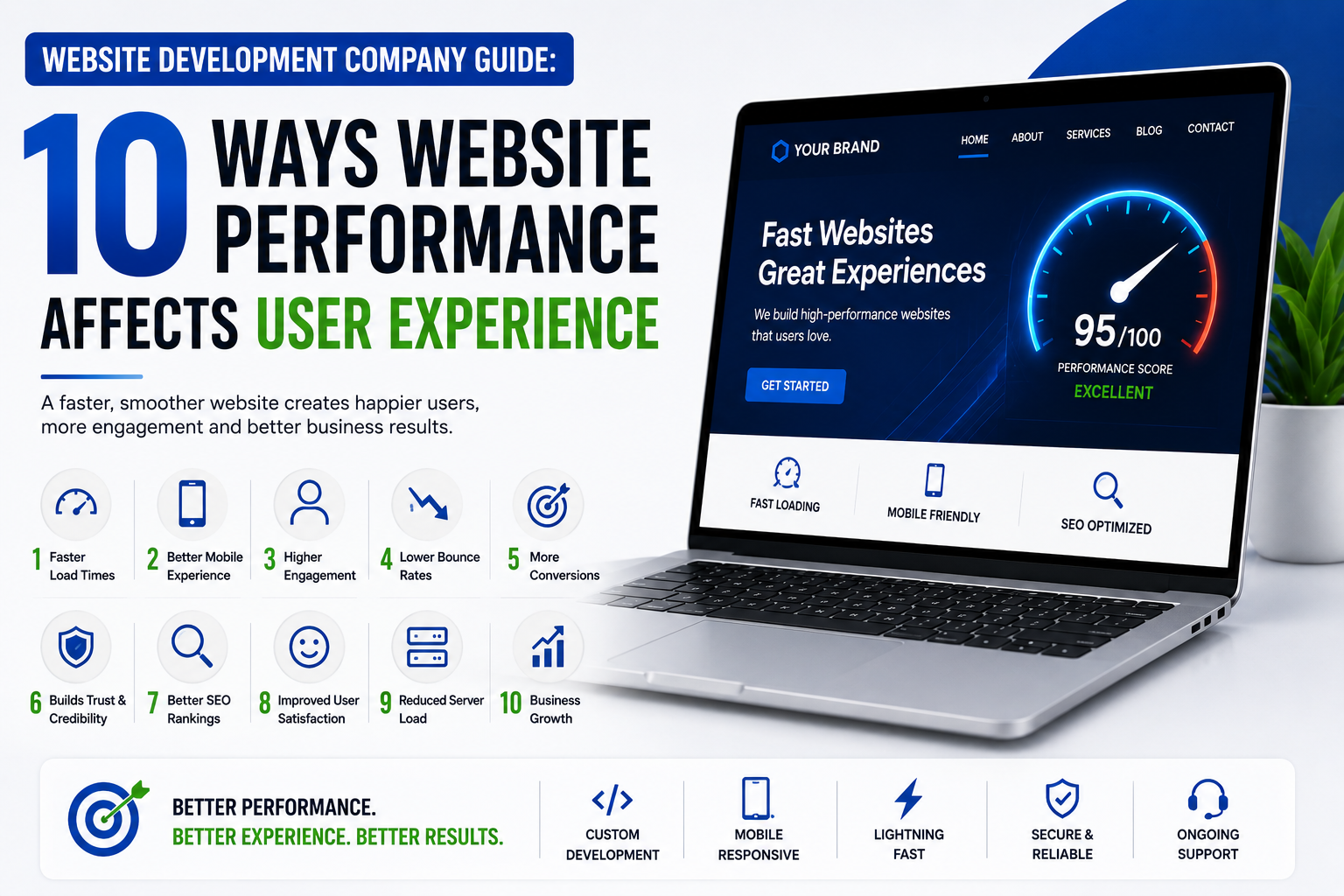
Website Development Company Guide: 10 Ways Website Performance Affects User Experience
Table of Contents
Introduction
What Is Website Performance?
Why Website Performance Matters for User Experience
Way #1: Faster Loading Speeds Reduce Visitor Frustration
Way #2: Better Performance Reduces Bounce Rates
Way #3: Fast Websites Improve Mobile Experience
Way #4: Website Speed Builds Trust and Credibility
Way #5: Better Performance Improves Accessibility
Way #6: Faster Websites Support Higher Conversions
Way #7: Performance Improves Website Navigation
Way #8: Better Performance Supports SEO
Way #9: Performance Makes eCommerce Experiences Smoother
Way #10: Consistent Performance Encourages Repeat Visits
Key Website Performance Factors to Monitor
How a Website Development Company Improves Performance
Common Website Performance Mistakes
Website Performance Checklist
Conclusion
Frequently Asked Questions
Introduction
Website performance is one of the most important factors influencing how people experience a business online. A website can have an attractive design, useful content, and excellent products, but if its pages take too long to load or important features respond slowly, visitors may leave before discovering what the business offers.
Users expect websites to respond quickly. They want pages to open without unnecessary delays, images to appear properly, menus to respond immediately, and forms to work without errors. When a website performs poorly, visitors don’t usually think about the technical reason behind the problem. They simply experience frustration.
For businesses, that frustration can have real consequences. A slow website can reduce engagement, increase abandoned sessions, affect conversions, weaken trust, and create a poor impression of the brand.
This is why website performance should be treated as part of user experience rather than as a purely technical issue.
A professional Website Development Company considers performance during design, development, testing, and ongoing maintenance. Developers examine factors such as page speed, server response time, image sizes, scripts, caching, mobile responsiveness, and overall website architecture to create a smoother experience.
Website performance also matters because visitors access websites from different devices and connections. Someone using a modern desktop computer on a fast broadband connection may have a very different experience from someone using an older smartphone on a slower mobile network. A well-optimized website needs to perform reliably across these different situations.
In this guide, we’ll explore 10 ways website performance affects user experience, the technical factors responsible for website speed, common mistakes that slow websites down, and practical steps businesses can take to improve performance.
What Is Website Performance?
Website performance refers to how quickly, reliably, and efficiently a website loads and responds when users interact with it.
It isn’t limited to how quickly the homepage appears.
Performance includes several different aspects of the user journey, such as:
How quickly a page begins loading
How quickly the main content appears
How quickly buttons respond
How smoothly users can scroll
How quickly forms submit
How quickly pages respond to navigation
How reliably the website works
How well the website performs on mobile devices
A website can have a visually attractive design but still provide a poor experience if it uses oversized images, excessive scripts, inefficient code, or a slow server.
A professional Website Development Company evaluates performance as a combination of technical efficiency and user experience.
Why Website Performance Matters for User Experience
Users don’t separate design from performance in their minds.
If a page looks beautiful but takes several seconds to respond, the visitor experiences the entire website as slow.
Likewise, if a website loads quickly but its navigation is confusing, users may still leave.
Good user experience requires both performance and usability.
Performance influences whether visitors:
Stay on the website
Explore additional pages
Read content
Complete forms
Purchase products
Return later
Recommend the business
For this reason, performance should be considered from the beginning of website development rather than added as an afterthought.
A reliable Website Development Company can identify performance issues during development before they become expensive problems after launch.
Way #1: Faster Loading Speeds Reduce Visitor Frustration
The first and most obvious connection between performance and user experience is page loading speed.
When users click a link, they expect something to happen quickly. If the screen appears frozen or the content takes too long to become usable, frustration starts immediately.
This is particularly important for visitors who are researching several businesses at the same time.
Imagine someone searching for a service online. They open three websites:
Website A loads quickly.
Website B takes several seconds to become usable.
Website C repeatedly displays loading elements.
Most users will naturally spend more time on the website that responds quickly.
What Causes Slow Loading?
Common causes include:
Large image files
Too many JavaScript files
Unoptimized CSS
Excessive plugins
Slow hosting
Poor database performance
Unnecessary third-party scripts
Lack of caching
A professional Website Development Company can identify these bottlenecks and optimise the website without sacrificing essential functionality.
Improving Loading Speed
Developers can improve speed by:
Compressing images
Using modern image formats
Minifying resources
Enabling caching
Removing unnecessary scripts
Optimising server responses
Using a content delivery network where appropriate
Faster loading creates a more comfortable browsing experience and gives visitors fewer reasons to leave.
Way #2: Better Performance Reduces Bounce Rates
Bounce rate is commonly used to describe visitors who leave a website without continuing to another page or completing a meaningful interaction.
Website performance can influence this behaviour.
When visitors encounter slow pages, delayed interactions, or incomplete content, they may decide that continuing isn’t worth the effort.
For example, a potential customer might click a service page from Google. If that page loads slowly, they may return to the search results and choose another business.
This means the website loses an opportunity before the visitor even evaluates the service.
Performance and Engagement
A fast website makes it easier for visitors to:
Explore services
Read articles
View products
Compare options
Contact the business
Continue through the sales funnel
A Website Development Company can analyse performance alongside user behaviour to identify pages where technical issues may be affecting engagement.
Improving performance doesn’t guarantee that every visitor will stay, but it removes one major obstacle from the user journey.
Way #3: Fast Websites Improve Mobile Experience
Mobile users have different needs from desktop users.
They may be using:
Smaller screens
Touch navigation
Mobile networks
Older devices
Limited data connections
Different browsers
A website that works perfectly on a powerful desktop computer may perform poorly on a smartphone.
This makes mobile performance a critical part of modern website development.
Common Mobile Performance Problems
Mobile users may encounter:
Oversized images
Slow-loading videos
Tiny buttons
Difficult navigation
Layout shifts
Excessive pop-ups
Heavy animations
Slow forms
A professional Website Development Company tests websites across different screen sizes and devices to identify these problems.
Mobile Performance Improvements
Useful improvements include:
Responsive layouts
Compressed images
Touch-friendly controls
Efficient code
Reduced unnecessary animations
Mobile-optimized navigation
Properly sized text
A fast mobile experience helps visitors access information without unnecessary delays.
Way #4: Website Speed Builds Trust and Credibility
Visitors often associate website quality with business quality.
A website that loads quickly, responds smoothly, and displays information correctly creates a more professional impression.
Consider two businesses offering similar services.
One has a website that loads quickly, uses clear navigation, and provides a smooth browsing experience.
The other has broken images, slow pages, delayed buttons, and an outdated layout.
Even if both businesses provide excellent services, the second website can make the company appear less reliable.
A professional Website Development Company understands that performance is part of brand presentation.
Performance Signals Professionalism
A well-performing website communicates:
Attention to detail
Reliability
Professionalism
Technical competence
Respect for the visitor’s time
This is particularly important for businesses operating in competitive industries where customers can easily compare multiple companies.
Performance alone doesn’t establish trust, but poor performance can quickly damage it.
Way #5: Better Performance Improves Accessibility
Website accessibility means making a website usable by as many people as possible, including people who may have disabilities or use assistive technologies.
Performance and accessibility aren’t exactly the same thing, but they often overlap in practical website design.
A website that loads excessive resources, shifts content unexpectedly, or contains poorly implemented interactive elements can be more difficult for some users to navigate.
Performance improvements can also benefit visitors using older devices or slower connections.
Accessibility and Performance Practices
Businesses should consider:
Clear page structures
Readable typography
Proper image alternatives
Keyboard-friendly navigation
Predictable interactions
Avoiding unnecessary animations
Efficient page loading
A professional Website Development Company can combine performance optimisation with accessibility-focused development practices.
The objective is simple: users should be able to access and interact with important website information without unnecessary technical barriers.
Way #6: Faster Websites Support Higher Conversions
For a business website, traffic is only valuable when visitors take meaningful actions.
Those actions might include:
Filling out a contact form
Requesting a quote
Booking an appointment
Calling the business
Purchasing a product
Signing up for a newsletter
Performance can affect whether visitors complete these actions.
A slow form, delayed checkout, or sluggish landing page can interrupt the conversion process.
Example: Lead Generation
Suppose a company runs paid advertising to a landing page.
The advertisement attracts visitors successfully, but the landing page loads slowly.
The business is paying for visitors who may leave before seeing the offer.
Improving the landing page’s performance can help ensure that more visitors actually reach and interact with the content.
A Website Development Company can optimise landing pages by reducing unnecessary resources, improving server response times, and ensuring forms and interactive elements work efficiently.
Performance is therefore closely connected to the effectiveness of digital marketing.
Way #7: Website Performance Improves Navigation
Navigation should feel immediate.
When users click a menu item, category, product, or internal link, they expect the next page to appear without unnecessary delays.
Slow navigation interrupts the visitor’s mental flow.
This is especially problematic on larger websites with many pages.
Performance and Website Architecture
A well-structured website should:
Use logical navigation
Keep important pages easy to reach
Avoid unnecessary redirects
Load internal pages efficiently
Optimise menus for mobile devices
Reduce unnecessary scripts
A Website Development Company can review the website architecture to identify technical factors that make navigation slower or more complicated.
Better navigation combined with strong performance allows visitors to find information more efficiently.
Way #8: Better Performance Supports SEO
Website performance and SEO are closely connected.
Search engines aim to provide users with useful results that lead to good experiences. Technical performance is therefore an important consideration in modern SEO.
Google’s Core Web Vitals focus on real-world aspects of page experience, including loading performance, interactivity, and visual stability.
Performance optimisation should therefore be part of a broader technical SEO strategy.
Performance Factors That Can Support SEO
Businesses should monitor:
Loading performance
Mobile usability
Server response time
Visual stability
Page structure
Internal links
Crawlability
A professional Website Development Company can work alongside SEO specialists to ensure that technical development decisions support organic search performance.
SEO isn’t simply about adding keywords to pages. Technical quality matters too.
A fast, accessible, well-structured website provides a stronger foundation for SEO and user experience.
Way #9: Performance Makes eCommerce Experiences Smoother
For eCommerce websites, performance can directly affect the shopping experience.
Customers expect product pages, filters, shopping carts, and checkout systems to respond quickly.
A slow online store can create frustration at several stages.
For example:
Product search → Product page → Add to cart → Cart → Checkout → Payment
If any of these stages is slow or unreliable, customers may abandon the purchase.
eCommerce Performance Priorities
Online stores should pay particular attention to:
Product image optimisation
Search performance
Filtering systems
Shopping cart response
Checkout speed
Payment integration
Database performance
Mobile performance
A professional Website Development Company can optimise an eCommerce platform based on its product catalogue, traffic levels, integrations, and technical architecture.
Performance improvements can make the shopping process feel smoother and reduce unnecessary friction.
Way #10: Consistent Performance Encourages Repeat Visits
Good performance isn’t only important during a visitor’s first session.
Customers who return to a website expect the same level of reliability every time.
If a website performs well consistently, visitors are more likely to feel comfortable using it again.
This is particularly important for:
Online stores
Booking platforms
Educational websites
Membership websites
Service businesses
Customer portals
A website that works reliably becomes easier to trust.
A Website Development Company can support consistent performance through ongoing monitoring, maintenance, updates, and optimisation.
Long-Term Benefits
Consistent performance can contribute to:
Better customer satisfaction
More repeat visits
Stronger brand perception
Better engagement
Increased customer loyalty
Performance should therefore be treated as an ongoing responsibility rather than a one-time development task.
Key Website Performance Factors to Monitor
Businesses should monitor several technical factors rather than relying on a single speed score.
1. Page Loading Time
How quickly the page becomes usable for visitors.
2. Server Response Time
How quickly the server begins responding to a request.
3. Image Size
Large images are one of the most common causes of slow pages.
4. JavaScript
Excessive or poorly managed JavaScript can delay page interaction.
5. CSS
Unused or inefficient CSS can increase page size and rendering work.
6. Third-Party Scripts
Analytics, advertising, chat widgets, and other external scripts can affect performance.
7. Hosting
Poor hosting can create slow server response times regardless of how well the website is coded.
8. Database Performance
Large or inefficient databases can slow dynamic websites and eCommerce platforms.
9. Caching
Caching allows frequently requested resources to be served more efficiently.
10. Mobile Performance
A website should be tested on mobile devices rather than assuming desktop performance will translate automatically.
How a Website Development Company Improves Performance
Improving performance requires more than running a speed test and following a list of generic recommendations.
A professional Website Development Company should examine the website as a complete system.
Step 1: Performance Audit
Developers identify:
Slow pages
Large files
Heavy scripts
Server delays
Rendering issues
Mobile problems
Step 2: Identify the Biggest Bottlenecks
Not every optimisation has the same impact.
Developers should prioritise issues that have the greatest effect on users.
Step 3: Optimise Images
Images should be appropriately sized and compressed without sacrificing necessary visual quality.
Step 4: Improve Code Efficiency
Unused code, unnecessary scripts, and inefficient resources should be reduced where possible.
Step 5: Improve Caching
Caching can reduce repeated work and help pages load faster for returning visitors.
Step 6: Review Hosting
If server performance is poor, improving the hosting environment may be necessary.
Step 7: Test Mobile Performance
The website should be tested on mobile devices and different connection conditions.
Step 8: Monitor After Changes
Performance optimisation is an ongoing process. Changes should be tested to confirm that they actually improve the user experience.
Common Website Performance Mistakes
Using Huge Images
Uploading a large image directly from a camera or design software can add unnecessary weight to a webpage.
Resize and compress images before publishing them.
Installing Too Many Plugins
Plugins can provide useful functionality, but unnecessary plugins increase maintenance and performance overhead.
Only use plugins that provide genuine value.
Adding Too Many Animations
Animations can make a website attractive, but excessive effects can slow pages and distract visitors.
Use animation strategically.
Ignoring Mobile Performance
A website shouldn’t be considered optimised simply because it performs well on a desktop computer.
Mobile testing is essential.
Using Too Many Third-Party Scripts
Chat widgets, tracking tools, advertising scripts, and other integrations can add considerable processing work.
Review whether every script is necessary.
Choosing Hosting Only by Price
Cheap hosting may not always provide the resources needed for a growing website.
Hosting should be selected based on traffic, technology, performance requirements, and scalability.
Forgetting Ongoing Maintenance
Performance can deteriorate as websites gain new content, plugins, integrations, and features.
Regular monitoring is essential.
Website Performance Checklist
Use this checklist when reviewing your website:
Loading and Speed
Compress large images
Use appropriately sized images
Review JavaScript
Remove unnecessary resources
Enable appropriate caching
Review server response time
Mobile Experience
Test on smartphones
Check navigation
Test forms
Check button sizes
Review page layouts
Test slower connections
Technical Performance
Review third-party scripts
Check database performance
Monitor uptime
Review redirects
Test important pages
Monitor Core Web Vitals
User Experience
Test contact forms
Check navigation
Test checkout
Review page readability
Fix broken links
Check visual stability
Ongoing Maintenance
Update CMS
Update plugins
Remove unused plugins
Monitor security
Review performance regularly
Create backups
Conclusion
Website performance is not simply a technical metric. It directly affects how visitors experience your business.
A slow page can create frustration. A delayed form can lose a lead. A slow checkout can result in an abandoned purchase. A website that performs poorly on mobile devices can push visitors toward competitors. These problems may happen within seconds, before a customer has even evaluated what your business offers.
That is why performance should be considered throughout the entire website lifecycle.
From image optimisation and efficient code to hosting, caching, mobile responsiveness, database performance, and ongoing monitoring, every technical decision can influence the user experience.
A professional Website Development Company can help businesses build websites with performance in mind from the beginning. More importantly, ongoing monitoring and maintenance ensure that performance doesn’t gradually decline as the website grows.
The goal isn’t simply to achieve a high score in a testing tool. The real goal is to create a website that feels fast, responsive, stable, and easy to use for real visitors.
Businesses should regularly review their website performance, identify the biggest problems, and prioritise improvements that have a meaningful effect on users.
A well-performing website can support stronger engagement, better conversions, improved SEO, greater customer trust, and a more professional brand image.
Whether you run a small service business, an eCommerce store, a corporate website, or a content-driven platform, performance deserves the same attention as design and content.
Investing in performance is ultimately an investment in the people who use your website.
Frequently Asked Questions
1. Why does website performance matter for user experience?
Website performance affects how quickly visitors can access information and interact with a website. Slow loading pages and delayed interactions can cause frustration and encourage visitors to leave.
2. What makes a website slow?
Common causes include large images, excessive JavaScript, too many plugins, slow hosting, inefficient code, third-party scripts, and poor database performance.
3. Can a Website Development Company improve an existing website’s speed?
Yes. A Website Development Company can audit an existing website, identify performance bottlenecks, optimise files and code, improve caching, review hosting, and address technical issues.
4. Does website speed affect SEO?
Yes. Website performance is one component of the broader page experience and technical SEO picture. Strong performance can support a better experience for users and search engine crawlers.
5. Is mobile website performance important?
Yes. A significant amount of web browsing occurs on mobile devices, and mobile users may experience slower connections or less powerful hardware. Websites should therefore be tested and optimised for mobile users.
6. How can images affect website performance?
Large, uncompressed images can significantly increase page size and loading time. Properly sizing and compressing images can reduce unnecessary data without compromising important visual content.
7. How often should website performance be checked?
Performance should be monitored regularly, particularly after major design changes, plugin installations, new integrations, or significant content updates. Monthly reviews are a practical starting point for many business websites.
8. Can better website performance increase conversions?
Improving performance can reduce friction during the customer journey, making it easier for visitors to view content, complete forms, navigate pages, and finish purchases. This can support better conversion performance.
9. Does website performance affect eCommerce websites more?
Performance is important for all websites, but eCommerce stores often have additional performance-sensitive areas such as product searches, filters, shopping carts, checkout pages, and payment systems.
10. Should website performance be considered during development?
Absolutely. Performance is easier to build into a website from the beginning than to fix after a website becomes complex. A professional Website Development Company can consider performance during architecture, design, coding, testing, and deployment.
11. What are Core Web Vitals?
Core Web Vitals are a set of metrics used by Google to evaluate aspects of real-world page experience, including loading performance, interactivity, and visual stability.
12. Is website maintenance necessary after performance optimisation?
Yes. Performance can change as websites receive new content, plugins, integrations, and features. Regular maintenance and monitoring help preserve performance over time.
Website performance plays a major role in creating a fast, responsive, and user-friendly online presence. At Gowenza, our Web Development services focus on building high-performing, mobile-friendly, secure, and SEO-ready websites that support long-term business growth. If your existing website is slow or difficult to use, our team can help improve its performance, responsiveness, and overall user experience. Explore our Web Development services to learn how we can build or optimize a website designed for better performance.
Website performance should be evaluated using reliable industry resources rather than relying only on visual appearance. Google PageSpeed Insights can help businesses analyse page performance, while Google Search Central provides guidance on search-friendly website practices. For modern web development and performance guidance, web.dev is another useful resource. These resources can help businesses and developers identify performance issues and make informed improvements.



2 Responses