
Sk samiul
Lorem ipsum dolor sit amet, consectetur adipiscing elit. Ut elit tellus, luctus nec ullamcorper mattis, pulvinar dapibus leo.
Google Ads can be one of the fastest ways to generate leads, sales, and website traffic. Unlike SEO, which often takes months to produce results, Google Ads allows businesses to appear in front of potential customers almost immediately. However, simply launching a campaign does not guarantee success.
Many businesses invest money every month but struggle to generate quality leads or achieve a positive return on investment. The problem isn’t always the advertising platform—it’s often the way campaigns are planned, managed, and optimized.
This is where Affordable Google Ads Services make a significant difference. Professional campaign management focuses on reducing wasted spending while improving ad performance through better targeting, smarter bidding, relevant keywords, compelling ad copy, and continuous optimization.
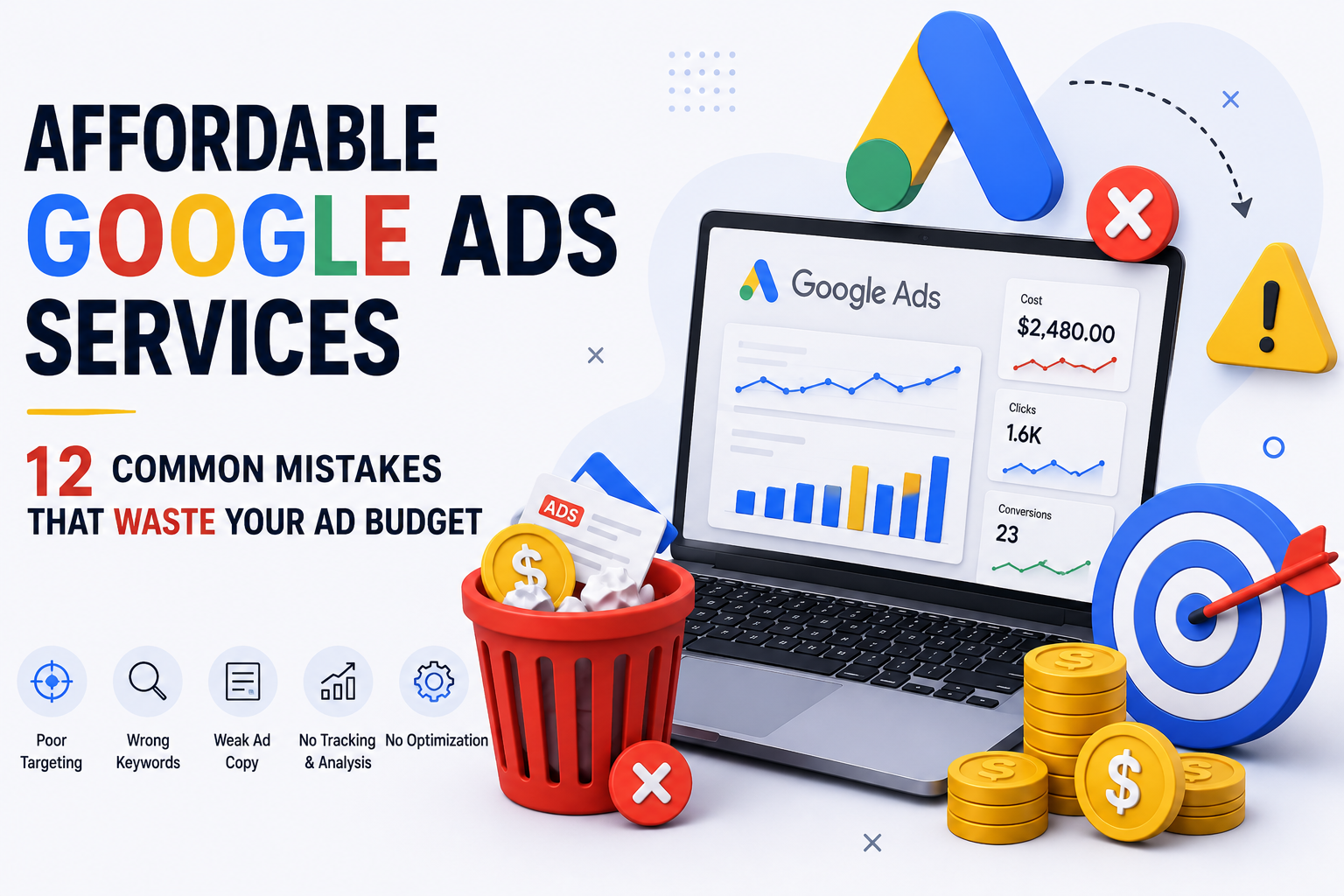
In this guide, you’ll discover the 12 most common mistakes that waste Google Ads budgets and, more importantly, how to avoid them. Whether you’re managing campaigns yourself or working with an agency, these insights will help you spend smarter and achieve better results.
Many advertisers believe that increasing the budget automatically leads to more sales. In reality, a larger budget only increases spending if the campaign itself isn’t optimized.
Google Ads rewards advertisers who create relevant, high-quality campaigns. Businesses that ignore campaign structure, keyword selection, audience targeting, and landing page experience often pay more for every click while receiving fewer conversions.
Some of the biggest reasons businesses waste money include:
Businesses using Affordable Google Ads Services typically avoid these issues because experienced professionals continuously monitor campaign performance, analyze data, and make improvements based on real results rather than assumptions.
One of the biggest reasons Google Ads campaigns fail is the absence of clearly defined objectives.
Many businesses simply decide to “run ads” without determining exactly what success should look like.
Ask yourself:
Each objective requires a different campaign strategy.
For example:
| Goal | Recommended Campaign Strategy |
|---|---|
| Generate leads | Search Campaign |
| Online sales | Shopping or Performance Max |
| Brand awareness | Display Campaign |
| Local enquiries | Local Search Campaign |
| Website traffic | Search Campaign with optimized landing pages |
Without a defined objective:
Professional Affordable Google Ads Services begin every campaign by understanding business goals first and designing campaigns around measurable outcomes rather than vanity metrics like impressions or clicks.
Before launching any campaign:
Google Ads provides powerful audience targeting options, but many advertisers either target everyone or rely on default settings.
This often leads to ads being shown to people who have little or no interest in the product or service.
For example:
A plumbing company operating only in Hyderabad accidentally targets all of India.
Result?
Thousands of impressions.
Hundreds of clicks.
Very few customers.
A large portion of the budget is wasted on users outside the service area.
Similarly, businesses frequently ignore important targeting filters such as:
The broader your targeting, the greater the chance of attracting irrelevant traffic.
Experienced providers of Affordable Google Ads Services refine audience settings based on customer behavior, business location, and historical campaign data to improve lead quality while reducing unnecessary ad spend.
Better targeting means every click has a higher chance of becoming a paying customer.
Many advertisers focus only on search volume.
However, search volume alone doesn’t generate sales.
Intent matters far more.
Let’s compare two searches.
| Keyword | User Intent |
|---|---|
| Google Ads | Learning |
| Google Ads pricing | Considering purchase |
| Hire Google Ads agency | Ready to buy |
| Affordable Google Ads Services | High commercial intent |
Someone searching for “What is Google Ads?” is probably researching.
Someone searching for “Affordable Google Ads Services” is actively looking for a service provider.
If your campaign targets only broad informational searches, you’ll pay for many clicks that never become customers.
Focus on keywords that indicate buying intent.
Examples include:
These searches often produce better conversion rates because users are already evaluating solutions.
A strong campaign usually includes a mix of:
This approach helps attract qualified visitors instead of casual browsers.
This is one of the easiest—and most expensive—mistakes advertisers make.
Negative keywords tell Google when not to show your ads.
Without them, your ads may appear for completely irrelevant searches.
For example, if you offer professional Google Ads management, you probably don’t want your ads showing for searches like:
People searching for these terms are not looking to hire an agency.
Every irrelevant click reduces your advertising budget without generating business.
Review your Search Terms Report regularly and exclude irrelevant phrases.
Common categories include:
Businesses using Affordable Google Ads Services often save a significant portion of their monthly advertising budget simply by maintaining and updating negative keyword lists.
This small optimization can dramatically improve click quality and reduce unnecessary costs over time.
By avoiding these first four mistakes, you can immediately improve campaign efficiency:
These foundational improvements help ensure that every advertising dollar is invested more effectively.
Getting clicks is only half the battle. If your ad doesn’t match what users are searching for, you’ll end up paying for traffic that doesn’t convert.
A common mistake businesses make is using generic ad copy for every campaign. For example:
Bad Ad Example
We Offer the Best Digital Marketing Services. Contact Us Today!
This ad is too broad. It doesn’t tell users why they should click or whether the business offers what they’re looking for.
Now compare it with this:
Better Ad Example
Affordable Google Ads Services for Small Businesses
Increase Leads, Lower CPC & Maximize ROI. Get a Free Consultation Today.
The second ad directly addresses the user’s search intent and clearly communicates the value.
Every ad should include:
For example:
Businesses offering Affordable Google Ads Services should also emphasize affordability without sacrificing quality. Users searching for affordable solutions still expect professional results.
✔ Include your target keyword naturally in headlines.
✔ Highlight your biggest competitive advantage.
✔ Use numbers wherever possible.
✔ Test multiple headlines and descriptions.
✔ Update low-performing ads regularly.
Well-written ads generally improve click-through rate (CTR), Quality Score, and overall campaign performance.
Even the best Google Ads campaign will struggle if visitors land on a page that doesn’t encourage action.
Many advertisers spend thousands on clicks but send users to:
Imagine searching for “Affordable Google Ads Services” and landing on a homepage where you have to search for pricing, services, or contact details. Most visitors won’t spend the time—they’ll simply leave.
A good landing page should include:
Everything on the page should support one goal: encouraging the visitor to take action.
| Element | Why It Matters |
|---|---|
| Clear headline | Immediately tells visitors what you offer |
| Fast loading | Reduces bounce rate |
| Mobile responsive | Most users browse on mobile |
| Contact form | Makes enquiries easy |
| Call-to-action | Encourages conversions |
| Reviews | Builds trust |
| Service information | Answers common questions |
Professional Affordable Google Ads Services often include landing page recommendations because improving the page can dramatically increase conversion rates without increasing your advertising budget.
Quality Score is one of the most overlooked metrics in Google Ads.
Many advertisers focus only on clicks and impressions while ignoring the factor that can significantly affect how much they pay.
Quality Score is Google’s rating of your ads based on:
A higher Quality Score often means:
A lower score generally leads to higher advertising costs.
Business A
Business B
Both businesses target the same keyword, but the one with the better Quality Score pays much less for each click.
Experienced providers of Affordable Google Ads Services continuously monitor Quality Score because even small improvements can reduce advertising costs significantly over the long term.
Google Ads offers multiple bidding strategies, but many advertisers simply select the default option without understanding how it affects campaign performance.
Each strategy is designed for a specific objective.
Choosing the wrong one can quickly waste your budget.
| Strategy | Best For |
|---|---|
| Manual CPC | Full control over bids |
| Maximize Clicks | Increasing website traffic |
| Maximize Conversions | Generating leads or sales |
| Target CPA | Controlling cost per acquisition |
| Target ROAS | E-commerce campaigns |
| Maximize Conversion Value | Higher-value purchases |
For example, if your goal is lead generation, selecting Maximize Clicks may bring more visitors but not necessarily more enquiries.
On the other hand, Maximize Conversions focuses on users who are more likely to complete your desired action.
The right bidding strategy depends on your campaign objective, available data, and business goals.
Professional Affordable Google Ads Services regularly review bidding performance and make adjustments based on actual conversion data rather than guesswork.
Before increasing your advertising budget, ask yourself:
If the answer to several of these questions is “No,” improving your campaign is usually a better investment than simply spending more.
One of the biggest mistakes businesses make is measuring only clicks instead of actual results.
A campaign may receive hundreds of clicks every week, but if those visitors don’t contact your business, make a purchase, or submit an enquiry, those clicks have little value.
Without conversion tracking, you won’t know:
This often leads businesses to increase their advertising budget without understanding what’s actually working.
Depending on your business, important conversions may include:
Google Ads should always be connected with Google Analytics 4 (GA4) so you can accurately measure user behavior after someone clicks your ad.
Businesses investing in Affordable Google Ads Services benefit from proper conversion tracking because every optimization decision is based on real performance data rather than assumptions.
If you can’t answer how much each lead costs, it’s difficult to improve your campaign efficiently.
Many advertisers believe that once a campaign is live, the work is done.
In reality, launching a Google Ads campaign is only the beginning.
Google Ads requires ongoing optimization to stay competitive. Search trends, customer behavior, competitor bids, and keyword performance all change over time.
Without regular optimization, campaigns often become less efficient and more expensive.
Even small adjustments made consistently can produce significant improvements over several months.
✔ Review Search Terms Report
✔ Pause low-performing keywords
✔ Add new negative keywords
✔ Compare ad variations
✔ Check conversion data
✔ Monitor CPC trends
✔ Review budget allocation
✔ Test new ad headlines
Businesses that use Affordable Google Ads Services usually receive regular optimization reports, ensuring campaigns continue to improve rather than becoming stagnant.
Today, most Google searches happen on mobile devices.
If your campaign or landing page isn’t optimized for mobile users, you’re likely losing a large percentage of potential customers.
Common mobile issues include:
Imagine someone searching for your service while traveling or during work hours. If your page takes too long to load or is difficult to use on a phone, they’ll probably leave and choose a competitor instead.
| Area | Recommendation |
|---|---|
| Loading Speed | Under 3 seconds |
| Call Button | Visible immediately |
| Contact Form | 3–5 fields only |
| Navigation | Simple and clear |
| CTA Button | Easy to tap |
| Images | Optimized for fast loading |
Professional Affordable Google Ads Services don’t just focus on ad performance—they also ensure that the visitor’s experience after the click supports higher conversion rates.
Google Ads provides detailed reports that can help improve campaign performance, but many businesses never review them.
Instead, they rely on assumptions such as:
These decisions often ignore valuable data that could explain what’s really happening.
For example, a campaign with fewer clicks but a much higher conversion rate may be more profitable than one with thousands of clicks and almost no sales.
Successful advertisers focus on business outcomes, not vanity metrics.
At the end of each month, review:
This data helps you make informed decisions and improve future campaigns.
Businesses using Affordable Google Ads Services typically receive detailed monthly reports with actionable recommendations, making it easier to understand where money is being spent and how results can be improved.
Before increasing your advertising budget, ask yourself these questions:
If you answered “No” to any of these, addressing these issues can often improve results without increasing your ad spend.
Before investing more money into Google Ads, make sure you’re not making these common mistakes:
| Mistake | Impact |
|---|---|
| No clear campaign goals | Wasted budget and poor ROI |
| Wrong audience targeting | Low-quality traffic |
| Ignoring keyword intent | Clicks that don’t convert |
| No negative keywords | Paying for irrelevant searches |
| Weak ad copy | Low CTR and fewer conversions |
| Poor landing pages | High bounce rates |
| Ignoring Quality Score | Higher Cost Per Click |
| Wrong bidding strategy | Inefficient budget allocation |
| No conversion tracking | Impossible to measure success |
| No campaign optimization | Declining performance over time |
| Ignoring mobile users | Lost leads and sales |
| Making decisions without data | Poor campaign performance |
Even fixing a few of these issues can significantly improve your campaign results and reduce unnecessary advertising costs.
Use this checklist before launching a new campaign or reviewing an existing one.
✔ Set a clear campaign objective.
✔ Choose the right campaign type.
✔ Define your target audience.
✔ Set a realistic monthly budget.
✔ Configure conversion tracking.
✔ Focus on high-intent keywords.
✔ Use long-tail keywords.
✔ Organize keywords into relevant ad groups.
✔ Add negative keywords.
✔ Review Search Terms Reports regularly.
✔ Include the primary keyword naturally.
✔ Highlight your unique selling points.
✔ Add a strong call-to-action.
✔ Test multiple headlines and descriptions.
✔ Update underperforming ads.
✔ Fast loading speed.
✔ Mobile-friendly design.
✔ Clear headline.
✔ Relevant content.
✔ Visible contact form.
✔ Strong CTA.
✔ Trust signals such as reviews and testimonials.
✔ Review campaign performance every week.
✔ Monitor Quality Score.
✔ Improve click-through rate.
✔ Pause low-performing keywords.
✔ Increase budget only after consistent positive results.
✔ Analyze conversion data before making changes.
Following this checklist helps you maximize the value of every advertising dollar and build campaigns that deliver consistent, measurable results.
Many businesses choose to manage Google Ads on their own, but as campaigns grow, so does the complexity.
Managing keywords, writing ads, adjusting bids, reviewing reports, testing landing pages, and optimizing campaigns all require time and expertise.
This is where Affordable Google Ads Services provide real value.
A professional team can help you:
Instead of guessing what works, you can make informed decisions based on real campaign data.
Whether you’re a startup, local business, or growing company, investing in expert Google Ads management often leads to better lead quality, lower acquisition costs, and a stronger return on investment.
Most campaigns fail because of poor keyword targeting, weak ad copy, missing conversion tracking, irrelevant landing pages, and a lack of ongoing optimization.
Start by defining clear campaign goals, using negative keywords, targeting the right audience, improving your landing pages, and reviewing campaign performance regularly.
Campaigns should be monitored frequently and reviewed in detail at least once a week. Regular optimization helps improve performance and prevents unnecessary spending.
One of the biggest mistakes is launching campaigns without proper conversion tracking. Without tracking, it’s impossible to know which keywords, ads, or campaigns are generating real business results.
Yes. Affordable Google Ads Services are especially valuable for small businesses because they focus on maximizing return on investment, reducing wasted spend, and attracting qualified leads without requiring a large advertising budget.
Google Ads can be one of the most effective ways to attract qualified customers, but success depends on strategy—not just spending more money.
The twelve mistakes covered in this guide are responsible for a large percentage of wasted advertising budgets. Fortunately, each one can be corrected with careful planning, regular optimization, and a focus on data-driven decision-making.
From setting clear goals and choosing the right keywords to improving landing pages and tracking conversions, every improvement contributes to stronger campaign performance. Small changes made consistently often have a greater impact than simply increasing your budget.
If your campaigns aren’t delivering the results you expected, review these common mistakes before investing more. Optimizing what you already have is often the fastest path to better leads, lower costs, and higher returns.
At Gowenza, we help businesses generate better results through Affordable Google Ads Services tailored to their goals and budget. From campaign strategy and keyword research to ad creation, conversion tracking, and continuous optimization, our team focuses on reducing wasted ad spend while increasing qualified leads and sales.
Whether you’re launching your first campaign or improving an existing one, we’re here to help you make every click count. Contact Gowenza today to build smarter Google Ads campaigns that deliver measurable business growth.
Lorem ipsum dolor sit amet, consectetur adipiscing elit. Ut elit tellus, luctus nec ullamcorper mattis, pulvinar dapibus leo.
Creating impactful digital experiences through design, technology, and marketing. Helping businesses create, innovate, and elevate.
Empowering businesses with creative design, strategic marketing, and innovative technology solutions that drive growth and digital success.