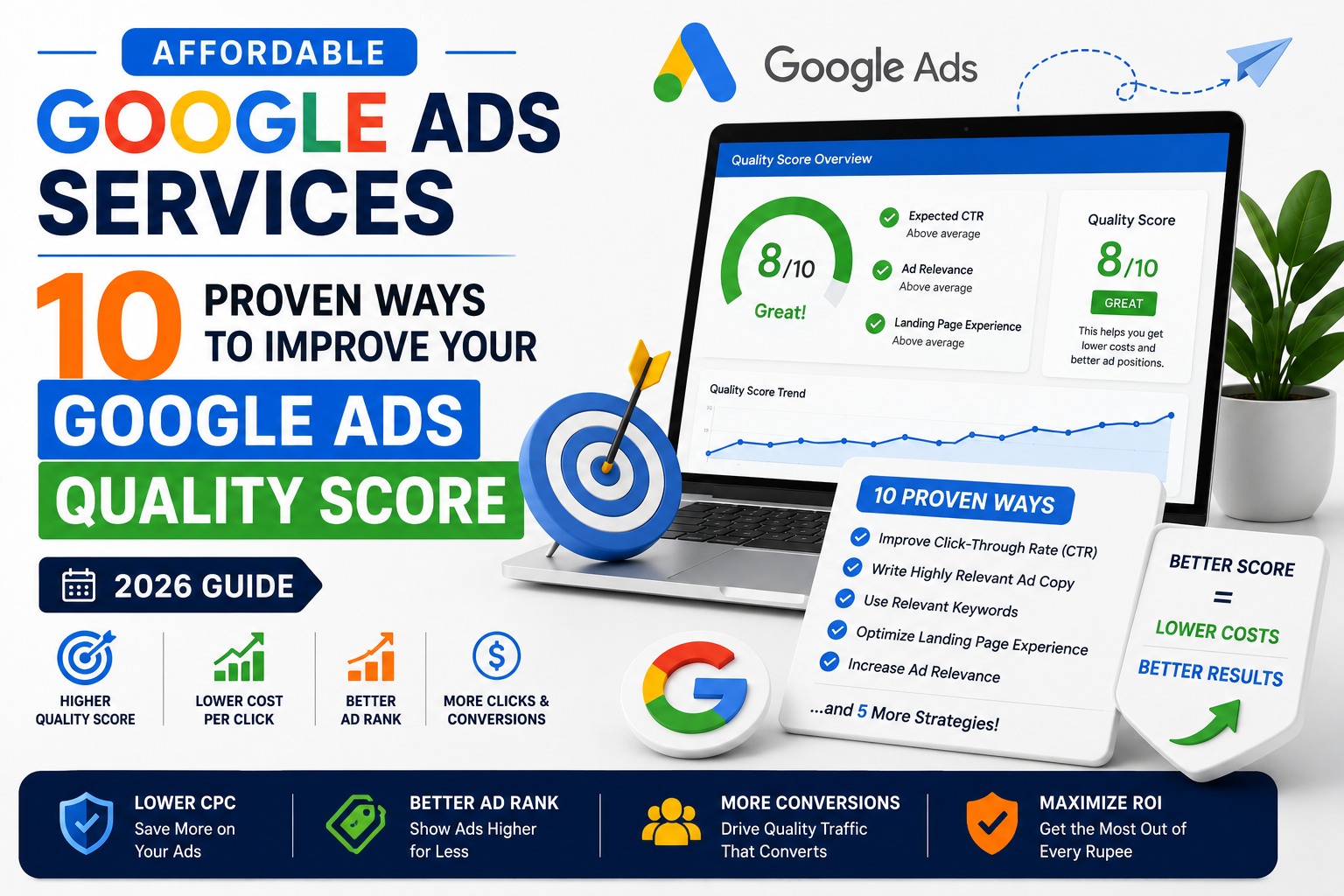
Affordable Google Ads Services: 10 Proven Ways to Improve Your Google Ads Quality Score (2026 Guide)
Affordable Google Ads Services: 10 Proven Ways to Improve Your Google Ads Quality Score (2026 Guide)
Affordable Google Ads Services: 10 Proven Ways to Improve Your Google Ads Quality Score (2026 Guide)
Table of Contents
Introduction
What Is Google Ads Quality Score?
Why Quality Score Matters
How Google Calculates Quality Score
Way #1: Choose Highly Relevant Keywords
Way #2: Organize Keywords into Tight Ad Groups
Way #3: Write Highly Relevant Ad Copy
Way #4: Improve Your Landing Page Experience
Way #5: Increase Your Click-Through Rate (CTR)
Way #6: Use Negative Keywords Regularly
Way #7: Improve Landing Page Speed
Way #8: Continuously Test and Optimise Your Ads
Way #9: Make Your Ads Mobile-Friendly
Way #10: Monitor Performance and Optimise Regularly
Google Ads Quality Score Improvement Checklist
How a Higher Quality Score Saves Money
Frequently Asked Questions (FAQs)
Final Thoughts
Grow Your Business with Gowenza
Running successful Google Ads campaigns isn’t just about increasing your advertising budget. Many businesses believe that spending more automatically leads to better results, but that’s rarely true. One of the biggest factors affecting your campaign performance is your Google Ads Quality Score.
Quality Score influences how often your ads appear, how much you pay for each click, and how effectively your budget is used. A higher Quality Score can help reduce advertising costs while improving visibility and conversions. On the other hand, a low score often results in higher Cost Per Click (CPC), lower ad rankings, and reduced return on investment.
Improving Quality Score doesn’t require a larger budget. It requires smarter campaign management, relevant keywords, better advertisements, and landing pages that provide a positive user experience.
This is where Affordable Google Ads Services become valuable. Experienced campaign managers understand how Google’s Quality Score works and continuously optimise campaigns to improve relevance, lower costs, and maximise performance.
In this guide, you’ll learn 10 proven ways to improve your Google Ads Quality Score and create campaigns that generate better results without unnecessary advertising spend.
What Is Google Ads Quality Score?
Quality Score is Google’s rating of the relevance and quality of your keywords, advertisements, and landing pages.
It is measured on a scale from 1 to 10, where:
Quality Score
Meaning
1–3
Poor
4–6
Average
7–8
Good
9–10
Excellent
A higher Quality Score tells Google that your advertisement is useful and relevant to users searching for your chosen keywords.
Google rewards relevant advertisers because its goal is to deliver the best possible search experience.
When your campaign provides value to users, Google is more likely to:
Display your ads more often
Improve your ad position
Reduce your Cost Per Click
Increase impressions
Improve campaign efficiency
Businesses investing in Affordable Google Ads Services often focus on improving Quality Score before increasing advertising budgets because it helps generate better results from existing campaigns.
Why Quality Score Matters
Many advertisers overlook Quality Score and focus only on impressions or clicks.
However, Quality Score directly affects campaign profitability.
A higher score often means you can achieve better positions while paying less for each click.
Consider this example:
Business
Quality Score
Average CPC
Business A
9/10
£0.80
Business B
5/10
£1.45
Both businesses target similar keywords.
Business A pays significantly less because Google considers its ads more relevant.
Over hundreds or thousands of clicks, this difference can save a substantial portion of your advertising budget.
Benefits of improving Quality Score include:
Lower Cost Per Click
Better ad rankings
Higher Click-Through Rate
Improved conversion opportunities
Better return on investment
More efficient advertising spend
Professional Affordable Google Ads Services focus on improving these factors continuously, helping businesses achieve sustainable campaign growth instead of relying solely on larger budgets.
How Google Calculates Quality Score
Although Google’s exact algorithm isn’t public, Quality Score is primarily influenced by three major factors.
1. Expected Click-Through Rate (CTR)
Google estimates how likely users are to click your ad.
If people regularly click your advertisement compared to competing ads, your expected CTR improves.
A higher CTR tells Google that users find your advertisement useful.
2. Ad Relevance
Google evaluates how closely your advertisement matches the keyword being searched.
For example:
Keyword:
Affordable Google Ads Services
Good Headline:
Affordable Google Ads Services for Small Businesses
Weak Headline:
Professional Marketing Solutions
The first headline directly matches the search intent and is therefore more relevant.
3. Landing Page Experience
Google also reviews the page visitors reach after clicking your advertisement.
A quality landing page should:
Load quickly
Match the advertisement
Provide valuable information
Be mobile-friendly
Include a clear call to action
Be easy to navigate
Poor landing pages reduce Quality Score regardless of how well your advertisements perform.
Way #1: Choose Highly Relevant Keywords
Everything starts with keyword selection.
Many advertisers make the mistake of targeting broad keywords simply because they receive high search volumes.
However, broad keywords often attract visitors who aren’t ready to become customers.
Instead, focus on keywords with strong commercial intent.
For example:
Broad Keyword
Better Alternative
Google Ads
Affordable Google Ads Services
Marketing
Google Ads Management Services
PPC
PPC Management for Small Businesses
Advertising
Google Ads Agency Near Me
Long-tail keywords usually:
Have lower competition
Produce more qualified traffic
Improve ad relevance
Increase conversion rates
The closer your keywords match user intent, the better your Quality Score is likely to become.
Experienced providers of Affordable Google Ads Services regularly analyse keyword performance and remove irrelevant search terms that reduce campaign quality.
Way #2: Organize Keywords into Tight Ad Groups
A common mistake is placing dozens of unrelated keywords into one ad group.
For example:
One Ad Group
SEO Services
Website Design
Google Ads
Logo Design
Social Media Marketing
Writing one advertisement that matches all these keywords is almost impossible.
Instead, create tightly focused ad groups.
Example:
Ad Group 1
Affordable Google Ads Services
Google Ads Management
PPC Services
Ad Group 2
SEO Services
Local SEO
Technical SEO
Ad Group 3
Website Development
Business Website Design
Each ad group should focus on one topic.
Benefits include:
Better keyword relevance
Higher Click-Through Rate
Improved Quality Score
Easier campaign optimisation
Professional Affordable Google Ads Services often restructure campaigns into tightly themed ad groups to improve overall account performance.
Way #3: Write Highly Relevant Ad Copy
Your advertisement should clearly match the keyword users search for.
For example, if someone searches:
Affordable Google Ads Services
Your advertisement should include that phrase naturally.
Example:
Headline 1
Affordable Google Ads Services
Headline 2
Increase Leads & Reduce Ad Costs
Description
Grow your business with expertly managed Google Ads campaigns designed to maximise ROI and reduce unnecessary advertising spend.
Relevant advertisements typically receive:
Higher CTR
Better Quality Score
Improved Ad Rank
Lower Cost Per Click
Tips for writing better ads:
Include your primary keyword.
Focus on customer benefits.
Add a strong call to action.
Highlight your unique selling points.
Test multiple headlines and descriptions.
Way #4: Improve Your Landing Page Experience
Your advertisement creates expectations.
Your landing page must fulfil them.
If someone clicks an advertisement for Affordable Google Ads Services but lands on a generic homepage with little information, they’re more likely to leave without taking action.
Google considers this a poor user experience.
A high-quality landing page should include:
A clear headline
Relevant service information
Fast loading speed
Mobile responsiveness
Customer testimonials
Clear pricing or service details
Simple contact form
Strong call to action
Landing Page Checklist
Element
Importance
Fast loading speed
High
Mobile-friendly design
High
Relevant content
High
Clear CTA
High
Trust signals
Medium
Easy navigation
High
Improving your landing page often increases both Quality Score and conversion rate at the same time.
Businesses using Affordable Google Ads Services frequently improve campaign performance by optimising landing pages alongside advertisements and keywords.
Way #5: Increase Your Click-Through Rate (CTR)
Click-Through Rate (CTR) is one of the strongest indicators Google uses when evaluating your Quality Score.
CTR measures the percentage of users who click your ad after seeing it.
Formula:
CTR = (Clicks ÷ Impressions) × 100
For example:
Impressions
Clicks
CTR
2,000
120
6%
2,000
40
2%
A higher CTR tells Google that users find your advertisement relevant and valuable. As a result, Google is more likely to reward your campaign with a better Quality Score and lower Cost Per Click (CPC).
How to Improve CTR
Use these proven techniques:
Write compelling headlines.
Include your primary keyword naturally.
Highlight a unique selling point.
Add numbers where appropriate.
Use strong calls to action.
Add relevant ad assets (formerly extensions).
Instead of writing:
Digital Marketing Services
Write:
Affordable Google Ads Services for Small Businesses
Or
Affordable Google Ads Services – Increase Leads & Lower Ad Costs
The second version is far more specific and better matches user intent.
Businesses using Affordable Google Ads Services often improve CTR by continuously testing different headlines and descriptions instead of relying on a single advertisement.
Way #6: Use Negative Keywords Regularly
Many advertisers focus only on the keywords they want to target.
Equally important are the keywords you don’t want your ads to appear for.
Negative keywords prevent Google from showing your advertisements for irrelevant searches.
For example, if you provide Google Ads management services, you probably don’t want your advertisements appearing for searches such as:
Free Google Ads course
Google Ads jobs
Google Ads internship
Google Ads tutorial
Google Ads salary
Learn Google Ads
Google Ads PDF
These searches generate clicks but rarely produce paying customers.
Benefits of Negative Keywords
Adding negative keywords helps:
Improve ad relevance.
Increase Click-Through Rate.
Reduce wasted advertising spend.
Improve conversion quality.
Support a higher Quality Score.
Build Your Negative Keyword List
Review your Search Terms Report regularly and exclude irrelevant searches.
Common negative keywords include:
Free
Jobs
Careers
Course
Tutorial
Internship
Salary
Download
PDF
Training
Businesses investing in Affordable Google Ads Services continuously expand their negative keyword lists, ensuring campaigns attract only high-quality traffic.
Way #7: Improve Landing Page Speed
Landing page experience plays an important role in Google’s Quality Score.
Even a well-written advertisement can perform poorly if visitors arrive on a slow website.
Today’s users expect pages to load almost instantly.
If your page takes several seconds to appear, many visitors will leave before reading your content.
This increases bounce rates and sends negative engagement signals to Google.
Ways to Improve Page Speed
Focus on these improvements:
Compress large images.
Enable browser caching.
Minify CSS and JavaScript files.
Remove unnecessary plugins.
Choose reliable hosting.
Use modern image formats such as WebP.
Reduce unnecessary animations.
Why Speed Matters
A faster landing page can:
Improve user experience.
Increase conversions.
Reduce bounce rates.
Improve Quality Score.
Lower Cost Per Click over time.
Businesses using Affordable Google Ads Services often discover that improving page speed alone leads to noticeable improvements in campaign performance without increasing advertising budgets.
Way #8: Continuously Test and Optimise Your Ads
Successful Google Ads campaigns are never “finished.”
Customer behaviour changes.
Competitors launch new campaigns.
Search trends evolve.
Advertisements that performed well six months ago may no longer generate the same results today.
Regular testing helps you identify opportunities for improvement before performance declines.
Elements You Should Test
Experiment with:
Headlines
Descriptions
Calls to action
Display URLs
Landing pages
Ad assets
Images (for applicable campaign types)
Even small changes can produce meaningful improvements.
For example:
Instead of:
Get Google Ads Services
Try:
Affordable Google Ads Services That Generate More Leads
The revised version communicates a clearer benefit while matching the user’s search intent more closely.
Follow an A/B Testing Process
Change one element at a time.
Let the ads collect enough data.
Compare results objectively.
Keep the winning version.
Test another improvement.
Avoid making multiple changes simultaneously, as it becomes difficult to determine which adjustment influenced performance.
Professional Affordable Google Ads Services rely on continuous testing rather than assumptions. Ongoing optimisation keeps campaigns competitive and helps maintain a strong Quality Score over time.
Common Quality Score Mistakes to Avoid
Even experienced advertisers sometimes make mistakes that reduce Quality Score.
Watch out for these common issues:
Mistake
Impact
Using broad, unrelated keywords
Lower relevance
Sending traffic to the homepage
Poor landing page experience
Ignoring negative keywords
Irrelevant clicks
Writing generic advertisements
Lower CTR
Slow-loading landing pages
Higher bounce rate
Not testing advertisements
Missed optimisation opportunities
Poor mobile experience
Lower engagement
Ignoring campaign reports
Missed performance improvements
Avoiding these mistakes can significantly improve campaign efficiency and reduce unnecessary advertising costs.
Way #5: Increase Your Click-Through Rate (CTR)
Click-Through Rate (CTR) is one of the strongest indicators Google uses when evaluating your Quality Score.
CTR measures the percentage of users who click your ad after seeing it.
Formula:
CTR = (Clicks ÷ Impressions) × 100
For example:
Impressions
Clicks
CTR
2,000
120
6%
2,000
40
2%
A higher CTR tells Google that users find your advertisement relevant and valuable. As a result, Google is more likely to reward your campaign with a better Quality Score and lower Cost Per Click (CPC).
How to Improve CTR
Use these proven techniques:
Write compelling headlines.
Include your primary keyword naturally.
Highlight a unique selling point.
Add numbers where appropriate.
Use strong calls to action.
Add relevant ad assets (formerly extensions).
Instead of writing:
Digital Marketing Services
Write:
Affordable Google Ads Services for Small Businesses
Or
Affordable Google Ads Services – Increase Leads & Lower Ad Costs
The second version is far more specific and better matches user intent.
Businesses using Affordable Google Ads Services often improve CTR by continuously testing different headlines and descriptions instead of relying on a single advertisement.
Way #6: Use Negative Keywords Regularly
Many advertisers focus only on the keywords they want to target.
Equally important are the keywords you don’t want your ads to appear for.
Negative keywords prevent Google from showing your advertisements for irrelevant searches.
For example, if you provide Google Ads management services, you probably don’t want your advertisements appearing for searches such as:
Free Google Ads course
Google Ads jobs
Google Ads internship
Google Ads tutorial
Google Ads salary
Learn Google Ads
Google Ads PDF
These searches generate clicks but rarely produce paying customers.
Benefits of Negative Keywords
Adding negative keywords helps:
Improve ad relevance.
Increase Click-Through Rate.
Reduce wasted advertising spend.
Improve conversion quality.
Support a higher Quality Score.
Build Your Negative Keyword List
Review your Search Terms Report regularly and exclude irrelevant searches.
Common negative keywords include:
Free
Jobs
Careers
Course
Tutorial
Internship
Salary
Download
PDF
Training
Businesses investing in Affordable Google Ads Services continuously expand their negative keyword lists, ensuring campaigns attract only high-quality traffic.
Way #7: Improve Landing Page Speed
Landing page experience plays an important role in Google’s Quality Score.
Even a well-written advertisement can perform poorly if visitors arrive on a slow website.
Today’s users expect pages to load almost instantly.
If your page takes several seconds to appear, many visitors will leave before reading your content.
This increases bounce rates and sends negative engagement signals to Google.
Ways to Improve Page Speed
Focus on these improvements:
Compress large images.
Enable browser caching.
Minify CSS and JavaScript files.
Remove unnecessary plugins.
Choose reliable hosting.
Use modern image formats such as WebP.
Reduce unnecessary animations.
Why Speed Matters
A faster landing page can:
Improve user experience.
Increase conversions.
Reduce bounce rates.
Improve Quality Score.
Lower Cost Per Click over time.
Businesses using Affordable Google Ads Services often discover that improving page speed alone leads to noticeable improvements in campaign performance without increasing advertising budgets.
Way #8: Continuously Test and Optimise Your Ads
Successful Google Ads campaigns are never “finished.”
Customer behaviour changes.
Competitors launch new campaigns.
Search trends evolve.
Advertisements that performed well six months ago may no longer generate the same results today.
Regular testing helps you identify opportunities for improvement before performance declines.
Elements You Should Test
Experiment with:
Headlines
Descriptions
Calls to action
Display URLs
Landing pages
Ad assets
Images (for applicable campaign types)
Even small changes can produce meaningful improvements.
For example:
Instead of:
Get Google Ads Services
Try:
Affordable Google Ads Services That Generate More Leads
The revised version communicates a clearer benefit while matching the user’s search intent more closely.
Follow an A/B Testing Process
Change one element at a time.
Let the ads collect enough data.
Compare results objectively.
Keep the winning version.
Test another improvement.
Avoid making multiple changes simultaneously, as it becomes difficult to determine which adjustment influenced performance.
Professional Affordable Google Ads Services rely on continuous testing rather than assumptions. Ongoing optimisation keeps campaigns competitive and helps maintain a strong Quality Score over time.
Common Quality Score Mistakes to Avoid
Even experienced advertisers sometimes make mistakes that reduce Quality Score.
Watch out for these common issues:
Mistake
Impact
Using broad, unrelated keywords
Lower relevance
Sending traffic to the homepage
Poor landing page experience
Ignoring negative keywords
Irrelevant clicks
Writing generic advertisements
Lower CTR
Slow-loading landing pages
Higher bounce rate
Not testing advertisements
Missed optimisation opportunities
Poor mobile experience
Lower engagement
Ignoring campaign reports
Missed performance improvements
Avoiding these mistakes can significantly improve campaign efficiency and reduce unnecessary advertising costs.
Want better results from your online marketing? Explore Gowenza’s Affordable Google Ads Services to create high-performing campaigns that generate more leads and maximise your ROI. You can also discover our SEO Services, Website Development Services, and Brand Identity Design Services to build a stronger online presence and grow your business with complete digital marketing solutions.
To deepen your understanding of Google Ads Quality Score and campaign optimisation, explore Google’s official resources. The Google Ads Help Center provides comprehensive guidance on campaign setup and optimisation, while the Quality Score Guide explains how Google evaluates ad relevance, expected click-through rate, and landing page experience. You can also use the Google Analytics Help Center to measure campaign performance and user behaviour, and visit Think with Google for the latest digital advertising insights, case studies, and best practices to improve your Google Ads results.