
Affordable Google Ads Services: Google Ads Conversion Tracking 2026
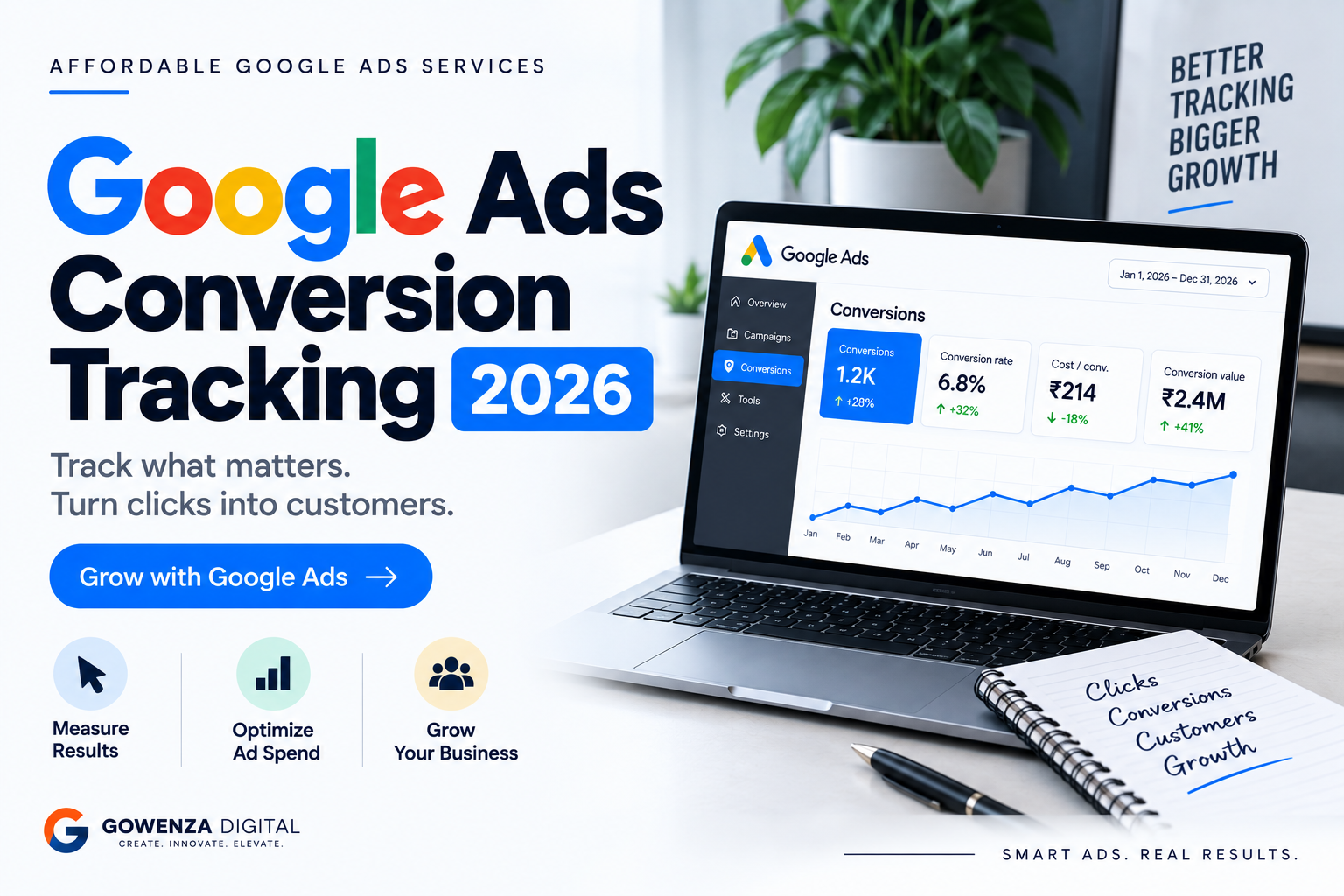
Affordable Google Ads Services: Google Ads Conversion Tracking 2026
Running Google Ads without proper conversion tracking is like spending money without knowing what you are getting in return. You may see impressions, clicks, and website visitors, but those numbers do not tell you whether your advertising is generating actual leads, calls, bookings, or sales.
Google Ads conversion tracking helps businesses connect advertising activity with meaningful actions. It shows which campaigns, ads, keywords, and targeting choices are contributing to conversions, allowing you to make better decisions about your advertising budget.
For businesses looking for Affordable Google Ads Services, accurate conversion tracking is particularly important. When the budget is limited, every significant conversion matters. Tracking helps identify what is working, what is wasting money, and where campaign improvements are needed.
This guide explains Google Ads conversion tracking in simple terms, what you can track, how it works, common mistakes, and how businesses can use conversion data to improve campaign performance in 2026.
What Is Google Ads Conversion Tracking?
Google Ads conversion tracking is a measurement system that records when someone interacts with your advertisement and then completes an action that you consider valuable to your business.
A conversion could be:
- Purchasing a product
- Submitting a contact form
- Calling your business
- Booking an appointment
- Requesting a quotation
- Signing up for a service
- Downloading a resource
- Completing a registration
- Starting a checkout
- Making an enquiry
For example, imagine you run Google Ads for a web development company.
A person searches for “website development company Hyderabad”, clicks your advertisement, visits your website, and submits your contact form.
The click is useful information, but the form submission is the business conversion.
Without conversion tracking, you may know that someone clicked the ad but not necessarily whether the click generated an enquiry.
Why Conversion Tracking Matters
Clicks and impressions are important, but they are not the final objective for most businesses.
A business usually wants something more valuable:
Leads, customers, bookings, sales, or revenue.
Conversion tracking helps answer questions such as:
- Which campaigns generate the most leads?
- Which keywords generate conversions?
- How much does each conversion cost?
- Which advertisements produce customers?
- Which campaigns are consuming budget without producing results?
- Which landing pages generate more enquiries?
- Which locations produce valuable customers?
- How much revenue is generated from advertising?
This information becomes especially valuable when using Affordable Google Ads Services, because optimization should focus on getting more value from the available budget rather than simply increasing traffic.
What Can You Track as a Google Ads Conversion?
The conversions you track should depend on your business model.
1. Website Form Submissions
Contact forms are one of the most common conversions for service businesses.
Examples include:
- Contact us forms
- Get a quote forms
- Consultation forms
- Demo requests
- Enquiry forms
If a visitor completes the form after clicking your Google Ad, the action can be recorded as a conversion.
2. Phone Calls
Phone calls can be valuable conversions for businesses where customers prefer speaking directly with someone.
Examples include:
- Clinics
- Restaurants
- Real estate companies
- Home-service businesses
- Legal services
- Travel agencies
- Local service providers
Tracking calls can help determine whether advertisements are generating actual enquiries rather than just website traffic.
3. Online Purchases
For ecommerce businesses, purchases are among the most important conversions.
You can track information such as:
- Number of purchases
- Purchase value
- Products purchased
- Revenue generated
- Campaign associated with the conversion
This allows businesses to compare advertising expenditure with the value generated from purchases.
4. Appointment Bookings
Businesses that operate through appointments can track booking actions.
Examples include:
- Consultations
- Salon appointments
- Service appointments
- Property viewings
- Business meetings
- Online demonstrations
Tracking bookings provides a better picture of campaign performance than simply counting clicks.
5. Signups
You can also track registrations and signups.
Examples include:
- Newsletter subscriptions
- Account registrations
- Free trials
- Webinar registrations
- Course registrations
Whether these should be treated as primary or secondary conversions depends on their actual value to the business.
How Google Ads Conversion Tracking Works
The process is relatively straightforward.
Step 1: Someone sees your advertisement
A potential customer searches for something relevant to your business.
Your advertisement appears.
Step 2: They click your advertisement
The user visits your website or another conversion destination.
Step 3: They take an action
For example, they:
- Submit a form
- Purchase a product
- Call your business
- Book an appointment
Step 4: Google records the conversion
When the conversion is properly configured, Google Ads receives information that the desired action occurred.
Step 5: You analyze the data
You can then evaluate campaign performance based on conversions and other metrics.
The important point is that conversion tracking connects advertising activity with business actions.
Google Ads Conversion Tracking vs Click Tracking
These two concepts are often confused.
Click tracking
Click tracking tells you that someone interacted with your advertisement.
For example:
1,000 impressions → 100 clicks
This tells you that 100 people clicked.
Conversion tracking
Conversion tracking tells you what happened after those clicks.
For example:
100 clicks → 8 enquiries
Now you know that the campaign generated eight tracked conversions.
That’s much more useful when deciding whether the campaign is producing business value.
A campaign could receive thousands of clicks and generate very few conversions.
Another campaign could receive fewer clicks but generate substantially more leads or sales.
That is why Affordable Google Ads Services should focus on conversion data rather than optimizing campaigns around clicks alone.
How to Set Up Google Ads Conversion Tracking
The exact implementation depends on what you want to track and how your website is built.
A basic setup generally involves these stages.
1. Identify Your Business Goal
Before creating a conversion action, determine what you actually want customers to do.
For example:
Service business: Contact form submission
Ecommerce: Purchase
Consultant: Appointment booking
Local business: Phone call
Don’t start with technical tracking.
Start with the business objective.
2. Create the Conversion Action
Inside Google Ads, define the action you want to measure.
Depending on the conversion type, you may configure details such as:
- Conversion name
- Goal category
- Value
- Counting method
- Conversion window
- Attribution settings
The correct configuration depends on your campaign and business model.
3. Add the Tracking Method
Depending on your setup, conversion tracking may require implementation through your website, Google Tag Manager, or another supported measurement setup.
For example, a website form may trigger a conversion when a user reaches a confirmation page or completes a tracked event.
The technical implementation should be tested before relying on the data for campaign decisions.
4. Test the Conversion
Never assume tracking is working simply because the conversion action has been created.
Complete a test action and verify that the expected event is being recorded correctly.
Check:
- Whether the conversion fires
- Whether the correct conversion action is triggered
- Whether duplicate conversions are being recorded
- Whether the conversion is attributed correctly
Testing is one of the most important steps in the entire process.
Primary vs Secondary Conversions
Not every tracked action has the same importance.
Businesses should distinguish between actions that directly represent business goals and actions that are useful for observation.
Primary conversions
These could include:
- Purchases
- Qualified leads
- Bookings
- Quote requests
- Important phone calls
Secondary actions
These might include:
- PDF downloads
- Newsletter subscriptions
- Certain page visits
- Other engagement actions
For example, a digital marketing agency may consider a qualified consultation request a primary conversion while treating a brochure download as a secondary action.
This distinction helps keep campaign optimization focused on actions that matter most.
How to Track Leads Properly
Generating a lead isn’t always the same as generating a customer.
Consider this example:
Google Ads generates:
100 leads
But after reviewing them, only:
25 are qualified
And eventually:
5 become customers
If you only track the original 100 leads, you may believe the campaign is performing better than it actually is.
For lead-generation businesses, it is therefore useful to monitor the journey:
Ad → Click → Lead → Qualified Lead → Customer → Revenue
This can provide much better information for budget and campaign decisions.
Businesses working with Affordable Google Ads Services should ideally review lead quality alongside conversion volume.
Assigning Conversion Values
Conversion values can make your data more useful, particularly when different conversions have different levels of business value.
For ecommerce, the value may be the actual purchase amount.
For lead generation, assigning values can be more complicated.
For example:
- General enquiry = ₹500 estimated value
- Consultation request = ₹1,000
- Qualified sales enquiry = ₹2,500
These numbers should be based on your actual business economics rather than arbitrary amounts.
If the values are inaccurate, automated optimization and reporting can also become misleading.
Conversion Rate
Once tracking is working, conversion rate becomes an important metric.
The basic formula is:
Conversion Rate = Conversions ÷ Clicks × 100
For example:
500 clicks
25 conversions
Conversion rate:
25 ÷ 500 × 100 = 5%
A low conversion rate can indicate problems with:
- Search intent
- Keyword targeting
- Ad relevance
- Landing page
- Offer
- Website usability
- Form design
- Mobile experience
Conversion tracking allows you to identify the problem instead of simply guessing.
Cost Per Conversion
Another important metric is cost per conversion.
The basic calculation is:
Cost Per Conversion = Advertising Spend ÷ Conversions
Example:
₹20,000 ad spend
40 conversions
₹20,000 ÷ 40 = ₹500 per conversion
For lead-generation campaigns, this is often called cost per lead.
However, don’t automatically assume that the lowest cost per lead is the best result.
Suppose:
Campaign A
₹300 per lead
100 leads
10 customers
Campaign B
₹600 per lead
50 leads
15 customers
Campaign B has a higher cost per lead but produces more customers.
This demonstrates why businesses should connect Google Ads data with actual sales outcomes.
Conversion Tracking and Google Ads Optimization
Conversion data can influence many campaign decisions.
Keyword optimization
If certain keywords consistently generate qualified conversions, they deserve closer attention.
If other search terms generate irrelevant traffic, they may need to be excluded or reviewed.
Ad optimization
You can compare advertisements based on their ability to generate meaningful actions rather than clicks alone.
Landing page optimization
If an advertisement generates substantial traffic but few conversions, investigate the landing page.
Budget allocation
Campaigns producing valuable conversions may deserve further analysis when deciding where to allocate budget.
Geographic targeting
If specific locations generate stronger business results, location performance can become part of your optimization strategy.
This is where Affordable Google Ads Services can provide value beyond simply creating advertisements. Proper management involves analyzing the data and making informed campaign adjustments.
Common Google Ads Conversion Tracking Mistakes
1. Not Tracking Conversions
This is the biggest mistake.
Without conversion tracking, you are missing essential information about campaign performance.
2. Tracking Every Action as a Conversion
Not every interaction is a valuable conversion.
Define meaningful goals before configuring tracking.
3. Double Counting Conversions
Incorrect implementation can cause one customer action to be recorded multiple times.
This can make campaign performance appear better than it actually is.
4. Ignoring Lead Quality
A large number of low-quality leads doesn’t necessarily represent campaign success.
5. Using Incorrect Conversion Values
If assigned values don’t reflect business reality, value-based analysis can become misleading.
6. Never Testing Tracking
Tracking should be tested before you rely on the data for major decisions.
7. Making Decisions From Very Little Data
A campaign may fluctuate naturally.
Avoid making major changes based on a tiny number of conversions unless there is an obvious technical or business issue.
How to Know if Your Conversion Tracking Is Working
Regularly verify your tracking setup.
Ask:
- Are conversions being recorded?
- Are conversion numbers realistic?
- Are duplicate conversions appearing?
- Are important actions missing?
- Are conversion values accurate?
- Are leads actually coming from Google Ads?
- Does the website tracking work on mobile?
- Are forms and calls being measured correctly?
Also compare your advertising data with your website, CRM, sales records, or ecommerce platform where appropriate.
If Google Ads reports 50 leads but your sales team received only 20 genuine enquiries, investigate the discrepancy before making optimization decisions.
Google Ads Conversion Tracking for Small Businesses
Small businesses often have limited marketing budgets, making measurement particularly important.
Suppose a business spends:
₹30,000 per month
If tracking isn’t configured correctly, the owner may know the money was spent but not know:
- Which campaigns generated leads
- Which keywords generated enquiries
- How much each lead cost
- Which locations performed best
- Which ads produced customers
With proper conversion tracking, the business can begin answering these questions.
This makes advertising decisions more evidence-based.
For businesses using Affordable Google Ads Services, accurate tracking can also help agencies and business owners communicate more clearly about campaign performance.
What to Report Every Month
A useful Google Ads report shouldn’t simply show impressions and clicks.
At minimum, consider reporting:
| Metric | Why It Matters |
|---|---|
| Impressions | Measures visibility |
| Clicks | Measures traffic |
| CTR | Measures ad engagement |
| CPC | Measures traffic cost |
| Conversions | Measures valuable actions |
| Conversion Rate | Measures conversion efficiency |
| Cost Per Conversion | Measures acquisition cost |
| Conversion Value | Measures generated value |
| ROAS | Measures return relative to ad spend |
For lead-generation businesses, add:
- Qualified leads
- Lead-to-customer rate
- Customer acquisition cost
- Revenue generated
This gives the business a much clearer understanding of advertising performance.
Google Ads Conversion Tracking Checklist
Before launching or scaling a campaign, use this checklist:
- Define the main business goal
- Identify primary conversions
- Identify secondary actions
- Create conversion actions in Google Ads
- Implement the required tracking
- Test every important conversion
- Check for duplicate conversions
- Assign appropriate values where relevant
- Verify conversion data regularly
- Monitor cost per conversion
- Review lead quality
- Compare advertising data with actual business results
- Optimize campaigns based on meaningful conversion data
FAQs
What is Google Ads conversion tracking?
Google Ads conversion tracking measures valuable actions taken after users interact with your advertisements, such as purchases, form submissions, calls, and bookings.
Is Google Ads conversion tracking free?
Google does not charge an additional fee simply for using its conversion measurement features. However, businesses may incur costs for website development, analytics implementation, tag management, or professional campaign management depending on their setup.
Why is conversion tracking important for Google Ads?
It helps businesses understand whether advertising clicks are producing meaningful actions. Without it, campaign performance can be difficult to evaluate accurately.
Can I track phone calls as Google Ads conversions?
Yes, Google Ads supports conversion measurement for certain call-related actions. The appropriate setup depends on how calls are generated and what you want to measure.
What is the difference between a conversion and a click?
A click means someone interacted with your advertisement. A conversion means that the person completed an action defined as valuable to your business.
Should every website action be counted as a conversion?
No. Businesses should distinguish between meaningful primary conversions and secondary actions so campaign optimization remains focused on important business outcomes.
How often should I check conversion tracking?
Check tracking regularly, especially after website changes, landing-page updates, tag changes, or campaign restructuring. Monthly reviews should also verify that the recorded data remains consistent with actual business results.
Final Thoughts
Google Ads conversion tracking should be treated as a fundamental part of campaign management, not an optional reporting feature.
Impressions and clicks tell you what happened before the visitor reached your website. Conversion tracking helps you understand what happened afterward.
When tracking is properly configured, businesses can identify which campaigns, keywords, advertisements, and targeting choices contribute to meaningful results.
For companies investing in Affordable Google Ads Services, this data is particularly valuable because it helps make every part of the advertising budget more accountable. Instead of asking only, “How many people clicked my ad?”, you can ask more useful questions:
“How many qualified leads did we generate?”
“What did each lead cost?”
“Which campaigns produced customers?”
“How much value did our advertising generate?”
Those are the numbers that can guide smarter Google Ads decisions in 2026.
If your business is running Google Ads but you’re unsure which campaigns are actually generating results, Gowenza Digital’s Affordable Google Ads Services can help with campaign setup, keyword research, conversion tracking, ad optimization, and ongoing performance management—so your advertising decisions are based on measurable data rather than guesswork.
If you want to improve your Google Ads results with accurate tracking and data-driven optimization, explore Gowenza Digital’s Affordable Google Ads Services for campaign management, conversion tracking, keyword research, and performance optimization. You can also explore Gowenza Digital’s SEO Services to improve organic visibility and Website Development Services to build conversion-focused websites and landing pages.
For more information about Google Ads conversion tracking and measurement, businesses can refer to Google’s official resources. The Google Ads Help Center explains conversion tracking and campaign measurement, while Google Ads conversion tracking documentation provides guidance on setting up and managing conversion actions. You can also use Google Analytics to understand website activity and user behaviour. These resources can support businesses using Affordable Google Ads Services to measure campaign performance more accurately.
3 Responses