Artificial intelligence has changed the way businesses approach branding. What once required hours of manual research, brainstorming, image editing, mockup creation, and content adaptation can now be accelerated with AI-powered tools.
For businesses, this creates exciting opportunities. A startup can explore branding concepts faster. A designer can generate several creative directions before choosing one. A marketing team can turn approved brand assets into social media content more efficiently. Even small businesses with limited resources can experiment with professional-looking visual concepts.
However, AI should not be confused with a complete branding strategy.
A successful brand is not simply a logo generated from a prompt. It is a combination of strategy, positioning, personality, visual design, messaging, customer experience, and consistency. AI can support many of these areas, but businesses still need human judgement to decide what represents the brand accurately.
This is why modern Brand Identity Design Services are increasingly using AI as a creative and productivity tool rather than treating it as a replacement for professional designers.
AI can help generate possibilities. Designers decide which possibilities are useful.
AI can automate repetitive tasks. Branding professionals make sure the final result remains consistent.
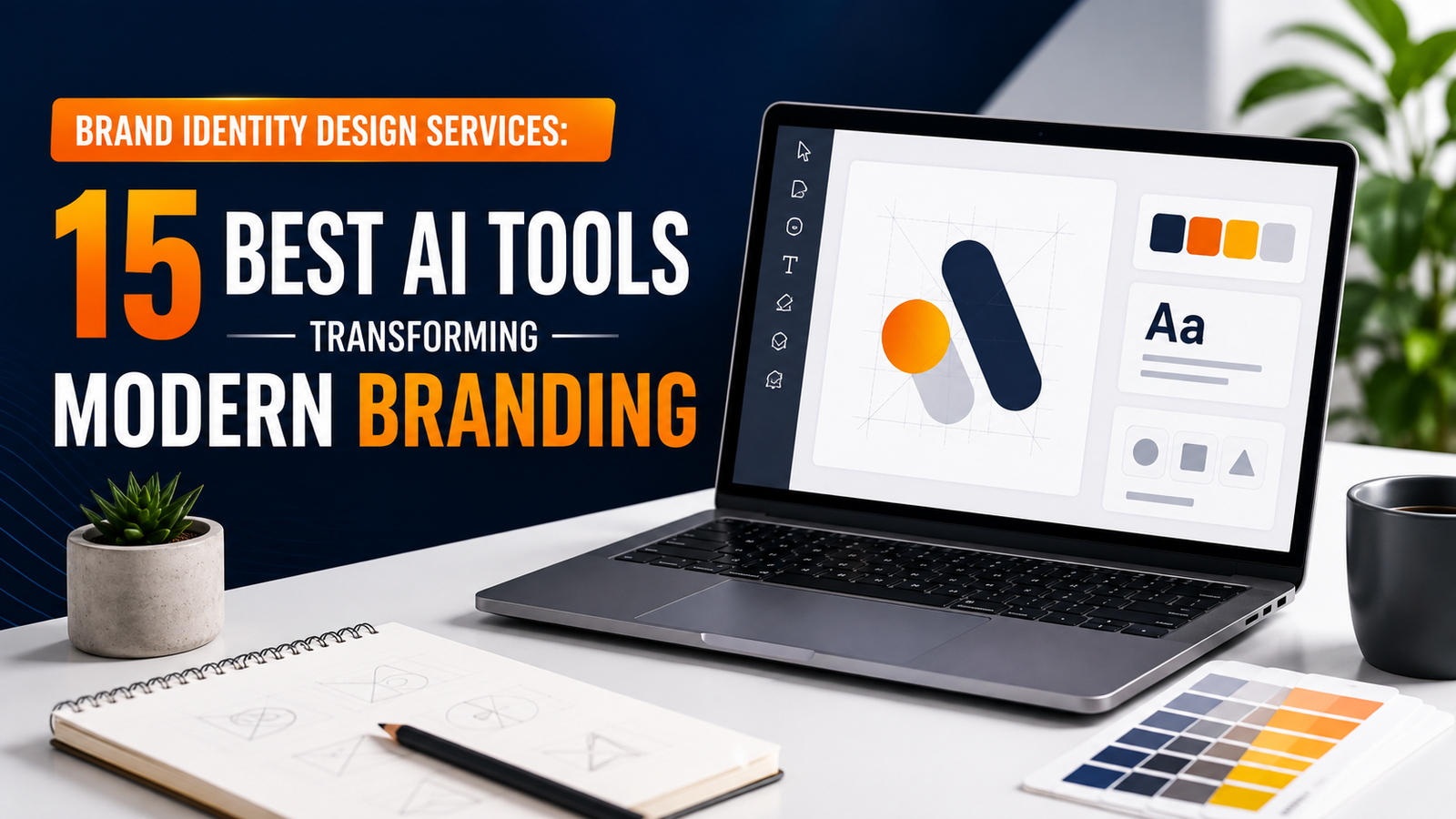
In this article, we’ll explore 15 AI tools transforming modern branding, what each tool is useful for, where it fits into the branding process, and what businesses should consider before using AI-generated content as part of their identity.
What Is AI-Assisted Brand Identity Design?
Why AI Is Changing Modern Branding
Tool #1: Adobe Firefly
Tool #2: Canva AI
Tool #3: Kittl AI
Tool #4: Figma AI
Tool #5: Recraft
Tool #6: Ideogram
Tool #7: Midjourney
Tool #8: Looka
Tool #9: Brandmark
Tool #10: ChatGPT
Tool #11: Adobe Express
Tool #12: Leonardo AI
Tool #13: Photoroom
Tool #14: Framer AI
Tool #15: Tailor Brands
How AI Tools Fit Into a Branding Workflow
AI Tools vs Professional Branding Services
Common Mistakes When Using AI for Branding
How to Choose the Right AI Branding Tool
Frequently Asked Questions
Conclusion
AI-assisted brand identity design means using artificial intelligence to support specific parts of the branding process.
Depending on the tool, AI can help with:
Creative brainstorming
Logo concept generation
Colour exploration
Typography ideas
Mood boards
Image generation
Background removal
Product photography
Social media designs
Website concepts
Marketing layouts
Brand messaging
Presentation design
The important word is assisted.
AI can produce hundreds of ideas, but quantity doesn’t automatically create quality.
A business may generate dozens of attractive logos and still lack a clear brand position. It may create beautiful images that don’t match its target audience. It may choose trendy colours that have nothing to do with its personality.
Professional Brand Identity Design Services bring strategy into the process.
Before choosing a colour or font, a professional branding process considers the business’s audience, competitors, values, positioning, personality, and long-term objectives.
AI becomes more useful when these decisions have already been established.
Traditional branding can involve multiple stages.
First comes research. Then strategy, brainstorming, sketching, visual exploration, design, revisions, mockups, guidelines, and implementation.
AI doesn’t eliminate these stages, but it can make several of them faster.
For example, a designer working on a restaurant brand might need visual references for different creative directions. Instead of manually creating every concept from scratch, AI can help generate initial references.
The designer can then compare those directions and decide which one best fits the brand.
AI is also useful for repetitive production tasks.
Once a brand identity has been approved, businesses may need dozens of social media graphics, advertisements, banners, presentations, and promotional images. AI-assisted tools can speed up the adaptation process.
This gives designers more time to focus on strategic and creative decisions.
Adobe Firefly is one of the most useful AI tools for creative exploration and image generation.
It can help designers create visual concepts, modify existing images, generate backgrounds, experiment with compositions, and develop campaign ideas.
For branding, Firefly can be particularly useful during the early creative stage.
Imagine a travel company preparing to launch a new campaign. The designer might want to explore several visual directions before producing the final campaign photography and graphics.
Firefly can help visualise those ideas quickly.
Creative concepts
Image generation
Background editing
Campaign visuals
Visual experimentation
Creative variations
The important point is that generated images should not automatically become final brand assets. They should be reviewed for quality, relevance, consistency, and suitability for commercial use.
Canva has become a popular platform for businesses that need to create marketing materials without building every design from scratch.
Its AI-powered features can assist with content generation, design creation, image editing, resizing, and other creative tasks.
Canva is particularly useful once the main brand identity has already been established.
For example, a business may already have:
Logo
Brand colours
Typography
Brand guidelines
Those assets can then be used to create:
Instagram posts
Flyers
Presentations
Promotional graphics
Business documents
Advertisements
The major advantage is speed.
A small marketing team can produce more branded content without manually designing every asset from the beginning.
However, businesses should avoid relying too heavily on generic templates. A brand becomes stronger when templates are customised to reflect its own identity.
Kittl combines AI-assisted design with tools for typography, graphics, illustrations, and branding.
It can be particularly useful for creating logo concepts and typography-focused designs.
Businesses can explore different styles and then modify generated concepts using the platform’s editing tools.
Logo concepts
Typography
Vector-style graphics
Posters
Merchandise
Promotional designs
Brand assets
Kittl can be especially helpful for businesses that need visually strong typography.
However, an AI-generated logo should still be evaluated carefully. A professional identity needs to be distinctive, scalable, readable, and appropriate across different applications.
Figma is widely used for interface design, prototyping, websites, and digital design systems.
Its AI capabilities can assist with tasks such as generating design ideas, editing content, finding assets, and speeding up repetitive design work.
For branding, Figma becomes especially valuable when the identity needs to work across digital products.
A brand might need its identity to appear on:
Website
Mobile application
Dashboard
Landing pages
Online forms
Digital advertisements
A logo and colour palette are only the beginning.
The real challenge is making the identity work consistently throughout a digital experience.
Figma can help designers create reusable components and systems that maintain this consistency.
Recraft is useful for generating visual assets, illustrations, icons, and vector-style graphics.
This can be valuable when a business needs custom supporting visuals beyond its logo.
For example, a technology company might need a consistent set of illustrations for:
Website sections
Service pages
Social media
Presentations
Marketing campaigns
Instead of relying entirely on unrelated stock illustrations, designers can use AI to explore a more unified visual direction.
The final assets should still be reviewed and refined so they follow the company’s brand guidelines.
Ideogram is particularly useful for creative image generation involving text and typography.
This makes it useful for exploring:
Poster concepts
Campaign graphics
Promotional designs
Typography ideas
Packaging concepts
Signage
For example, a fashion business could explore several campaign directions before deciding on the final creative style.
The main benefit is experimentation.
Designers can test ideas quickly without committing significant production time to every concept.
Midjourney is widely known for generating highly stylised visual concepts.
For branding, it can be useful for creating mood boards and exploring creative directions.
A brand designer might use it to explore:
Photography styles
Luxury aesthetics
Editorial compositions
Product environments
Campaign moods
Artistic directions
For example, a premium skincare brand could compare minimalist, botanical, editorial, and luxury visual directions.
The strongest concept can then become a reference for the final brand photography and creative system.
Midjourney is therefore particularly valuable for visual exploration, rather than simply generating a finished identity.
Looka focuses heavily on logo and brand creation for businesses.
It can generate combinations of:
Logo concepts
Colours
Typography
Brand applications
Marketing materials
This can be useful for entrepreneurs who need to visualise a potential brand quickly.
For a small startup, seeing several possible visual directions can help clarify what style feels appropriate.
However, businesses should remember that a generated logo is not necessarily a complete brand strategy.
A strong identity needs differentiation, positioning, consistency, and a clear reason behind its visual decisions.
Brandmark is another AI-focused branding platform designed around logo and identity generation.
Users can provide information about their business and explore different logo and visual concepts.
It can be useful for:
Startup brainstorming
Logo exploration
Colour combinations
Early identity concepts
Basic brand assets
The biggest advantage is accessibility.
Someone with no professional design experience can quickly see what different branding directions might look like.
For businesses entering competitive industries, however, professional review remains important. An identity should not simply look good; it should also be distinctive and strategically appropriate.
ChatGPT can contribute to branding from a different direction.
Instead of primarily generating visual assets, it can help with the strategic and verbal side of brand development.
It can assist with:
Brand positioning exercises
Customer personas
Brand personality
Naming ideas
Taglines
Brand stories
Mission statements
Content ideas
Brand voice
Creative briefs
For example, before beginning logo design, a business could develop a creative brief covering:
Target audience
Brand personality
Competitors
Core values
Desired customer perception
Visual preferences
Business objectives
This gives the designer a clearer foundation.
AI becomes much more valuable when it helps organise the thinking behind the design instead of simply producing attractive graphics.
Adobe Express is designed for creating marketing and social content quickly.
It can help businesses produce:
Social media posts
Flyers
Videos
Promotional graphics
Advertisements
Presentations
For businesses that publish content frequently, this can save considerable production time.
However, speed should not lead to inconsistency.
Every piece of content should still follow the established brand:
Colours
Fonts
Logo rules
Photography style
Tone
Layout principles
The goal is to produce content faster without making the brand look inconsistent.
Leonardo AI is useful for generating and experimenting with visual content.
It can support branding projects involving:
Illustrations
Product visuals
Campaign concepts
Backgrounds
Creative compositions
Mood boards
A business that cannot easily organise a professional photoshoot might use AI to explore possible visual concepts before deciding what photography or artwork it actually needs.
This can reduce experimentation costs and help creative teams communicate ideas more effectively.
Photoroom is particularly useful for businesses that depend on product photography.
AI-powered editing can assist with:
Background removal
Background replacement
Product presentation
Image cleanup
Marketing compositions
Ecommerce imagery
Suppose an online clothing business has hundreds of product photographs with inconsistent backgrounds.
Instead of manually editing each image, AI-assisted tools can speed up the process.
This helps the business create a more consistent visual presentation across its website and marketing channels.
Framer combines website design with AI-assisted workflows.
This makes it useful for businesses that want to explore how their new brand identity might appear online.
A brand identity should translate naturally into:
Website layouts
Headlines
Navigation
Buttons
Typography
Colour systems
Images
Calls to action
Framer can help businesses move from an abstract brand concept toward a visible digital experience.
However, the final website still requires human attention to usability, responsiveness, accessibility, SEO, content structure, and performance.
Tailor Brands provides tools designed to help businesses develop basic branding and business assets.
It can assist with:
Logo concepts
Brand colours
Typography
Business materials
Social media assets
This can be useful for entrepreneurs who need a starting point quickly.
However, businesses should evaluate whether a generated identity provides enough differentiation for their market.
A simple identity may be sufficient for a small personal project, while a growing company competing in a crowded industry may need a much deeper branding process.
Using AI effectively requires a process.
Simply opening an AI tool and asking it to “create a brand” rarely produces a strong result.
A better workflow looks like this.
Before touching design tools, identify:
What the business does
Who it serves
What problem it solves
What makes it different
What it wants to achieve
Understand what customers expect from businesses in your industry.
Consider their preferences, needs, concerns, and buying behaviour.
Review competitor branding.
Look for patterns, but don’t copy them.
The goal is to identify opportunities for differentiation.
Define:
Positioning
Personality
Values
Voice
Visual direction
Now AI tools can help generate:
Mood boards
Image references
Logo directions
Colour combinations
Typography ideas
Campaign concepts
Don’t use every generated idea.
Select the strongest concepts and refine them manually.
Create:
Logo
Colour system
Typography
Imagery
Graphic elements
Brand guidelines
Use the system across:
Website
Social media
Advertising
Presentations
Business stationery
Marketing materials
This approach ensures AI supports the brand rather than defining it randomly.
AI tools have become powerful, but they don’t eliminate the need for strategic branding.
There is a major difference between generating a logo and building a complete identity.
AI can help produce:
Concepts
Images
Variations
Copy drafts
Layouts
Mockups
Professional Brand Identity Design Services add strategic thinking that AI alone cannot guarantee.
This includes:
Market research
Competitor analysis
Positioning
Audience analysis
Creative direction
Differentiation
Brand consistency
Human design judgement
Implementation
Consider a business that generates 100 AI logos.
It may have plenty of options but still not know which one communicates its positioning effectively.
The challenge isn’t generating possibilities.
The challenge is choosing the right possibility.
That’s where professional expertise matters.
The most effective approach is therefore not necessarily AI versus designers.
It is AI with skilled designers and strategists.
The first result is rarely the best result.
Explore multiple directions before making decisions.
AI can easily reproduce popular design styles.
If everyone uses the same trend, your brand may become difficult to distinguish.
A beautiful design without a clear purpose can still fail.
Strategy should guide creative decisions.
Mixing unrelated AI-generated images can make your brand look inconsistent.
Choose one visual direction and develop it systematically.
Typography generated by AI may look attractive but still be difficult to read.
Always test fonts across real applications.
A design must work on a website favicon as well as a large printed banner.
AI-generated content should be reviewed carefully for similarity, licensing considerations, and commercial suitability.
Businesses should also review the current terms of the specific AI platform they use.
Don’t choose tools simply because they’re popular.
Choose them according to your specific requirement.
| Branding Task | Useful Tools |
|---|---|
| Brand strategy and messaging | ChatGPT |
| Image generation | Adobe Firefly, Midjourney, Leonardo AI |
| Logo exploration | Kittl, Looka, Brandmark |
| Social media content | Canva AI, Adobe Express |
| Digital design systems | Figma AI |
| Vector graphics | Recraft |
| Typography-based visuals | Kittl, Ideogram |
| Product images | Photoroom |
| Website concepts | Framer AI |
| Basic startup branding | Tailor Brands |
You don’t need every tool on this list.
A business may only need two or three tools depending on its workflow.
The objective should be better branding, not collecting AI subscriptions.
AI will likely become more deeply integrated into professional branding workflows.
Instead of using AI only to generate individual images, future tools are increasingly capable of working with existing brand systems, design components, templates, and guidelines.
This means AI may eventually help businesses maintain consistency across hundreds of assets automatically.
For example, a business could potentially provide its approved:
Logo
Colours
Typography
Photography rules
Brand voice
Layout system
and use AI to adapt those elements into different marketing formats.
This could significantly reduce repetitive production work.
But strategic branding will remain important.
Technology can accelerate execution, but a business still needs to understand:
Who are we?
Who are we speaking to?
What makes us different?
What should customers remember about us?
Those questions are at the centre of effective branding.
AI can help generate many parts of a brand identity, including logo concepts, colour ideas, images, typography suggestions, and marketing assets. However, a complete identity also requires strategy, differentiation, consistency, and human review.
They can be useful for brainstorming and basic projects. Businesses that want a distinctive long-term identity should have AI-generated concepts reviewed, refined, and tested professionally.
There is no single best tool. Different platforms solve different problems. Canva is useful for marketing content, Figma for digital systems, Kittl for typography and logo exploration, Firefly and Midjourney for visual concepts, and ChatGPT for strategy and messaging.
Yes. AI can help small businesses explore ideas and produce marketing content efficiently. However, they should establish a clear brand strategy before creating large amounts of visual content.
AI is more likely to change the role of designers than completely replace them. Designers can use AI for repetitive tasks and exploration while focusing on strategy, creative direction, refinement, and decision-making.
AI tools can reduce some production costs, but cost should not be the only consideration. A cheap logo that fails to differentiate your business can become expensive in the long term.
Professional Brand Identity Design Services can use AI for research assistance, concept exploration, image creation, editing, mockups, content adaptation, and repetitive production while keeping strategic and creative decisions under human control.
They can, provided the images fit the brand and the business has reviewed the relevant licensing and commercial-use terms. Consistency, originality, quality, and long-term usability should also be considered.
AI is transforming branding by making creative exploration and production faster than ever.
The 15 tools covered in this guide demonstrate how artificial intelligence can support almost every stage of modern brand development—from strategic brainstorming and logo exploration to image generation, website design, product photography, and social media content.
But AI should be viewed as a tool, not the brand itself.
A strong brand begins with strategy.
Before choosing a colour, generating a logo, or creating an Instagram template, businesses need to understand their audience, positioning, values, personality, and competitive environment.
Once those foundations are clear, AI becomes much more useful.
It can help designers explore ideas faster. It can reduce repetitive work. It can create variations that would otherwise take considerable time. It can help small businesses produce professional marketing materials more efficiently.
But someone still needs to decide whether those ideas are right.
That’s why professional Brand Identity Design Services continue to have an important role in the age of AI.
The value of a branding professional isn’t simply the ability to operate design software. It’s the ability to understand a business, identify opportunities for differentiation, make strategic design decisions, and create a visual system that works consistently across different platforms.
AI can generate hundreds of possibilities.
A professional can determine which possibility actually supports the business.
For businesses, the smartest approach isn’t to avoid AI or depend on it completely. It’s to use AI where it creates genuine efficiency while keeping strategy, originality, and human judgement at the centre of the branding process.
The future of branding will likely belong to businesses that combine both sides effectively: human creativity and strategic thinking supported by intelligent technology.
If you’re building a new brand or updating an existing one, use AI to explore possibilities—but build the final identity around a clear strategy, consistent design system, and genuine understanding of your customers.
That’s what turns a collection of attractive designs into a brand people can recognise, remember, and trust.
At Gowenza, we believe modern branding should combine creative thinking with the right technology. Our Brand Identity Design Services help businesses develop professional and consistent identities that go beyond a logo.
Our branding work can include:
Brand strategy
Logo design
Colour palette
Typography selection
Visual identity
Brand guidelines
Social media branding
Marketing collateral
Digital brand assets
Gowenza also provides Website Development Services, SEO Services, Graphic Design Services, Social media marketing , and Google Ads Services to help businesses build a stronger and more complete digital presence.
Whether you’re starting a new business or refreshing an existing brand, the goal is to create an identity that communicates clearly, looks professional, and remains consistent as your business grows.
Gowenza — Create. Innovate. Elevate.
Creating impactful digital experiences through design, technology, and marketing. Helping businesses create, innovate, and elevate.
Empowering businesses with creative design, strategic marketing, and innovative technology solutions that drive growth and digital success.