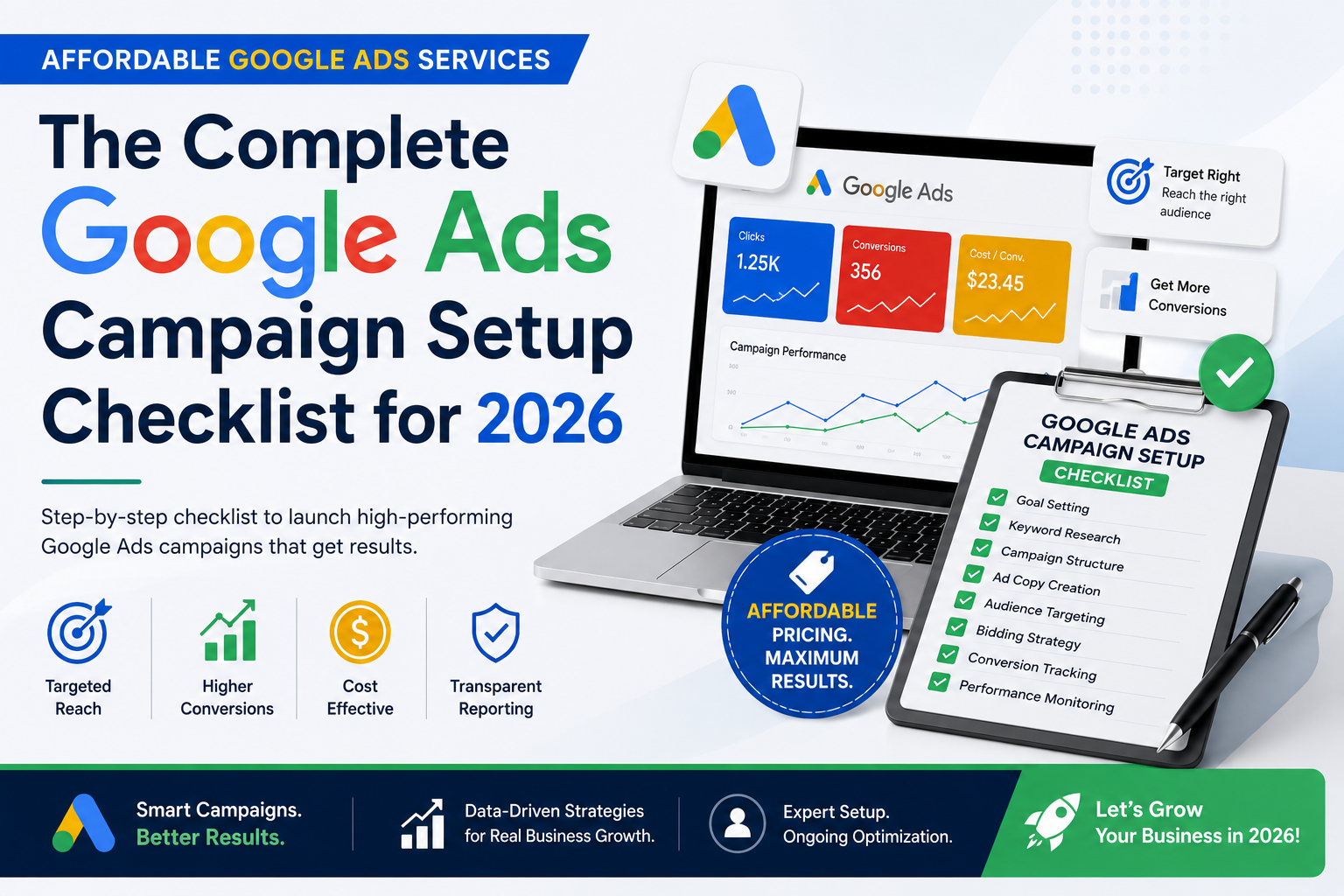
Launching a Google Ads campaign is easy.
Launching a campaign that consistently generates qualified leads, increases sales, and delivers a positive return on investment is much more challenging.
Every day, thousands of businesses create Google Ads campaigns expecting immediate results. Some campaigns produce a steady stream of enquiries and sales, while others consume advertising budgets without generating meaningful returns. The difference usually isn’t the budget—it’s the setup.
A successful Google Ads campaign is built long before the first advertisement goes live. Every decision, from choosing the right campaign objective to selecting keywords, writing ad copy, designing landing pages, and configuring conversion tracking, influences campaign performance.
Skipping even one important step can lead to wasted clicks, irrelevant traffic, poor conversion rates, and higher advertising costs.
This is why many businesses invest in Affordable Google Ads Services. Instead of relying on trial and error, experienced Google Ads specialists follow a structured process that ensures campaigns are built on a solid foundation from day one.
Whether you’re launching your first campaign or reviewing an existing account, this checklist will help you understand exactly what needs to be done before spending your advertising budget.
By following these steps, you’ll improve campaign quality, attract more qualified visitors, and maximize every advertising dollar.
Table of Contents
- Why Campaign Setup Matters
- Step 1 – Define Your Campaign Goal
- Step 2 – Understand Your Target Audience
- Step 3 – Research Your Competitors
- Step 4 – Choose the Right Campaign Type
- Step 5 – Conduct Keyword Research
- Step 6 – Build Smart Keyword Groups
- Step 7 – Configure Campaign Settings
- Step 8 – Set Your Budget and Bidding Strategy
- Step 9 – Write High-Converting Ads
- Step 10 – Create Dedicated Landing Pages
- Step 11 – Add Ad Extensions
- Step 12 – Configure Conversion Tracking
- Step 13 – Review Before Launch
- Step 14 – Monitor Campaign Performance
- Step 15 – Optimize Every Month
- Common Campaign Setup Mistakes
- Final Checklist
- FAQs
- Conclusion
Why Campaign Setup Matters
Many advertisers believe success depends mainly on budget.
In reality, campaign structure has a much greater impact.
Imagine two businesses spending the same amount on Google Ads.
The first launches advertisements without researching keywords, defining a target audience, or creating dedicated landing pages.
The second carefully plans every stage of the campaign before launching.
Although both businesses spend the same budget, the second business usually generates more qualified leads because every part of the campaign supports the customer’s buying journey.
This is exactly what Affordable Google Ads Services aim to achieve—helping businesses spend smarter rather than simply spending more.
A well-planned campaign can:
- Improve click-through rates
- Increase conversion rates
- Lower cost per click
- Reduce wasted advertising spend
- Improve Quality Score
- Generate more qualified leads
- Deliver a stronger return on investment
Before thinking about advertisements, businesses should first build the right campaign structure.
Step 1: Define Your Campaign Goal
Every successful campaign starts with a clear objective.
Without one, it’s impossible to know whether your advertising is working.
Ask yourself:
- Do you want more website enquiries?
- More phone calls?
- More online sales?
- More store visits?
- More appointment bookings?
- More WhatsApp enquiries?
Your answer determines how your campaign should be built.
For example:
A law firm may focus on phone calls and consultation requests.
An online clothing store may prioritize purchases.
A real estate agency may optimize for property enquiries.
Each goal requires a different campaign strategy.
Businesses using Affordable Google Ads Services usually begin with a detailed consultation to identify the most valuable conversion goals before any campaign is created.
Step 2: Understand Your Target Audience
Google Ads works best when your message reaches the right people.
Trying to advertise to everyone usually results in lower conversions and higher costs.
Build a customer profile before creating your campaign.
Consider:
Demographics
- Age
- Gender
- Income level
- Occupation
Location
- Country
- State
- City
- Service radius
Search Intent
Ask yourself:
Why would someone search for your service?
For example:
A person searching “emergency plumber near me” has very different intent than someone searching “how plumbing works.”
Understanding this difference helps you target customers who are ready to take action.
Devices
Will your audience primarily search on:
- Mobile phones?
- Desktop computers?
- Tablets?
Knowing this allows you to optimize landing pages and user experience.
Step 3: Research Your Competitors
One of the smartest things you can do before launching a campaign is study businesses already advertising in your industry.
Search your primary keywords and observe:
- Which businesses appear consistently?
- What headlines do they use?
- What offers are they promoting?
- Do they emphasize free consultations?
- Are they highlighting pricing?
- What call-to-action do they use?
You’re not copying competitors.
You’re identifying what customers in your market are already responding to.
You should also visit their landing pages and evaluate:
- Page structure
- Headlines
- Trust signals
- Testimonials
- Forms
- Calls to action
This research helps you identify opportunities to create an even better customer experience.
Step 4: Choose the Right Campaign Type
Google Ads offers several campaign types, and selecting the right one is one of the most important setup decisions.
Here are the most common options:
| Campaign Type | Best For |
|---|
| Search Campaign | Lead generation and service businesses |
| Performance Max | E-commerce and broad reach |
| Display Campaign | Brand awareness and remarketing |
| Shopping Campaign | Online product sales |
| Video Campaign | Brand awareness on YouTube |
For most service-based businesses, Search Campaigns are the best starting point because they target people actively searching for your services.
Performance Max can be an excellent option for businesses selling products online or looking to expand their reach across Google’s advertising network.
Choosing the right campaign type from the beginning helps avoid unnecessary spending and improves your chances of generating qualified leads.
This is one of the reasons businesses rely on Affordable Google Ads Services—professional guidance ensures the campaign type matches the business objective rather than simply following the latest trend.
Why These First Four Steps Matter
Many campaign failures happen before the first advertisement is even written.
Businesses often rush into Google Ads without clearly defining their goals, understanding their audience, researching competitors, or selecting the right campaign type.
By taking the time to complete these four steps, you create a strong foundation that supports every stage of your campaign—from keyword selection and ad creation to conversion tracking and ongoing optimization.
A successful Google Ads campaign isn’t built by chance.
It’s built through careful planning, informed decisions, and continuous improvement.
These first steps ensure every advertising rupee has a better chance of producing measurable business results.
With your campaign goals clearly defined and your audience identified, it’s time to build the foundation of your Google Ads account. This stage determines whether your ads reach the right people or waste your budget on irrelevant clicks.
Many businesses skip these steps because they want to launch campaigns quickly. Unfortunately, poor keyword planning and weak campaign structure are among the biggest reasons Google Ads campaigns fail.
The following checklist will help you create campaigns that are organized, relevant, and optimized for better performance from the very beginning.
Step 5: Conduct Thorough Keyword Research
Keywords are the bridge between your business and potential customers.
Every time someone searches on Google, the platform decides whether your ad matches the user’s search intent.
If your keywords are too broad, you’ll receive irrelevant traffic.
If they’re too narrow, you may miss valuable opportunities.
A balanced keyword strategy includes:
High-Intent Keywords
These keywords indicate that the user is ready to buy or contact a business.
Examples:
Affordable Google Ads Services
Google Ads management company
PPC agency near me
Google Ads expert for small business
These keywords often generate better-quality leads because the searcher already has strong purchase intent.
Service-Specific Keywords
Target keywords that clearly describe your service.
Examples:
These searches attract users who already understand what they need.
Location-Based Keywords
If your business serves specific areas, include location keywords.
Examples:
Google Ads agency in Hyderabad
PPC management company in Mumbai
Google Ads expert near me
Location-based searches often convert well because users are looking for nearby service providers.
Long-Tail Keywords
Long-tail keywords generally have lower competition and stronger buying intent.
For example:
Instead of:
Google Ads
Use:
Affordable Google Ads Services for startups
Although long-tail keywords usually have lower search volume, they often produce higher conversion rates.
Step 6: Organize Keywords into Ad Groups
One mistake many beginners make is placing every keyword into a single ad group.
This makes it difficult to write relevant advertisements.
Instead, organize keywords based on closely related topics.
Example:
Ad Group 1
Google Ads Management
Google Ads agency
Google Ads services
Google Ads experts
Ad Group 2
Performance Max
Ad Group 3
Lead Generation
This structure allows you to create advertisements that closely match user searches, improving Quality Score and click-through rates.
Professional Affordable Google Ads Services always organize campaigns carefully because account structure has a direct impact on performance.
Step 7: Choose the Right Keyword Match Types
Google Ads provides several keyword match types.
Understanding them helps control when your advertisements appear.
Broad Match
Broad Match reaches the widest audience.
Example keyword:
Google Ads services
Your advertisement may appear for related searches that Google considers relevant.
Although this increases reach, it can also generate irrelevant traffic.
Phrase Match
Phrase Match offers more control.
Your advertisement appears when searches contain the meaning of your keyword.
This often provides a good balance between traffic and relevance.
Exact Match
Exact Match provides the highest level of control.
Ads appear for searches that closely match your selected keyword and intent.
Although traffic volume is usually lower, lead quality is often higher.
Many experienced advertisers begin with Phrase Match and Exact Match before expanding into Broad Match.
Step 8: Add Negative Keywords
Negative keywords prevent your advertisements from appearing for searches that are unlikely to generate customers.
For example, if you offer premium Google Ads management, you probably don’t want your ads appearing for searches such as:
Free Google Ads course
Google Ads tutorial
Google Ads jobs
Google Ads certification
Adding these terms as negative keywords helps:
Review your Search Terms Report regularly to discover additional negative keywords.
This simple habit can save a significant portion of your advertising budget.
Step 9: Set the Right Budget and Bidding Strategy
One of the biggest myths about Google Ads is that success depends on having a massive budget.
In reality, a well-managed campaign with a modest budget often outperforms a poorly managed campaign with much higher spending.
Start with a realistic daily budget based on your business goals and industry competition.
Next, choose an appropriate bidding strategy.
Common options include:
Maximize Conversions
Best for businesses focused on generating enquiries, leads, or sales.
Maximize Clicks
Useful when increasing website traffic is the primary objective.
Target CPA (Cost Per Acquisition)
Ideal once your campaign has enough conversion data.
Google automatically adjusts bids to help achieve your desired cost per lead.
Target ROAS (Return on Ad Spend)
Recommended for e-commerce businesses focused on maximizing revenue.
Professional Affordable Google Ads Services help businesses choose bidding strategies based on campaign goals rather than using the same approach for every client.
Budget Allocation Tips
If you’re managing multiple campaigns, avoid splitting your budget equally.
Instead, prioritize campaigns that support your most valuable business goals.
For example:
| Campaign | Monthly Budget |
|---|
| Search Campaign | ₹25,000 |
| Remarketing Campaign | ₹10,000 |
| Performance Max | ₹15,000 |
As performance data becomes available, gradually increase investment in the campaigns generating the strongest results.
Why Campaign Structure Matters
A well-structured campaign offers several advantages:
Businesses that carefully organize their campaigns from the beginning usually spend less time fixing problems later.
This is one of the biggest benefits of investing in Affordable Google Ads Services. Professional campaign managers build campaigns with long-term performance in mind rather than simply launching ads as quickly as possible.
By completing these setup steps before writing advertisements, you create a strong foundation that supports better optimization, more qualified traffic, and improved return on investment.
By this stage, your campaign structure is ready. You have defined your goals, researched keywords, organized ad groups, selected match types, added negative keywords, and chosen a bidding strategy.
Now it’s time to create the elements that directly influence whether users click your ad and become customers.
For many businesses, this is where the difference between an average campaign and a highly profitable campaign becomes obvious.
Step 10: Write High-Converting Google Ads
Your advertisement has one job—convince the right person to click.
Since Google Ads gives you limited space, every headline and description should communicate value clearly.
A high-performing Search Ad typically answers three questions immediately:
Include Your Primary Keyword
Adding your target keyword naturally increases relevance.
For example, if you’re advertising Affordable Google Ads Services, include that phrase in one of your headlines or descriptions whenever appropriate.
Example headlines:
Affordable Google Ads Services for Small Businesses
Get More Leads with Google Ads Experts
Maximize ROI with Affordable Google Ads Services
Focus on Benefits Instead of Features
Customers care more about outcomes than technical details.
Instead of saying:
Google Ads Campaign Management
Write:
Generate More Qualified Leads with Affordable Google Ads Services
Benefits encourage more clicks because they solve a problem.
Use Strong Calls to Action
Never leave users wondering what to do next.
Examples include:
Clear calls to action improve click-through rates and encourage immediate action.
Highlight Your Competitive Advantage
Give users a reason to choose your business.
Examples:
Certified Google Ads Specialists
Transparent Monthly Reporting
No Long-Term Contracts
Customized Campaign Strategies
Dedicated Account Manager
Even a small competitive advantage can improve ad performance.
Step 11: Create a Dedicated Landing Page
One of the biggest mistakes businesses make is sending paid traffic to the homepage.
A homepage serves many purposes.
A landing page has one purpose.
Convert visitors.
Your landing page should closely match the advertisement that brought users there.
For example:
If someone clicks an advertisement promoting Affordable Google Ads Services, they should land on a page focused specifically on Google Ads management—not a general digital marketing services page.
Every High-Converting Landing Page Should Include
A Clear Headline
Visitors should immediately understand what the page offers.
Example:
Affordable Google Ads Services That Help Your Business Generate More Qualified Leads
A Short Introduction
Explain:
Who you help
What you offer
Why it matters
Keep the first section simple and focused.
Benefits
Instead of listing services, explain how those services improve business outcomes.
For example:
Instead of:
Keyword Research
Conversion Tracking
Write:
Reach customers actively searching for your services.
Reduce wasted advertising spend.
Generate more qualified leads.
Improve return on investment.
Benefits are more persuasive than features.
Trust Signals
Include elements that increase credibility.
Examples:
Customer testimonials
Case studies
Google Reviews
Years of experience
Client logos
Certifications
Awards
Trust reduces hesitation and encourages enquiries.
A Simple Contact Form
Ask only for essential information.
Recommended fields:
Name
Email
Phone Number
Message
The fewer barriers visitors face, the more likely they are to convert.
Step 12: Add Ad Extensions
Ad extensions provide additional information about your business while making your advertisements larger and more noticeable.
They often improve click-through rates without increasing your advertising budget.
Google offers several extension types.
Sitelink Extensions
Direct users to important pages.
Examples:
Pricing
Contact Us
About Us
Free Consultation
Case Studies
Call Extensions
Display your business phone number directly in the advertisement.
Ideal for businesses that generate enquiries by phone.
Callout Extensions
Highlight important benefits.
Examples:
Free Consultation
Certified Experts
Fast Response
Custom Strategies
No Hidden Fees
Structured Snippets
Show categories of services.
Example:
Services:
Google Search Ads
Performance Max
Display Campaigns
Remarketing
Location Extensions
Perfect for local businesses.
These display your office location and help customers find you more easily.
Professional providers of Affordable Google Ads Services use multiple ad extensions because they improve visibility while giving potential customers more reasons to click.
Step 13: Configure Conversion Tracking
Running Google Ads without conversion tracking is like driving without a destination.
You may receive clicks, but you won’t know whether those clicks produce business results.
Track actions such as:
Contact form submissions
Phone calls
WhatsApp enquiries
Online purchases
Appointment bookings
Newsletter subscriptions
Conversion tracking helps answer critical questions:
Which keywords generate customers?
Which advertisements perform best?
Which campaigns deserve more budget?
What is your cost per lead?
These insights allow you to make data-driven decisions instead of relying on assumptions.
Step 14: Review Everything Before Launch
Many costly mistakes can be avoided with a final review.
Before publishing your campaign, check the following:
Campaign Settings
✔ Correct campaign objective
✔ Appropriate locations
✔ Correct language settings
✔ Accurate daily budget
✔ Suitable bidding strategy
Keywords
✔ Organized into relevant ad groups
✔ High-intent keywords included
✔ Negative keywords added
✔ Match types selected correctly
Advertisements
✔ Headlines include primary keywords
✔ Descriptions explain benefits
✔ Strong calls to action included
✔ Grammar and spelling checked
Landing Pages
✔ Mobile-friendly
✔ Fast loading
✔ Relevant to advertisements
✔ Contact form working
✔ CTA buttons visible
A careful review can prevent unnecessary spending and improve campaign performance from day one.
Step 15: Launch, Monitor, and Improve
Launching your campaign isn’t the finish line.
It’s the beginning.
Google Ads campaigns improve through continuous optimization.
During the first few weeks:
Monitor keyword performance.
Review search terms.
Pause low-performing keywords.
Adjust bids when necessary.
Test different advertisements.
Improve landing page conversion rates.
Add new negative keywords.
Avoid making major changes every day.
Allow campaigns enough time to collect meaningful performance data before making optimization decisions.
Looking to grow your business online? Explore Gowenza’s Google Ads Services, SEO Services, Website Development Services, and Brand Identity Design Services to build a stronger online presence. You can also read our latest Google Ads guides for expert tips on increasing conversions, maximizing ROI, and creating high-performing campaigns for your business.
Explore our services